
 WhatsApp: +86 16626708626
 Email:
  Phone: +86 16626708626
Description
Key Technical Specifications
| Parameter | Value |
|---|---|
| Model | FBM217 |
| Termination Assembly | RH916XZ |
| Manufacturer | Foxboro (Schneider Electric) |
| Product Type | Discrete Input Interface Module |
| Input Channels | 32 group-isolated digital input channels |
| Input Type | 24 VDC contact sense (contact wetting supplied by FBM) |
| Logic OFF Voltage | 0–5 VDC |
| Logic ON Voltage | 15–30 VDC |
| Typical Input Current | 2.2 mA at 30 VDC |
| Maximum Pulse Rate | 250 Hz |
| Configurable Filter | None, 4, 8, 16, or 32 ms |
| Communication | 2 Mbps redundant Module Fieldbus |
| Power Consumption | Approximately 3 W at 24 VDC |
| Operating Temperature | -20 °C to +70 °C |
| Mounting | Baseplate with RH916XZ compression terminal assembly |
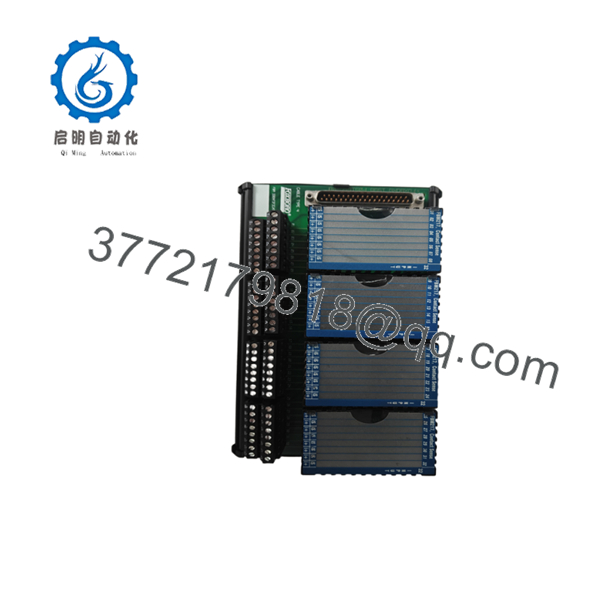
The RH916XZ termination assembly is designed specifically for 24 VDC contact-sense applications, providing passive feedthrough and group isolation for all 32 input channels.
Product Introduction
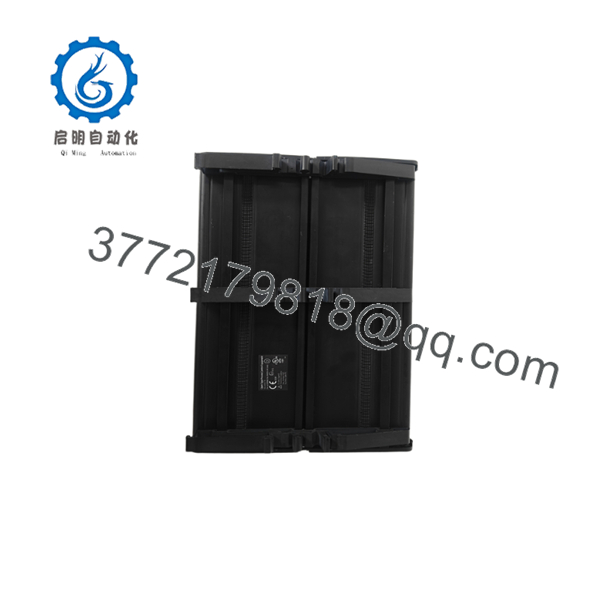
The Foxboro FBM217 RH916XZ is a 32-channel discrete input interface module used in EcoStruxure Foxboro DCS and legacy I/A Series control systems. It monitors field devices such as limit switches, pushbuttons, auxiliary contacts, motor status signals, and safety interlocks, converting their ON/OFF states into digital data for the controller.
When paired with the RH916XZ termination assembly, the module supports 24 VDC contact-sense inputs with group isolation. Configurable debounce filtering helps eliminate false transitions caused by switch bounce or electrical noise, making the module suitable for demanding industrial environments.

- FBM217 RH916XZ
- FBM217
Installation & Configuration Guide
Stage 1 – Pre-Installation Preparation (10 Minutes)
⚠️ Safety First
- Notify operations before taking the I/O cabinet offline.
- Perform Lock-Out/Tag-Out (LOTO).
- Remove cabinet power.
- Wait at least five minutes before touching any electronics.
Required Tools
- ESD wrist strap
- Phillips screwdriver
- Digital multimeter
- Wire markers
- Smartphone for wiring documentation
Before Removal
- Back up the Foxboro engineering database.
- Record slot location.
- Photograph every terminal connection.
- Verify the termination assembly part number.
Stage 2 – Remove the Existing Module (5 Minutes)
- Label every field wire.
- Disconnect the terminal assembly.
- Release the module latch.
- Pull the FBM217 straight out without twisting.
⚠️ Keep the removed module until all input channels have been verified.
Inspect for:
- Bent backplane pins
- Loose terminals
- Corrosion
- Dust contamination
Stage 3 – Install the New Module (10 Minutes)
- Wear an ESD wrist strap.
- Verify the replacement is FBM217.
- Confirm the installed termination assembly is .
- Fully seat the module.
- Reconnect all field wiring.
- Tighten compression terminals to the specified torque.
Installation Checklist
- ✔ Correct module
- ✔ Correct TA
- ✔ Wiring verified
- ✔ Ground connection confirmed
- ✔ Module securely latched
Stage 4 – Power-Up & Testing (10 Minutes)
- Verify the 24 VDC supply.
- Restore cabinet power.
- Check module LEDs.
- Confirm communication with the controller.
- Operate several field switches.
- Verify every digital input changes state correctly.
- Test alarm and interlock functions before returning the process to service.
⚠️ Common Problems
Inputs remain OFF
- Verify 24 VDC field supply.
- Check contact wiring.
- Confirm is the correct termination assembly.
Random input changes
- Increase debounce filter time.
- Inspect shield grounding.
- Check for electrical noise near input cables.
No communication
- Verify module seating.
- Inspect the baseplate connector.
- Check Module Fieldbus status.
Frequently Asked Questions (FAQ)
Q1. What is the ?
The is a dedicated compression-style termination assembly designed for the . It supports 32 channels of 24 VDC contact-sense inputs and provides group isolation between the field wiring and the control system.
Q2. How many digital inputs does the support?
The provides 32 group-isolated discrete input channels for monitoring field contacts, limit switches, relay outputs, and other ON/OFF devices.
Q3. Can the count pulses?
Yes. The module supports pulse signals up to 250 Hz, making it suitable for low-speed pulse counting and status monitoring applications.
Q4. Which field devices are typically connected?
Typical devices include:
- Limit switches
- Emergency stop contacts
- Motor auxiliary contacts
- Valve position switches
- Pressure switches
- Level switches
- Fire and gas alarm contacts
Q5. Is the interchangeable with other termination assemblies?
No. Different termination assemblies support different signal types and voltage ranges. The is specifically intended for 24 VDC contact-sense applications. Always verify the termination assembly before replacing either the module or field wiring.
Q6. Is the still available?
Although the is considered a mature product within many Foxboro DCS installations, it remains widely used in power generation, oil and gas, chemical processing, and other continuous-process industries. New surplus inventory and fully tested replacement units are still commonly available through industrial automation spare-parts suppliers.



