
 WhatsApp: +86 16626708626
 Email:
  Phone: +86 16626708626
Description
3. Key Technical Specifications
| Parameter | Value |
|---|---|
| Communication Ports | 4 independent, software-configurable |
| Physical Interfaces | RS-232, RS-422, or RS-485 (per port) |
| Protocol Support | Downloadable drivers (Modbus RTU/ASCII and others from library) |
| Baud Rates | 300 to 115,200 bps |
| Devices Supported | Up to 64 via RS-485 (max 16 per port) or up to 4 direct-connect RS-232/RS-422 |
| DCI Connections | Up to 2,000 Distributed Control Interface point connections |
| Data Types | 2-/4-byte integers, IEEE float, binary; driver-dependent conversions |
| Isolation | Galvanic isolation per communication channel |
| Power Supply | 24 V DC +5 % / –10 % (redundant capable) |
| Power Consumption | 7 W maximum |
| Operating Temperature | –20 to +60 °C (typical module rating) |
| Relative Humidity | 5 to 95 % non-condensing |
| Weight | Approx. 280–390 g |
| Mounting | Modular baseplate with associated multi-port Termination Assembly |
4. Product Introduction
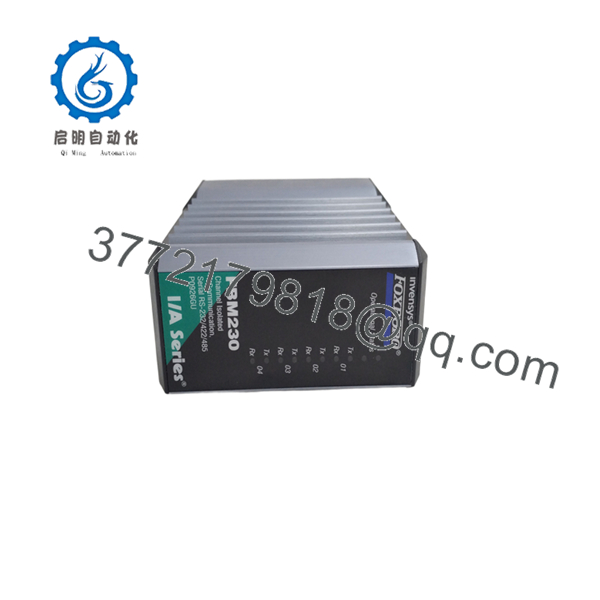
The Foxboro FBM230 is a Field Device System Integrator (FDSI) module that provides four serial ports for connecting single-ported field devices to the I/A Series or Foxboro Evo DCS. Each port can be independently configured for RS-232, RS-422, or RS-485, giving flexibility when integrating different serial devices on the same module.
Protocol-specific software drivers are downloaded to the module, enabling support for Modbus RTU/ASCII and other available industrial protocols. The FBM230 collects data from field devices, performs necessary conversions, and maps the information into the Foxboro control database via DCI blocks. It is the single (non-redundant) version; the FBM231 provides the redundant counterpart.

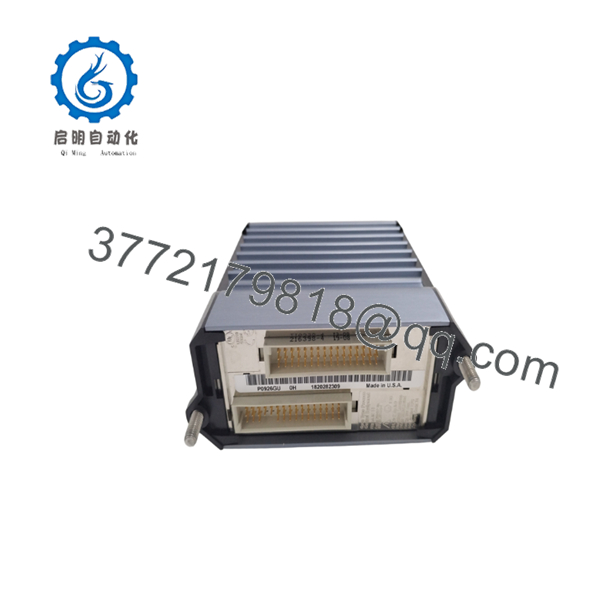
- FBM230
- FBM230
5. Troubleshooting Quick Reference
| Symptom | Possible Cause | Relevance to this Part | Quick Check Method | Recommendation |
|---|---|---|---|---|
| No communication on any port | Incorrect port configuration, driver not loaded, or wiring error | ✅ High | Verify port settings (interface type, baud, parity) and confirm correct driver is downloaded; check TA wiring | Match settings to field devices; re-download driver if needed |
| One port fails while others operate | Port-specific wiring, termination, or isolation fault | ✅ High | Swap cables between ports; inspect TA terminals and DIP switches | Isolate to cable or TA; replace cable first |
| Intermittent data or CRC errors | Noise, missing termination resistors, or excessive cable length | ✅ Medium | Verify shield grounding and RS-485 termination; check cable length limits | Install proper termination; improve grounding and routing |
| Devices time out or respond slowly | Poll rate too aggressive or too many devices/transactions | ✅ Medium | Review configured scan rates and number of devices per port | Increase poll interval or reduce simultaneous transactions |
| Module status indicates fault | Power or Fieldbus communication problem | ❌ Low | Measure 24 V DC at baseplate; check Fieldbus path status | Resolve power or Fieldbus issue before replacing the module |
| Driver-related errors | Incompatible or outdated protocol driver | ✅ Medium | Confirm driver version matches system software and device requirements | Update to the correct driver from the official library |
If these checks do not resolve the issue, capture the module LEDs, TA configuration, driver version, and a system diagnostic log, then contact technical support.
6. Frequently Asked Questions (FAQ)
Q: What is the difference between FBM230 and FBM231? A: FBM230 is the single (non-redundant) FDSI serial module. FBM231 is the redundant version used in pairs for higher availability.
Q: How many devices can one support? A: Up to 64 devices on RS-485 networks (typically limited to 16 per port) or up to 4 direct-connect RS-232/RS-422 devices. Actual capacity depends on baud rate, poll frequency, and data volume.
Q: Can different protocols run on different ports? A: Protocol support is provided by the downloaded driver. Some drivers allow port-specific configuration; others apply the same protocol across ports. Check the specific driver documentation.
Q: Does it support Modbus TCP? A: No. is a serial module. Modbus TCP requires the Ethernet FDSI modules (FBM232 / FBM233).
Q: What termination assembly is required? A: A multi-port TA designed for the family that provides the field terminals and selectable termination for RS-422/485. Confirm the exact part number against the current Product Specification Sheet.
Q: Are protocol drivers included with the module? A: Drivers are downloaded from the Foxboro software library. The required driver must match the target field devices and system software version.
Q: Why are surplus units priced lower than factory-new listings? A: Most available stock is New Surplus—never installed, from excess project inventory. Units are inspected for physical condition. A 1-year warranty is provided; the original OEM warranty does not transfer with surplus material.



