
 WhatsApp: +86 16626708626
 Email:
  Phone: +86 16626708626
Description
Key Technical Specifications
| Parameter | Specification / Value |
|---|---|
| Part Number | P0926GW |
| Ethernet Interface | Single 10/100Base-TX RJ-45 copper port (Auto-negotiating) |
| Supported Protocols | Modbus TCP/IP, Allen-Bradley EtherNet/IP, TCP/IP Pass-Through, FDSI drivers |
| Galvanic Isolation | 600 V AC optical/transformer isolation between network and control backplane |
| Max Devices/Connections | Up to 64 virtual device connections per module (driver dependent) |
| Power Consumption | 7.0 W maximum power consumption at nominal 24 V DC supply |
| Operating Temperature | −20 to +70 °C (−4 to +158 °F) |
| Relative Humidity | 5 to 95% non-condensing |
| Environmental Rating | Class G3 harsh environment compliant (ISA S71.04) |
Product Introduction & Supply Chain Strategy
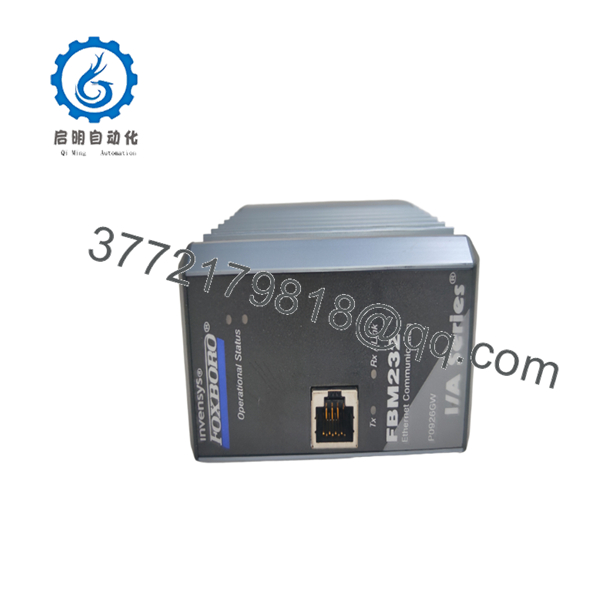
This product is a Brand New Surplus unit. It is not used, not pulled from a decommissioned plant, and not refurbished. All modules undergo rigorous quality verification to ensure OEM-level reliability. The Foxboro FBM232 (P0926GW) serves as a high-performance Ethernet Field Device System Integrator (FDSI) module, linking plant Ethernet networks, PLCs, motor protection relays, and smart gas analyzers directly to the Foxboro Field Control Processor (FCP).
Maintaining FBM232 modules in New Surplus inventory creates an immediate insurance policy against Ethernet gateway lockups and hardware failures without waiting for factory backorders. Sourcing original, non-refurbished stock protects your plant from issues typical of secondhand parts—such as burnt Ethernet PHY transceiver chips, degraded backplane buffer ICs, and damaged RJ-45 jack pins—ensuring high network stability and a lower Total Cost of Ownership (TCO).

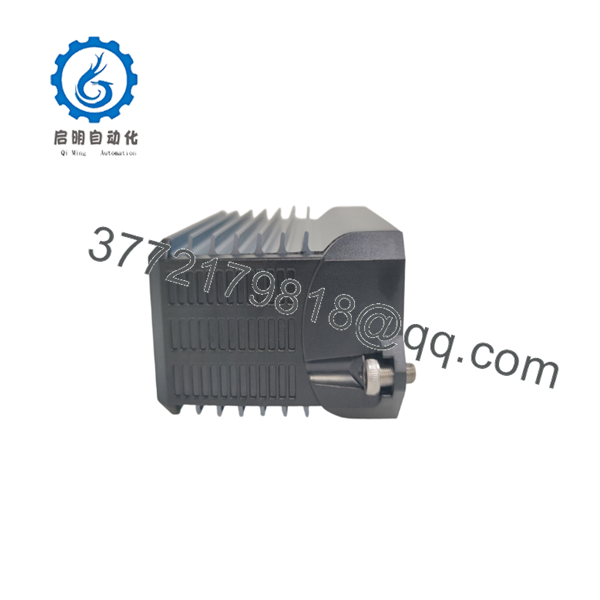
- FBM232 P0926GW
- FBM232 P0926GW
Installation & Configuration Guide
Stage 1: Pre-Installation (Prep & Safety)
- Initiate complete Lock-out/Tag-out (LOTO) procedures on connected 24 V DC power feeds and plant network switches.
- Put on a grounded ESD wrist strap prior to handling the module.
- Record the IP address, subnet mask, gateway, and loaded FDSI driver details for the target module position.
Stage 2: Removal
- Loosen the captive retention screws located at the top and bottom of the FBM232 faceplate.
- Disengage the module extraction latches to decouple the backplane connector.
- Pull the card straight out along baseplate guide rails to avoid placing mechanical stress on the backplane connector pins.
Stage 3: Installation (Clone & Seat)
- Verify the replacement card part number reads P0926GW and inspect backplane connectors for contamination.
- Align the module card edges with the designated baseplate slot guide rails.
- Push the module inward until the backplane contacts engage, then press firmly until seated. Torque retaining screws to 0.5 Nm.
Stage 4: Power-On & Testing
- Restore 24 V DC baseplate input power and confirm supply line stability between 21.6 V DC and 26.4 V DC.
- Observe status LEDs: confirm POWER lights solid green, FAIL remains unlit, and the RJ-45 LINK/ACT LED displays green activity.
- Verify Ethernet connectivity using Foxboro System Manager or ping diagnostics to confirm the FDSI driver handshake is active without dropped packets.
Firmware/Software Versions & Upgrade Notes
- Recommended Version: Supported on Foxboro I/A Series System Software V8.4 through V8.8 and Control Core Services / EcoStruxure Foxboro DCS V9.0 or later.
- Baseplate Compatibility: Compatible with standard 200 Series 2-position, 4-position, or 8-position Foxboro baseplates (P0926HF, P0926KE series).
- Upgrade / Downgrade Warnings:
- Ensure the specific XML driver file (e.g., Modbus TCP Master) downloaded to the Field Control Processor matches the driver requirements of the new module prior to putting the slot online.
- Do not change network IP settings or subnet masks on an active FBM232 slot while process control logic is relying on mapped I/O points to avoid communication trips.
Frequently Asked Questions (FAQ)
Why is this New Surplus module priced lower than OEM list price?
Our pricing reflects unused surplus inventory obtained directly from global plant expansions, system integrator reserves, and corporate spare stocks. This allows us to supply genuine OEM hardware at significant savings without long manufacturing lead times.
Are these modules completely unused or refurbished?
These units are 100% New Surplus / Original New stock. They have never been placed into active process service, feature zero backplane pin wear, and are supplied in original protective anti-static packaging. We maintain a zero-tolerance policy against refurbished or repaired process control parts.
Can I hot-swap the while the DCS baseplate is powered?
Yes, the supports live hot-swapping on powered baseplates. Once inserted, the active Field Control Processor recognizes the slot address and downloads network driver configurations and IP settings automatically.
What is the difference between the FBM230 and the ?
The FBM230 (P0926GU) provides 4 isolated serial communication ports (RS-232/RS-422/RS-485), whereas the (P0926GW) provides a single 10/100 Mbps Ethernet RJ-45 connection for industrial Ethernet protocol communications.
What warranty coverage comes with this New Surplus module?
Every () module is backed by a full 1-year replacement warranty, supported by visual contact pin checks, power-on diagnostic verification, and Ethernet PHY port loopback tests prior to dispatch.



