
 WhatsApp: +86 16626708626
 Email:
  Phone: +86 16626708626
Description
Key Technical Specifications
| Parameter | Value |
|---|---|
| Model | FBM232 (P0926GW) |
| Manufacturer | Foxboro (Schneider Electric) |
| Product Type | Field Device System Integrator (FDSI) Module |
| Ethernet Interface | Single 10/100 Mbps copper Ethernet |
| Communication Protocol | TCP/IP and UDP/IP (driver dependent) |
| Supported Field Devices | Up to 64 Ethernet devices |
| DCI Capacity | Up to 2,000 DCI block connections |
| Data Types | Integer, IEEE floating point, binary, string (driver dependent) |
| Fastest ECB Block Period | 500 ms |
| Module Fieldbus | Redundant 2 Mbps Module Fieldbus |
| Supply Voltage | 24 VDC (+5% / -10%) |
| Maximum Power Consumption | 7 W |
| Mounting | Standard Modular Baseplate |
| Operating Environment | ISA S71.04 Class G3 |
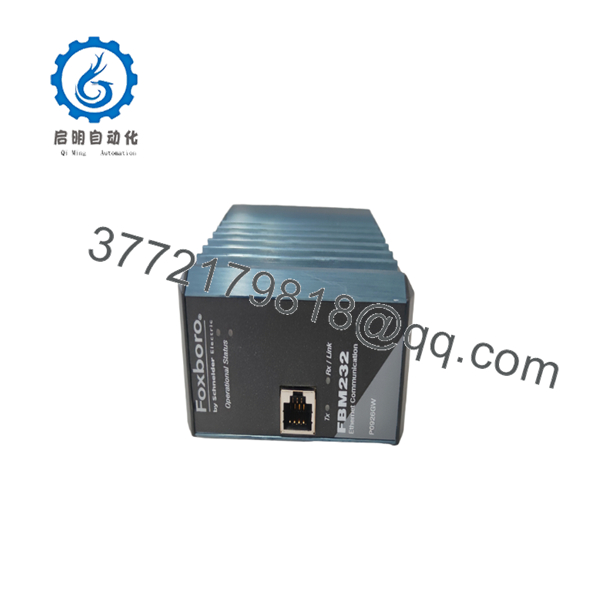
The FBM232 acts as a gateway between third-party Ethernet field devices and the Foxboro DCS. It supports downloadable communication drivers, allowing integration of Ethernet-based industrial protocols without requiring changes to the Foxboro controller architecture.
Product Introduction
The Foxboro FBM232 is a Field Device System Integrator (FDSI) module designed to connect Ethernet-based field equipment to the EcoStruxure™ Foxboro DCS. Instead of functioning as a conventional I/O module, it serves as a communication gateway that exchanges data between external devices and the Foxboro control database over a single 10/100 Mbps Ethernet connection.
The module supports downloadable protocol drivers, making it suitable for integrating PLCs, analyzers, intelligent instruments, and other Ethernet-enabled equipment. A single FBM232 can communicate with as many as 64 field devices while supporting up to 2,000 DCI block connections, depending on the selected driver and application load.

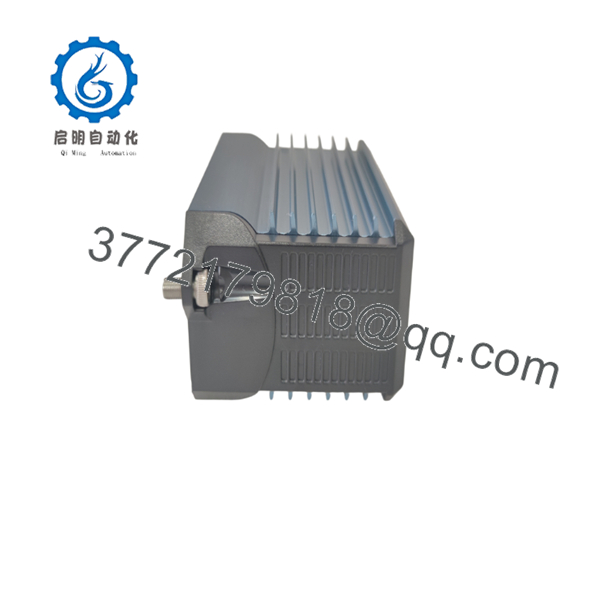
- FBM232
- FBM232
Installation & Configuration Guide
Stage 1 – Pre-Installation Preparation (10 Minutes)
⚠️ Safety First
- Notify operations before taking the communication network offline.
- Perform Lock-Out/Tag-Out (LOTO).
- Remove cabinet power.
- Wait at least 5 minutes before handling the module.
Required Tools
- ESD wrist strap
- Phillips screwdriver
- Digital multimeter
- Ethernet cable tester
- Laptop with Foxboro engineering software
Before Removal
- Back up the Foxboro control database.
- Record the module IP address.
- Document Ethernet network settings.
- Save the installed communication driver configuration.
- Verify the external device IP addresses.
Stage 2 – Remove the Existing Module (5 Minutes)
- Disconnect the Ethernet cable.
- Label all communication cables.
- Release the retaining latch.
- Remove the module from the baseplate.
⚠️ Do not delete the communication driver configuration until the replacement module has been commissioned successfully.
Inspect for:
- Bent connector pins
- Damaged RJ45 connector
- Dust contamination
- Corrosion
- Loose baseplate connections
Stage 3 – Install the New (10 Minutes)
- Wear an ESD wrist strap.
- Verify the replacement is P0926GW.
- Install the module into the baseplate.
- Reconnect Ethernet and Fieldbus cables.
- Download the required communication driver.
- Restore the saved network configuration.
Installation Checklist
- ✔ Correct module installed
- ✔ Ethernet cable connected
- ✔ IP address verified
- ✔ Driver downloaded
- ✔ Controller communication established
Stage 4 – Power-On & Commissioning (15 Minutes)
- Restore cabinet power.
- Observe module status LEDs.
- Verify the Ethernet link LED.
- Ping the configured IP address.
- Download or activate the protocol driver.
- Confirm communication with all configured field devices.
- Verify DCI blocks update correctly in the Foxboro workstation.
⚠️ Common Startup Issues
No Ethernet communication
- Verify IP addressing.
- Check subnet mask and gateway.
- Inspect Ethernet switch configuration.
Driver not communicating
- Confirm the correct protocol driver is installed.
- Verify device register mapping.
- Check TCP/UDP port settings.
Device timeout
- Verify network latency.
- Confirm the external device is online.
- Check firewall or managed switch settings.
Frequently Asked Questions (FAQ)
Q1. Is the an analog or digital I/O module?
No. The is a Field Device System Integrator (FDSI). It functions as an Ethernet gateway rather than a traditional analog or discrete I/O module.
Q2. How many field devices can one support?
A single can communicate with up to 64 Ethernet-connected field devices, although practical capacity depends on the communication driver, polling rate, and network traffic. It also supports up to 2,000 DCI block connections.
Q3. Which communication protocols are supported?
The hardware supports Ethernet using TCP/IP and UDP/IP. The actual industrial protocol depends on the downloadable software driver, such as Modbus TCP or other supported device-specific drivers.
Q4. Can the be replaced without shutting down the entire DCS?
Yes. Schneider Electric specifies that the module can be removed and replaced without removing power when installed according to the supported Foxboro architecture and maintenance procedures. Always follow your site’s management-of-change and maintenance policies before performing online replacement.
Q5. What controller platforms support the ?
The communicates with FCP280, FCP270, FCM100E, and FCM100Et through the redundant 2 Mbps Module Fieldbus, depending on the system architecture.
Q6. When should I choose an instead of a standard I/O module?
Choose the when your project requires integration of third-party Ethernet devices—such as PLCs, analyzers, barcode systems, package equipment, or intelligent instrumentation—into the Foxboro DCS without adding conventional analog or discrete I/O hardware.



