
 WhatsApp: +86 16626708626
 Email:
  Phone: +86 16626708626
Description
Key Technical Specifications
| Parameter | Value |
|---|---|
| Model | FBM233 (P0926GX) |
| Manufacturer | Foxboro (Schneider Electric) |
| Product Type | Redundant Field Device System Integrator (FDSI) |
| Ethernet Interface | 1 × RJ-45, 10/100 Mbps Copper Ethernet |
| Redundancy | FBM-level Master/Tracker redundancy |
| Communication Protocol | TCP/IP and UDP/IP (driver dependent) |
| Maximum Connected Devices | Up to 64 Ethernet field devices |
| DCI Capacity | Up to 2,000 DCI block connections |
| Module Fieldbus | Redundant 2 Mbps Module Fieldbus |
| Supply Voltage | 24 VDC (+5% / -10%) |
| Maximum Power Consumption | 7 W |
| Operating Temperature | -20 °C to +70 °C |
| Relative Humidity | 5–95% non-condensing |
| Environmental Rating | ISA S71.04 Class G3 |
| Mounting | Standard Modular Baseplate (DIN rail or 19-inch rack) |
| Approximate Weight | 284 g |
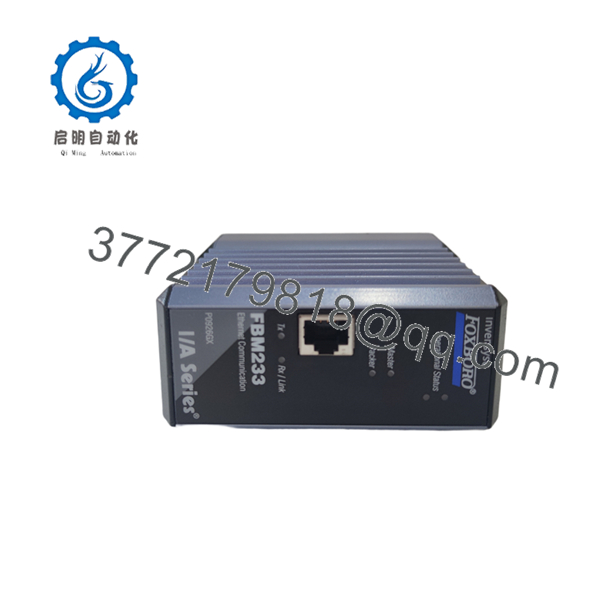
The FBM233 provides a redundant Ethernet gateway between EcoStruxure Foxboro DCS controllers and Ethernet-based third-party field equipment. Compared with the FBM232, the FBM233 is designed specifically for redundant network communication, improving availability for process-critical applications.
Product Introduction
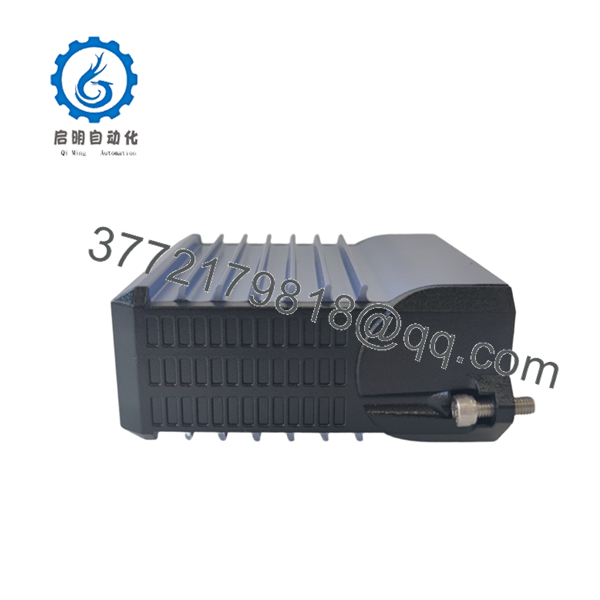
The Foxboro FBM233 P0926GX is a redundant Field Device System Integrator (FDSI) module used with the EcoStruxure™ Foxboro DCS and legacy I/A Series systems. It connects Ethernet-based intelligent devices to the Foxboro control system through a 10/100 Mbps Ethernet interface while exchanging data over the redundant Module Fieldbus. The module communicates with PLCs, analyzers, package equipment, and intelligent instruments using downloadable protocol drivers.
A redundant pair operates in a Master/Tracker configuration. Under normal conditions, the Master exchanges process data with field devices while the Tracker maintains synchronization. If the active module or communication path fails, the standby module automatically assumes control, minimizing communication interruptions and improving system availability.

- FBM233 P0926GX
- FBM233 P0926GX
Installation & Configuration Guide
Stage 1 – Pre-Installation Preparation (10 Minutes)
⚠️ Safety First
- Notify operations before beginning maintenance.
- Follow Lock-Out/Tag-Out (LOTO) procedures where required.
- Back up the Foxboro engineering database.
- Record the existing module IP address and Ethernet configuration.
- Export the installed communication driver configuration.
Required Tools
- ESD wrist strap
- Phillips screwdriver
- Laptop with Foxboro Control Software
- Ethernet cable tester
- Digital multimeter
Stage 2 – Removing the Existing Module (5 Minutes)
- Label all Ethernet and fieldbus connections.
- Disconnect the RJ-45 Ethernet cable.
- Release the retaining latch.
- Remove the module carefully from the baseplate.
⚠️ Do not delete the existing driver configuration until the replacement module has completed commissioning.
Inspect:
- RJ-45 connector
- Baseplate connector
- Dust or contamination
- Bent pins
- Mechanical damage
Stage 3 – Installing the New (10 Minutes)
- Wear an ESD wrist strap.
- Verify the replacement part number is P0926GX.
- Install the module onto the modular baseplate.
- Connect the Ethernet cable.
- Restore the saved network parameters.
- Download the required communication driver if necessary.
Installation Checklist
- ✔ Correct part number
- ✔ Ethernet connected
- ✔ IP address configured
- ✔ Driver installed
- ✔ Redundant partner detected
Stage 4 – Power-Up & Commissioning (15 Minutes)
- Restore cabinet power.
- Confirm the Power and Ethernet Link LEDs illuminate normally.
- Verify communication with the controller.
- Ping connected Ethernet devices.
- Verify all configured DCI blocks update correctly.
- Confirm Master/Tracker redundancy status.
- Simulate communication loss to verify automatic redundancy switchover if permitted by plant procedures.
⚠️ Common Startup Issues
No Ethernet Link
- Verify RJ-45 cable.
- Check switch port configuration.
- Confirm IP addressing.
Device Communication Timeout
- Verify the installed protocol driver.
- Confirm TCP/UDP port settings.
- Check firewall or managed switch rules.
Redundancy Alarm
- Verify both modules use compatible firmware.
- Confirm both modules are installed as an adjacent redundant pair.
- Verify synchronization status in the Foxboro engineering software.
Frequently Asked Questions (FAQ)
Q1. What is the difference between the FBM232 and ?
Both modules are Ethernet-based Field Device System Integrator (FDSI) modules. The is designed for redundant Ethernet communication, operating as a Master/Tracker pair to improve communication availability in critical process applications.
Q2. How many Ethernet devices can one support?
A single supports communication with up to 64 Ethernet field devices and can manage up to 2,000 DCI block connections, depending on the selected communication driver and polling requirements.
Q3. Which industrial protocols are supported?
The hardware communicates over standard TCP/IP and UDP/IP. Actual industrial protocol support depends on the downloadable Foxboro communication driver, such as Modbus TCP or other device-specific Ethernet drivers.
Q4. Can the be replaced online?
Yes. The is designed to support online replacement in supported Foxboro architectures. Even so, verify your plant’s maintenance procedures and confirm the redundant partner is healthy before replacing the active module.
Q5. What controllers are compatible with the ?
The is compatible with EcoStruxure Foxboro systems that use the redundant 2 Mbps Module Fieldbus, including platforms such as FCP280, FCP270, FCM100E, and FCM100Et, depending on the system architecture and software revision.
Q6. Where is the typically used?
The is commonly deployed when integrating third-party Ethernet equipment—including PLCs, analyzers, package units, intelligent motor controllers, and skid-mounted systems—into a Foxboro DCS without adding conventional analog or discrete I/O modules. It is widely used in oil and gas, refining, chemical processing, power generation, and pharmaceutical facilities.



