
 WhatsApp: +86 16626708626
 Email:
  Phone: +86 16626708626
Description
Key Technical Specifications
| Parameter | Specification |
| Part Number | P0914YM |
| Ethernet Network Interface | 10 Mbps Coaxial Ethernet (10Base2) via BNC connector |
| Fieldbus Interface | 2 Mbps HDLC redundant module fieldbus |
| Module Capacity | Connects up to 64 Field Bus Modules (FBMs) per cluster |
| Bus Power Consumption | 3.0 W maximum at 24 V DC from baseplate power rails |
| Isolation | 500 V AC galvanic isolation between coaxial bus and internal logic |
| Distance Capability | Up to 200 meters over coaxial cable segments |
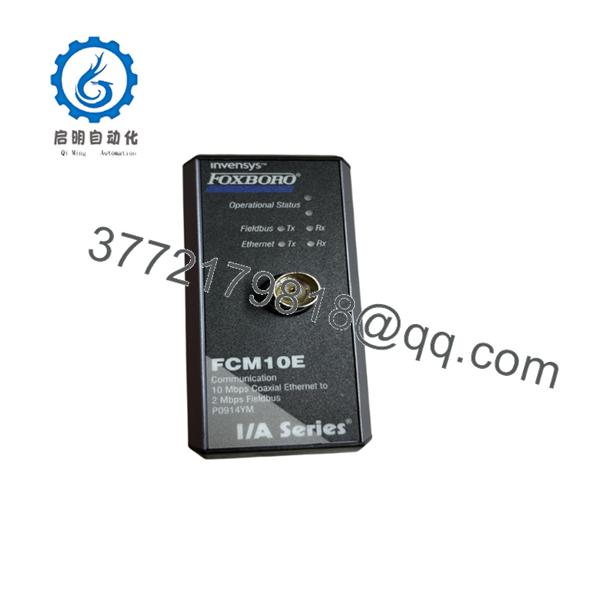
| Status Indicators | Operational State, Fieldbus Tx/Rx, Ethernet Tx/Rx LEDs |
| Mounting | Direct plug-in to standard 4-slot or 8-slot baseplates |
| Operating Temperature | 0 to +60°C (+32 to +140°F) |
| Relative Humidity | 5 to 95% non-condensing |
Product Introduction & Supply Chain Strategy
The Foxboro FCM10E (P0914YM) is a fieldbus communication interface that bridges 10 Mbps coaxial Ethernet networks with 2 Mbps HDLC fieldbus networks in Foxboro I/A Series control systems. It routes control data between Field Control Processors (FCPs) and downstream Field Bus Modules (FBMs) controlling plant actuators.
Maintaining the FCM10E as New Surplus secures core communication backbones for operating plants where factory lead times exceed 18 weeks. Keeping an on-site spare protects against catastrophic system-wide I/O dropouts while avoiding the premature component failures typical of degraded, second-hand modules.
Installation & Configuration Guide
Stage 1: Pre-Installation (Prep & Safety)
- Verify system redundancy status to confirm the backup FCM10E node is actively communicating on the secondary fieldbus channel.
- Put on an ESD wrist strap attached to plant ground before opening anti-static packaging.
- Record the physical slot position and coaxial cable channel assignments (Node A / Node B).
- Inspect the replacement FCM10E connector pins and BNC jack for cleanliness or physical bending.
Stage 2: Removal
- Disconnect the BNC coaxial network cable by twisting the bayonet connector counter-clockwise.
- Unfasten the top and bottom captive screws on the module faceplate.
- Pull the module release latches outward and pull the card straight out along the guide rails to protect the baseplate pins.
Stage 3: Installation (Clone & Seat)
- Align the FCM10E with the guide rails of the target baseplate slot.
- Slide the card into the slot until the backplane multi-pin connector locks into place.
- Torque top and bottom retaining screws to 0.5 Nm (4.4 in-lb) to maintain chassis ground integrity.
- Connect the 10Base2 coaxial cable to the front BNC port and secure the bayonet lock.
Stage 4: Power-On & Testing
- Observe the front panel LEDs: verify the module operational status LED turns solid green within 3 seconds.
- Confirm active network traffic by checking the yellow Ethernet Tx/Rx and Fieldbus Tx/Rx LEDs.
- Open Foxboro System Manager to verify communication link status and confirm zero dropped packets on the node.

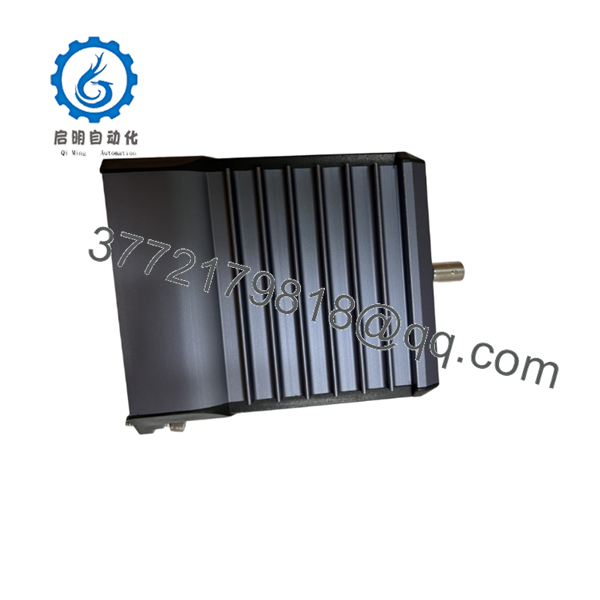
- FCM10E
Firmware/Software Versions & Upgrade Notes
- Recommended Firmware: Revision 2.10 or higher for integration with I/A Series software v8.x and EcoStruxure Foxboro DCS v9.x.
- Hardware Compatibility: Fully compatible with Field Control Processors FCP270, CP60, and legacy Z-form factor baseplates using BNC coaxial cabling.
- Upgrade/Downgrade Warning: The acts as a media converter between high-speed control networks and I/O subnets. Replacing hardware with an mismatched firmware revision can cause frame dropping or network timeouts across all downstream FBMs. Always verify network node software revisions in System Manager prior to swapping hardware on an active bus.
Frequently Asked Questions (FAQ)
Why is this New Surplus priced below OEM list but higher than refurbished units?
Our pricing reflects verified, original New Surplus inventory. OEM list prices include factory overhead and lead times exceeding 18 weeks, while refurbished cards carry high risks of internal component aging. Our price gives you immediate delivery and factory-grade reliability, lowering Total Cost of Ownership (TCO).
Is this Foxboro P0914YM module brand new and unused?
Yes. This is a Brand New Surplus unit. It has never been installed in a live plant environment, nor has it undergone secondary repairs. All units remain in original ESD protective packaging and are opened exclusively for inbound quality inspection.
Why should I choose New Surplus over a cheaper refurbished module?
Refurbished communication modules often feature aged BNC physical connectors, degraded internal power regulation circuits, and high-hour transceiver chips. A failed communication module can drop connectivity to 64 I/O modules simultaneously, costing tens of thousands of dollars in unscheduled downtime. New Surplus provides 100% operational service life.
Is the hot-swappable in a live control system?
Yes, the supports hot-swapping on powered baseplates. If installed in a redundant dual- configuration, removing one module allows the partner unit to seamlessly maintain fieldbus data transmission without interrupting process control loops.
Does the require IP address configuration?
No, the operates at the hardware data-link layer converting protocol signaling rates between 10 Mbps Ethernet and 2 Mbps fieldbus. It receives its network node identification directly from the baseplate slot positioning.
What quality inspection does this unit undergo prior to delivery?
Every passes our 5-step SOP quality inspection: anti-counterfeit serial verification, baseplate power-on verification, BNC port physical check, 2 Mbps HDLC fieldbus handshake simulation, and final ESD-safe packaging sign-off.
What warranty covers this module?
We support this New Surplus P0914YM with a 2-year warranty against operational hardware defects, giving you twice the protection period offered by typical secondary market sources.



