
 WhatsApp: +86 16626708626
 Email:
  Phone: +86 16626708626
Description
Key Technical Specifications
| Parameter | Specification |
|---|---|
| Manufacturer | Foxboro |
| Model | H90 |
| Part Number | H90C9AA0117S |
| Product Type | Industrial workstation/server |
| System | Foxboro I/A Series / Foxboro DCS |
| Primary Role | DCS computing and workstation/server platform |
| Form Factor | Rack-mount server-class computer |
| Processor | Configuration-dependent |
| Memory | Configuration-dependent |
| Storage | Configuration-dependent |
| Operating System | Configuration-dependent |
| Network Interfaces | Configuration-dependent |
| Display Interfaces | Configuration-dependent |
| Expansion | Configuration-dependent |
| Application | Industrial process control and monitoring |
Available supplier documentation identifies the H90C9AA0117S specifically as a workstation server used with Foxboro DCS systems.
One supplier describes H90 hardware as a server-class platform with rack-mount construction, configurable Xeon processors, DDR4 memory, SAS/SSD storage, RAID capability, Ethernet interfaces, and graphics hardware. Because these specifications can vary by H90 configuration, they should be treated as platform-level information rather than guaranteed specifications for every H90C9AA0117S assembly.
Product Introduction
The Foxboro H90 H90C9AA0117S is a server/workstation platform used within industrial process-control environments. Unlike a conventional Foxboro FBM I/O module, it is a computer-class component intended to host or support higher-level DCS functions such as operator interfaces, engineering applications, data services, and system monitoring.
For a replacement project, the complete H90 configuration matters more than the chassis model alone. Processor generation, RAM, storage arrangement, operating-system image, network interfaces, expansion cards, and installed Foxboro software can all affect interchangeability. Do not assume that another H90 chassis is a drop-in replacement without checking the original system configuration.
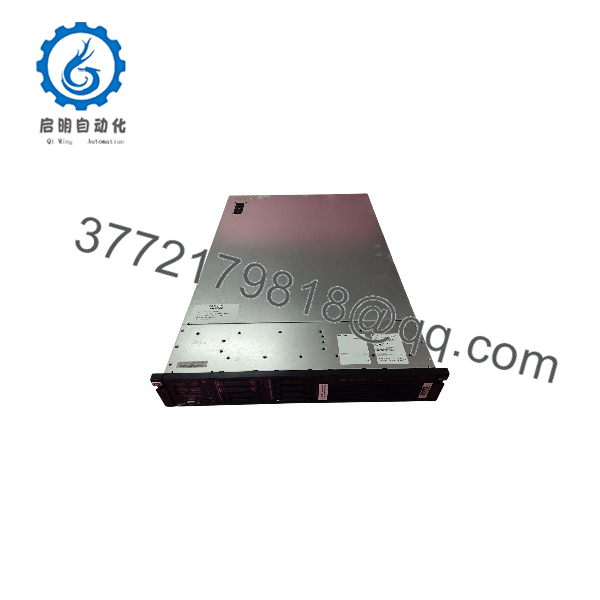
H90C9AA0117S
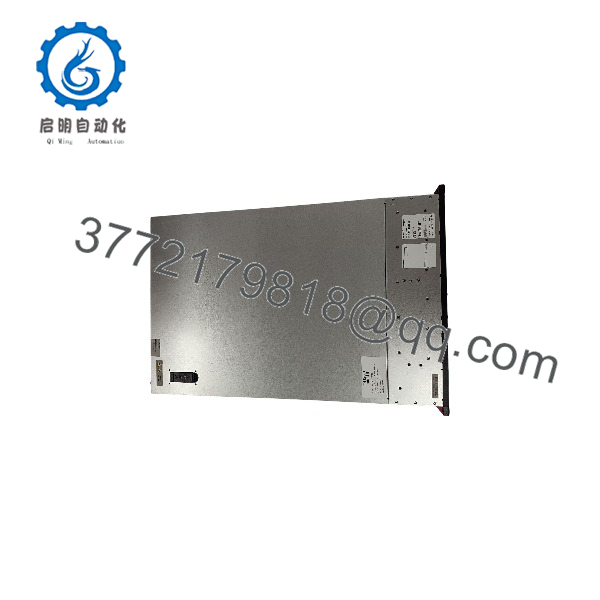
H90C9AA0117S
Installation & Configuration Guide
Step 1 — Document the Existing H90
Before shutdown:
- Record H90C9AA0117S exactly as shown on the nameplate.
- Photograph the front and rear of the server.
- Record all installed network interfaces.
- Record storage devices and RAID configuration.
- Record monitor/display connections.
- Document USB, serial, keyboard, and other peripheral connections.
- Record the installed operating-system version.
- Document Foxboro DCS applications and services running on the machine.
Critical: Do not replace the server before establishing what DCS functions it performs.
Step 2 — Back Up the System
Before removing the existing computer:
- Back up DCS application data.
- Back up engineering/project files.
- Back up historian databases where applicable.
- Record network configuration.
- Record computer name and IP configuration.
- Record domain/workgroup configuration if applicable.
- Preserve software installation media and license information.
- Create a recoverable image of the existing system when the site’s backup procedure permits it.
For a production DCS, the software image can be as important as the physical server.
Step 3 — Shut Down and Remove
- Put the affected DCS workstation/server into the approved maintenance state.
- Stop active applications using the site’s shutdown procedure.
- Confirm that redundant or standby services are available where applicable.
- Disconnect power.
- Label network and peripheral cables.
- Disconnect the cables.
- Remove the rack mounting hardware.
- Slide the H90 out of the rack.
- Preserve the original storage media until commissioning is complete.
Step 4 — Install Replacement
- Confirm the replacement hardware configuration.
- Verify CPU and memory configuration.
- Verify storage and RAID arrangement.
- Install the server in the original rack position.
- Reconnect network interfaces according to the documented topology.
- Reconnect display and peripheral devices.
- Connect redundant power supplies if fitted.
- Verify protective grounding.
Step 5 — Restore the DCS Environment
- Start the H90.
- Verify POST and hardware diagnostics.
- Confirm storage/RAID status.
- Verify the operating system.
- Restore the approved Foxboro software environment.
- Restore network configuration.
- Verify DCS server/workstation services.
- Establish communication with the DCS control network.
- Verify operator displays.
- Check alarms, trends, historian functions, and engineering access as applicable.
Commissioning Checks
Before returning the system to normal operation, verify:
- DCS network connectivity
- Correct computer name
- Correct IP configuration
- DCS application startup
- Operator graphics
- Alarm processing
- Historical data
- Engineering tools
- Time synchronization
- Redundant-server status, where applicable
FAQ
What is the Foxboro H90C9AA0117S?
The is identified in current industrial spare-parts listings as a Foxboro H90 workstation/server computer used in industrial automation and Foxboro DCS environments.
Is an I/O module?
No. The available evidence more consistently identifies it as a computer/workstation/server platform, rather than an FBM field I/O module. Several secondary-market sites incorrectly classify the same part number as a CPU, PLC, or control module, so those classifications should not be used without an original Foxboro hardware reference.
What does the H90 server do in a Foxboro DCS?
Depending on its configured role, an H90-class computer can provide the computing environment for DCS operator, engineering, historical-data, or other server functions. The exact role of must be determined from the installed Foxboro software and system architecture rather than from the hardware part number alone.
What operating system does use?
Public supplier documentation gives different Windows Server generations for H90 configurations, so an exact operating-system version cannot be established reliably from .
Can I replace with another H90?
Not automatically. Compare the CPU generation, memory, storage/RAID configuration, network adapters, graphics hardware, operating-system image, Foxboro software version, and licensing before substitution.
Is obsolete?
It is a legacy Foxboro hardware platform and is primarily encountered through industrial replacement and surplus channels rather than normal current-generation server distribution. Current specialist suppliers continue to list the exact part number.
What should I provide when purchasing a replacement?
Provide a clear photograph of the , plus photos of the rear panel and installed expansion cards. For a DCS server, also provide the current OS version, Foxboro software version, storage/RAID configuration, network interface arrangement, and the server’s role in the DCS architecture.



