
 WhatsApp: +86 16626708626
 Email:
  Phone: +86 16626708626
Description
Key Technical Specifications
| Parameter | Value |
|---|---|
| Manufacturer | Foxboro (Invensys / Schneider Electric) |
| Model Number | IPM2-P0904HA |
| Alternate Part Number | P0904HA |
| Product Type | Industrial Power Module |
| System Platform | Foxboro I/A Series |
| Input Voltage | 100 / 120 / 220 / 240 VAC selectable |
| Input Current | 0.4 A at 240 VAC |
| Output Voltage | 39 V DC regulated |
| Output Current | 1.7 A |
| Output Power | Approx. 66 W |
| Status Indication | Front-panel LED indicators |
| Installation | I/A Series power slot / baseplate mounting |
| Redundancy | Supports redundant power configurations |
| Weight | Approx. 2.3 kg (5.1 lb) |
| Dimensions | Approx. 6.4 cm × 10.9 cm × 27.9 cm |
| Application | Foxboro I/O subsystem power supply |
([turn0search2]turn0search4])
Product Introduction
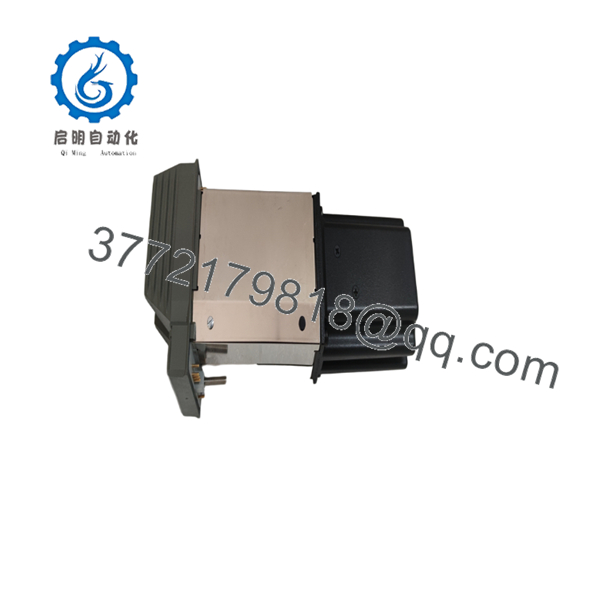
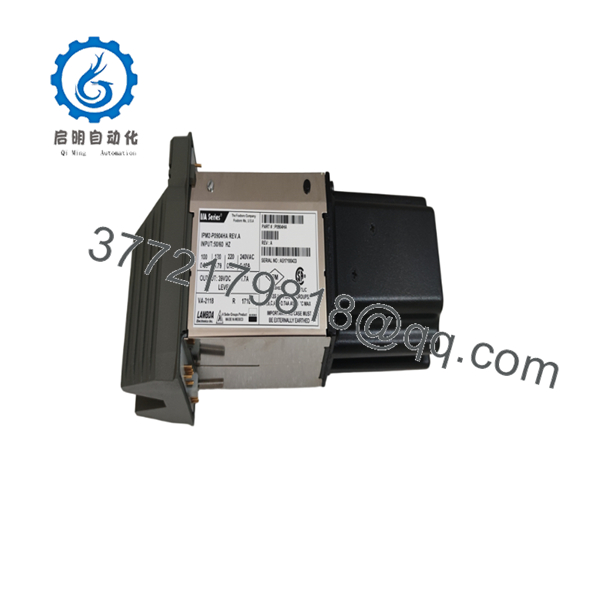
The Foxboro IPM2-P0904HA is an Industrial Power Module designed for Foxboro I/A Series distributed control systems. It converts selectable AC input power into regulated 39 V DC output for powering I/O subsystem hardware and associated control components.
The module is commonly installed in legacy Foxboro 200 Series cabinets where maintaining existing I/O infrastructure is required. Its front status LEDs allow technicians to quickly verify power condition during cabinet inspections and troubleshooting.

- IPM2-P0904HA
- IPM2-P0904HA
Installation & Configuration Guide
Stage 1: Pre-Installation Preparation (Estimated Time: 10 minutes)
⚠️ Safety First
Before replacing an IPM2-P0904HA:
- Notify operations before removing cabinet power.
- Confirm the affected Foxboro I/A Series node can be safely powered down.
- Apply lockout/tagout procedures.
- Verify AC input isolation using a multimeter.
- Allow internal components to discharge before handling.
Tools Required
- ESD wrist strap
- Digital multimeter
- PH1 screwdriver
- Wire labels
- Smartphone/camera for documentation
Data Backup
Before removal:
- Record the existing module position.
- Photograph input voltage selector settings.
- Record LED status.
- Document redundant power arrangement.
- Verify connected baseplate hardware.
⚠️ Important:
Confirm the input voltage selection before installation. Incorrect AC selection can damage the power module immediately.
Stage 2: Removing the Existing Module (Estimated Time: 10 minutes)
- Open the Foxboro I/A Series cabinet.
- Identify the IPM2-P0904HA module.
- Photograph:
- Module label
- Power connections
- Status indicators
- Disconnect AC input wiring.
- Release mounting or retaining hardware.
- Remove the module straight from the power slot.
Inspect:
- Connector pins
- Baseplate contacts
- Signs of overheating
- Dust contamination
⚠️ Keep the removed module available until the replacement is fully tested.
Stage 3: Installing the Replacement (Estimated Time: 15 minutes)
- Verify replacement identification:
- Check:
- Input voltage selector setting
- Physical connector condition
- Module label information
- Install the module into the correct I/A Series power position.
- Secure the module.
- Reconnect AC input wiring.
- Confirm grounding connections.
Installation Checklist
☐ Correct part number verified
☐ AC voltage selection checked
☐ Input wiring secured
☐ Ground connection verified
☐ Module fully seated
Stage 4: Power-On & Testing (Estimated Time: 15 minutes)
- Restore AC power.
- Observe front-panel LED indicators.
- Measure DC output voltage.
- Verify powered I/O subsystem operation.
- Confirm no power-related system alarms.
Recommended checks:
- Output voltage near 39 V DC.
- Stable LED indication.
- No excessive heating.
- I/O modules return online.
⚠️ Troubleshooting Note
If the system does not power correctly:
- Check AC input selection.
- Verify input fuse/protection devices.
- Measure output voltage under load.
- Check for short circuits on the downstream I/O bus.
Frequently Asked Questions (FAQ)
Q1: What is the Foxboro used for?
The is an I/A Series Industrial Power Module that provides regulated DC power for Foxboro control system hardware. It is typically used in 200 Series I/O subsystem cabinets.
Q2: Is a controller module?
No. It is a power supply module. It does not execute control logic or process signals. Its function is limited to supplying DC power to compatible Foxboro hardware.
Q3: What input voltage does support?
The module supports selectable 100, 120, 220, and 240 VAC input configurations. Confirm the selector setting before installation.
Q4: What output does provide?
The module provides a regulated 39 V DC output with approximately 1.7 A output capability.
Q5: Is obsolete?
Yes. The is associated with the legacy Foxboro I/A Series platform. Many plants continue using these systems, so replacement units are normally sourced through industrial automation spare inventories.
Q6: Can I replace with another power module?
Do not assume direct substitution. Verify:
- Output voltage
- Output current
- Mechanical fit
- Baseplate compatibility
- Redundancy arrangement
A power module with a similar appearance may not provide the correct DC characteristics.
Q7: What should I request before purchasing ?
For critical control systems, request:
- Serial number photos
- Condition confirmation
- Functional test report
- Warranty details
- Packaging information
Available conditions may include New Original, New Surplus, or Refurbished tested units.



