
 WhatsApp: +86 16626708626
 Email:
  Phone: +86 16626708626
Description
Key Technical Specifications
| Parameter | Specification Value |
| Catalog / Part Number | P0904HA (Module Marking: IPM2-P0904HA) |
| Manufacturer | Foxboro (Schneider Electric / Invensys) |
| Input Voltage (Selectable) | 100 / 120 / 220 / 240 VAC (47–63 Hz) |
| Input Current Rating | 1.7 A Max |
| Output Voltage | 39 V DC Nominal |
| Module Type | Industrial Power Module 2 (IPM2) |
| Status Monitoring | Front-panel Diagnostic Status LEDs |
| Physical Dimensions | 7.0 cm x 26.8 cm x 10.7 cm (2.75″ x 10.5″ x 4.2″) |
| Weight | 2.22 kg (4.9 lbs) |
| Thermal Protection | Internal over-temperature Shutdown & Over-voltage limiting |
| Cooling | Natural Convection |
Product Introduction
The Foxboro P0904HA (IPM2-P0904HA) is an Industrial Power Module designed for Foxboro I/A Series Distributed Control Systems (DCS). It accepts field AC power inputs (selectable between 100V, 120V, 220V, or 240V AC) and converts them into an isolated 39V DC rail required by I/A Series baseplates, Fieldbus Modules (FBMs), and control processors.
Engineered for continuous operation in harsh processing environments, the IPM2-P0904HA incorporates internal over-voltage and over-temperature protection to preserve system uptime. Front-panel status LEDs provide real-time diagnostic visibility for maintenance technicians, making it an essential replacement component for keeping legacy and upgraded Foxboro process control architectures online.
Troubleshooting Quick Reference
| Symptom | Possible Cause | Relevance to this Part | Quick Check Method | Recommendation |
| DC Out LED Off / Unlit | Missing AC mains supply or internal fuse blown | ✅ High | Measure AC voltage at input terminals; verify selector switch matches site voltage. | Restore AC mains power or replace internal power supply module if input voltage is present. |
| Output Drops Below 39 VDC | Overload condition or degraded filter capacitors | ✅ High | Measure output voltage across 39V DC bus terminals using a multimeter under load. | Disconnect non-critical baseplate loads; if voltage stays low, replace the power module. |
| Module Overheating / Shutdown | Blocked ventilation or high ambient panel temp | ❓ Medium | Check airflow clearance around chassis; measure ambient cabinet temperature. | Ensure 2+ inches of clearance above and below the module for natural convection. |
| Baseplate Comms Intermittent | DC output ripple / noise interference | ✅ High | Check DC output with an oscilloscope for excessive AC ripple (>500mV). | Replace aging power supply module to prevent logic card rebooting. |
| AC Input Fuse Trips On Boot | Inrush current surge or shorted primary stage | ✅ High | Check input resistance across AC line terminals (power disconnected). | Inspect voltage selector setting; if selector is correct and fuse trips, internal bridge is shorted. |
Note: If you encounter persistent DC output drops or power bus alarms on your Foxboro baseplate, take digital multimeter readings across the 39V output terminals and contact our engineering support team.
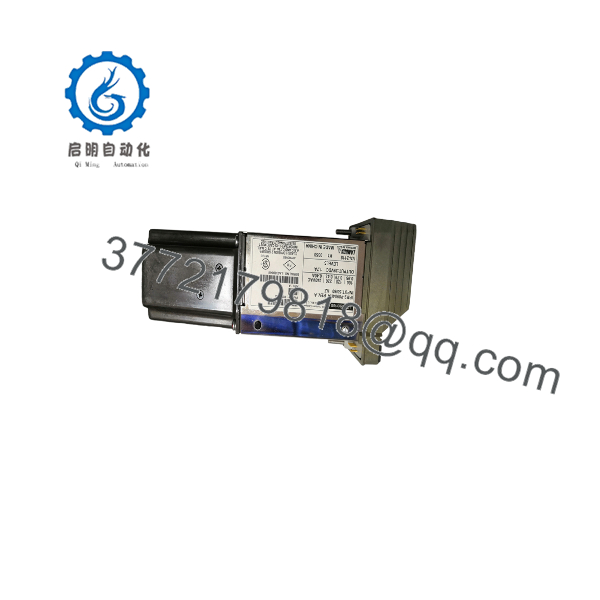
P0904HA
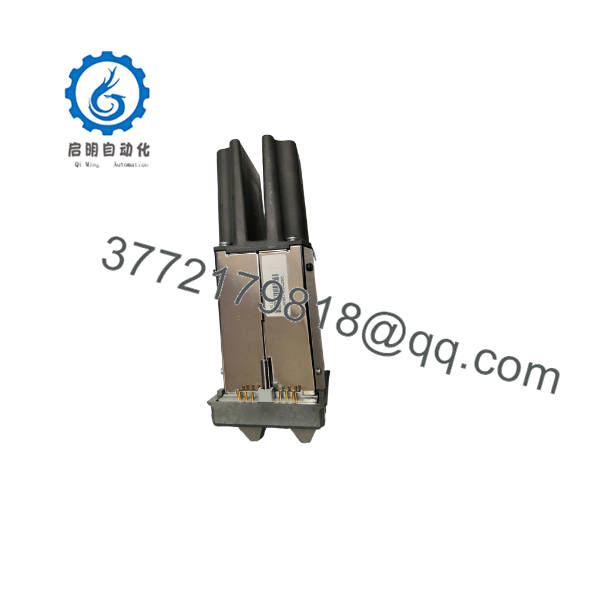
P0904HA
Frequently Asked Questions (FAQ)
Q: What is the difference between P0904HA and IPM2-?
A: They are the same component. “” is the standard Foxboro part number used in engineering documentation and ordering systems, while “IPM2-” represents the physical model name printed on the unit’s front faceplate.
Q: How do I select the correct input voltage (120V vs 240V AC)?
A: The – features a manual voltage selector switch or jumper arrangement on the module. Before applying power, verify that the mechanical selector switch matches your cabinet’s supply voltage (100V, 120V, 220V, or 240V AC). Connecting 240V AC while set to 120V will instantly damage the primary stage.
Q: Can I run two power modules in a redundant configuration?
A: Yes. Foxboro I/A Series power baseplates support dual power supply modules operating in a diode-isolated parallel configuration. If one module drops out or loses AC power, the secondary seamlessly sustains the 39V DC rail without interrupting control operations.
Q: Does this power supply require active cooling fans?
A: No. The relies on natural convection cooling through its vented metal chassis. To avoid thermal shutdown, maintain at least 2 inches (50 mm) of vertical clearance above and below the module inside the enclosure.
Q: How do you verify the condition of surplus Foxboro power modules?
A: “New Surplus” units are unused OEM original items from plant spare inventory. “Refurbished” units undergo complete internal inspection, high-voltage insulation testing, electrolytic capacitor ESR health checks, and a 24-hour continuous load test at 39 VDC on an active Foxboro baseplate test rig. Every shipment includes a serial-tracked QA Test Pass report.
SOP Quality Control Process
1. Inbound Inspection & Traceability
- Authentic Foxboro / Invensys serial tag, part number label, and barcode validation.
- Visual inspection under high magnification for housing denting, terminal strip damage, connector pin oxidation, or internal thermal discoloration.
- Verification of AC selector switch position and mechanical latching mechanisms.
2. Live Bench & Functional Testing
- Mounted on a Foxboro I/A Series power baseplate connected to variable AC auto-transformers.
- Power-up sequence tested across full input voltage ranges (100VAC, 120VAC, 220VAC, and 240VAC).
- Continuous 24-hour full-load burn-in test at 39V DC output under monitored thermal conditions.
- Oscilloscope check conducted to confirm output AC ripple and switching noise stay strictly within OEM tolerances.
3. Electrical Parameter & Safety Checks
- Insulation resistance testing (500V Megger) between AC input lines, 39V DC output, and chassis ground.
- Ground continuity verified using a Fluke 115 multimeter across the metal chassis frame and mounting tabs.
4. Firmware & Calibration Verification
- Output DC trim verified and calibrated to factory 39 VDC reference limits.
- LED indicator logic (AC OK, DC OK) validated across operational states.
5. Final QC & Packaging
- Module sealed inside an anti-static ESD shielding bag with fresh desiccant.
- Enclosed in heavy-duty double-walled corrugated boxing with custom high-density foam inserts.
- Signed QA Pass certificate attached with full serial tracking records.
Technical Pitfall & Survival Guide
- ❗ Voltage Selector Switch Oversight: The most common rookie mistake when swapping an module is forgetting to check the input voltage selector switch on the side or rear. Installing a factory-default card configured for 120VAC into a 230VAC process cabinet will destroy the input bridge rectifier instantly upon energization. Take a moment to verify the switch position before sliding the unit in.
- ❗ Cabinet Thermal Traps: The dissipates heat via convection. Installing this module in a cabinet where wire ducting or adjacent equipment blocks top and bottom air vents will cause thermal drift, accelerated electrolytic capacitor degradation, and eventual over-temperature trip. Keep cabinet air filters clean and maintain proper spacing.
- ❗ Hot-Swapping Precaution: While Foxboro redundant power baseplates allow hot-swapping of power modules, always make sure the replacement module’s AC power switch is set to OFF prior to seating the module into the energized baseplate. This prevents arcing on the rear bus connector pins during insertion.
- ❗ ESD & High-Voltage Hazard: Although the output is low-voltage 39 VDC, the primary input side carries up to 240 VAC. Always de-energize input field breakers before servicing power connections. When handling the unit outside its chassis, wear an ESD wrist strap to protect internal voltage regulator logic from static discharge.



