
 WhatsApp: +86 16626708626
 Email:
  Phone: +86 16626708626
Description
Key Technical Specifications
| Parameter | Value |
|---|---|
| Manufacturer | Foxboro |
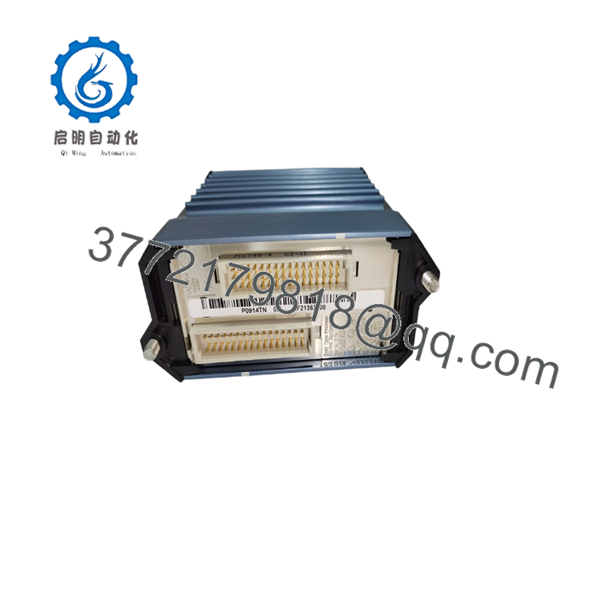
| Part Number | P0914TN |
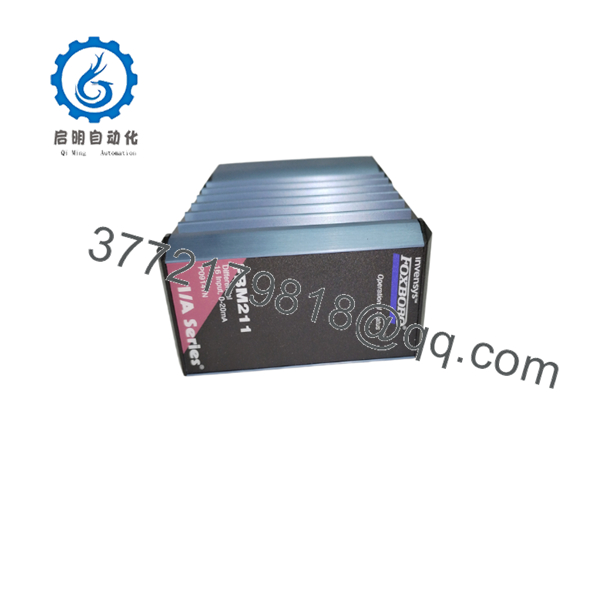
| Module Type | FBM211 Analog Input Module |
| System Platform | Foxboro I/A Series DCS |
| Input Channels | 16 channels |
| Input Type | Differential current input |
| Input Range | 0 to 20 mA DC |
| Channel Isolation | Group isolated / independent input channels |
| Input Impedance | Approximately 250 Ω |
| A/D Conversion | Sigma-delta converter per channel |
| Accuracy | ±0.03% of span (typical) |
| Temperature Coefficient | ±50 ppm/°C |
| HART Support | Transparent HART FSK communication |
| Fieldbus Interface | Foxboro 2 Mbps Fieldbus |
| Mounting | Modular baseplate, DIN rail or rack installation |
| Hot Swap Support | Supported in compatible I/A Series configurations |
| Operating Temperature | -20 to +70 °C |
| Environmental Rating | ISA S71.04 Class G3 suitable |
| Module Weight | Approx. 284 g |
Product Introduction
The Foxboro P0914TN is the part number designation for the FBM211 16-channel differential analog input module used in Foxboro I/A Series distributed control systems. It provides sixteen current input channels for connecting process transmitters, analyzers, and other 0–20 mA field devices to the DCS control environment.
Each input channel performs signal conversion independently, allowing the control system to receive accurate analog measurements from multiple field instruments. The module supports transparent HART FSK communication, making it suitable for installations where digital instrument diagnostics are required without replacing existing current-loop infrastructure.
The FBM211 P0914TN remains widely maintained in existing Foxboro I/A Series installations because many process plants continue operating legacy DCS systems where replacing individual I/O modules is more practical than performing a complete control system migration.

- P0914TN
- P0914TN
Installation & Configuration Guide
Stage 1: Pre-Installation Preparation
⚠️ Safety First
Before replacing an FBM211 P0914TN:
- Notify operations and obtain approval for I/O maintenance.
- Confirm affected measurement loops.
- Place critical process loops into a safe condition.
- Apply lockout/tagout procedures if cabinet access requires power isolation.
- Verify the replacement module part number.
Tools Required
- ESD wrist strap
- Digital multimeter
- Screwdriver set
- Wire labels
- Camera for documentation
Record Before Removal
Document:
- FBM slot location
- Channel assignments
- Transmitter tag numbers
- Termination assembly type
- Existing diagnostic status
- HART device mapping (if used)
⚠️ Important:
A physically compatible FBM211 replacement still requires correct channel configuration and termination wiring verification.
Stage 2: Removing Existing FBM211 Module
Estimated Time: 10 minutes
- Open the Foxboro I/A Series cabinet.
- Locate the existing module.
- Record LED status.
- Disconnect field termination connections if required.
- Release the module retaining mechanism.
- Remove the module from the baseplate.
Inspect:
- Backplane connector pins
- Baseplate contacts
- Module housing
- Signs of overheating or contamination
Keep the removed module until commissioning is complete.
Stage 3: Installing Replacement Module
Estimated Time: 15 minutes
- Confirm:
- Inspect replacement module:
- Connector condition
- Label information
- Physical damage
- Storage condition
- Insert the module into the correct baseplate slot.
- Ensure complete seating.
- Restore termination connections.
Installation Checklist
☐ Correct model
☐ Correct slot position
☐ Field wiring verified
☐ Termination assembly compatible
☐ HART connections checked
Stage 4: Commissioning & Testing
After installation:
- Restore system power.
- Verify communication status.
- Confirm module diagnostics are normal.
- Check each analog input channel.
Recommended tests:
- Apply known current input.
- Verify displayed engineering value.
- Confirm transmitter scaling.
- Check alarm limits.
- Verify HART communication.
⚠️ Troubleshooting Guide
Symptom: Channel reads zero
Check:
- Loop power supply
- Field wiring polarity
- Termination connection
- Channel configuration
Symptom: Incorrect measurement value
Check:
- Engineering scaling
- Transmitter range
- Input configuration
- Calibration settings
Symptom: Module offline
Check:
- Fieldbus communication
- Baseplate seating
- Controller configuration
- Module diagnostics
Frequently Asked Questions (FAQ)
Q1: What is Foxboro ?
is the part number for the Foxboro analog input fieldbus module. It provides 16 differential 0–20 mA input channels for Foxboro I/A Series DCS systems.
Q2: Is an analog input or output module?
It is an analog input module. It receives current signals from field instruments and converts them into digital values for the control processor.
Q3: How many channels does support?
The module supports 16 analog input channels. Each channel accepts a differential current input signal.
Q4: Does support HART instruments?
Yes. The supports transparent HART FSK communication when used with compatible Foxboro I/A Series configurations.
Q5: Is obsolete?
The module belongs to the legacy Foxboro I/A Series product family. Many operating plants continue using modules, so replacement units are commonly sourced through industrial automation spare inventories.
Q6: Can replace other FBM modules?
No. Replacement should be based on:
- Existing FBM model
- Input signal type
- Channel count
- Termination assembly
- System configuration
An analog output module or different FBM input model is not a direct replacement.
Q7: What should be checked before purchasing ?
Verify:
- Part number:
- Module:
- Input type: 0–20 mA
- Channel requirement: 16 channels
- Existing Foxboro I/A Series compatibility
- Module condition and warranty
For critical process applications, request test records and confirm the module’s operational status before installation.



