
 WhatsApp: +86 16626708626
 Email:
  Phone: +86 16626708626
Description
Key Technical Specifications
- Manufacturer: Foxboro (Schneider Electric)
- Model Number: P0916CC
- System Compatibility: Foxboro I/A Series Distributed Control System
- Associated I/O Module: FBM237
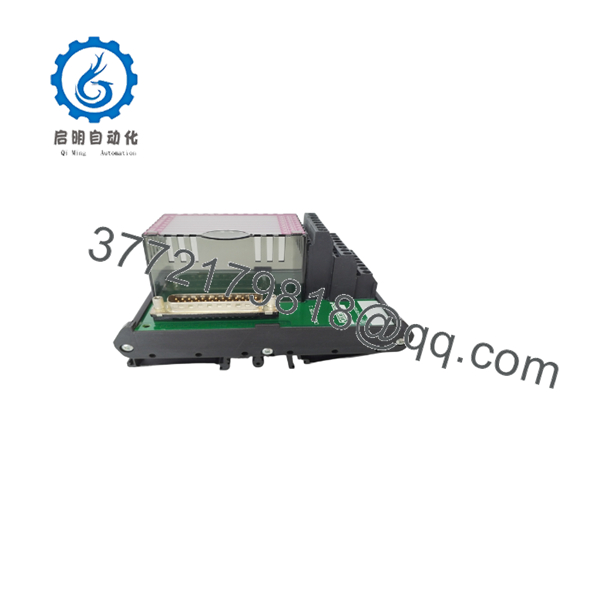
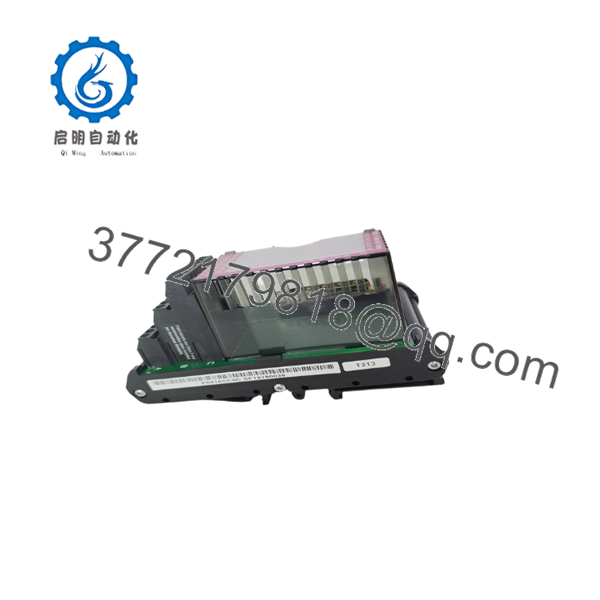
- Product Type: Compression Termination Assembly (TA)
- Mounting Type: DIN rail / panel mounting
- Connection Type: Field wiring terminal interface
- Signal Capacity: Supports FBM237 field wiring connections
- Operating Temperature: Typical industrial control cabinet range; verify exact OEM datasheet limits before installation
- Protection: Industrial enclosure design for control system environments
- Weight: Approximately 0.7–1 kg depending on packaging configuration
- Condition Options: New Original, New Surplus, Tested Refurbished
Product Introduction
The Foxboro P0916CC is an I/A Series Distributed Control System termination assembly designed for use with FBM237 I/O modules. It provides the physical interface between field wiring and the DCS I/O hardware, allowing organized termination of process signals inside the control cabinet.
This component is commonly used in Foxboro I/A Series installations where maintaining existing field wiring infrastructure is required. For replacement projects, verify the installed FBM type, terminal assignment, and cabinet drawings before installation.

- P0916CC
- P0916CC
Installation & Configuration Guide
Stage 1: Pre-Installation Preparation (Approx. 15 minutes)
⚠️ Safety First
- Notify operations personnel before removing the termination assembly.
- Place the process loop in a safe condition.
- Apply lockout/tagout procedures where required.
- Confirm control power is isolated before touching field wiring.
Tools Required
- ESD wrist strap
- PH1/PH2 screwdriver
- Digital multimeter
- Wire labels
- Smartphone/camera for wiring documentation
Data Backup
- Photograph the existing P0916CC terminal arrangement.
- Record cable tags and channel assignments.
- Confirm the installed FBM237 module configuration.
- Save updated I/A Series documentation if available.
Stage 2: Removing the Old Module (Approx. 15 minutes)
- Remove cabinet covers or protective panels.
- Label each field wire before disconnecting.
- Loosen terminal screws carefully.
- Remove wiring without pulling on conductors.
- Release DIN rail clips or mounting hardware.
- Remove the termination assembly straight from the mounting surface.
⚠️ Important: Keep the removed P0916CC until the replacement has been verified. Old terminal layouts are often the fastest reference during commissioning.
Stage 3: Installing the New Module (Approx. 20 minutes)
- Verify the replacement marking shows .
- Compare terminal positions with the original unit.
- Install the module on the DIN rail or panel mount location.
- Reconnect field wiring according to recorded documentation.
- Tighten terminals using appropriate torque.
- Confirm cable shields and grounding points match the original installation.
Self-Checklist
- Correct Foxboro model installed
- Terminal wiring matches original documentation
- Mounting hardware secured
- Shield grounding verified
- Field cables labeled correctly
Stage 4: Power-On & Testing (Approx. 30 minutes)
- Perform visual inspection before energizing.
- Check for wiring shorts with a multimeter.
- Restore cabinet power.
- Verify FBM237 communication status.
- Confirm expected I/O values in the Foxboro I/A Series system.
- Perform loop checks where required.
⚠️ Troubleshooting Notes
- Incorrect channel mapping usually indicates wiring documentation errors.
- Missing signals may indicate loose terminal connections.
- Communication issues are normally related to the associated FBM module, not the passive termination assembly.
Frequently Asked Questions (FAQ)
Q1: What system does the Foxboro work with?
The is designed for Foxboro I/A Series DCS installations and is associated with the FBM237 I/O module family. Always confirm the installed FBM model before ordering.
Q2: Is the still an active product?
The is commonly found in installed Foxboro I/A Series systems. Many plants continue operating these legacy DCS platforms, so replacement units are typically sourced from surplus inventory or specialized automation suppliers.
Q3: Can I replace the while the system is powered?
No. The is a field wiring termination component. Removing wiring under power creates a risk of incorrect signals, short circuits, and process disturbances. Follow site electrical procedures before replacement.
Q4: Will replacing the erase my control logic?
No. The termination assembly does not store control logic or application configuration. Logic resides in the Foxboro control processors and engineering database. However, incorrect rewiring can create incorrect process values.
Q5: Why is this module cheaper than OEM pricing?
Legacy automation parts are often supplied through surplus channels, inventory liquidation, or refurbished stock. Pricing depends on condition, testing level, packaging, and availability. Confirm whether the unit is New Original, New Surplus, or Tested Refurbished before purchase.
Q6: What should I check before ordering a replacement?
Confirm:
- Exact part number:
- Associated I/O module:
- Cabinet wiring drawings
- Terminal assignment
- Existing hardware revision
A similar-looking Foxboro termination assembly may not match the installed field wiring.
Q7: Do you provide test documentation?
For tested surplus or refurbished units, request inspection records before shipment. A proper verification process should include visual inspection, terminal condition checks, and functional confirmation where applicable.



