
 WhatsApp: +86 16626708626
 Email:
  Phone: +86 16626708626
Description
Key Technical Specifications
- Manufacturer: Foxboro (Schneider Electric)
- Model Number: P0916JTOE
- System Family: Foxboro I/A Series
- Application: Distributed Control System (DCS)
- Installation Environment: Industrial control cabinet
- Replacement Type: OEM-compatible spare part
- Mounting: Depends on associated subsystem
- Operating Temperature: Refer to the applicable Foxboro Product Specification Sheet (PSS)
- Condition Options: New Original, New Surplus, or Tested Refurbished
- Compatibility: Must be verified using the complete hardware configuration and associated module documentation.
Product Introduction
The Foxboro P0916JTOE is an industrial automation component used within the Foxboro I/A Series Distributed Control System platform. It is intended for maintenance, replacement, or spare inventory in existing Foxboro process control installations.
Because Foxboro part numbers often represent hardware variants, cable assemblies, or termination assemblies with different electrical characteristics, engineers should verify the complete ordering code, associated FBM model, and system revision before installation. This prevents compatibility issues during maintenance and minimizes commissioning time.
Installation & Configuration Guide
Stage 1 – Pre-Installation Preparation
⚠️ Safety First
- Notify plant operations of the planned maintenance.
- Place the process in a safe operating state.
- Lock out and tag out cabinet power.
- Wait for stored energy to discharge.
Required Tools
- ESD wrist strap
- Phillips screwdriver
- Digital multimeter
- Wire labels
- Camera or smartphone
Before Removal
- Record the existing module location.
- Photograph all wiring and connectors.
- Document firmware or hardware revisions where applicable.
Stage 2 – Remove Existing Hardware
- Label every cable before disconnecting.
- Disconnect connectors carefully.
- Release retaining clips or mounting hardware.
- Remove the module without stressing the backplane.
⚠️ Keep the original module available until the replacement has been fully commissioned.
Stage 3 – Install the Replacement
- Verify the replacement part number is P0916JTOE.
- Compare hardware revision labels.
- Install the module securely.
- Reconnect all wiring according to the recorded documentation.
- Confirm all connectors are fully seated.
Stage 4 – Commissioning
- Restore cabinet power.
- Observe module status indicators.
- Verify communication with the control system.
- Perform functional testing on all affected I/O channels.
- Confirm normal operation before returning the process to service.
⚠️ If communication faults occur after replacement, first verify hardware compatibility and firmware revision before replacing additional components.
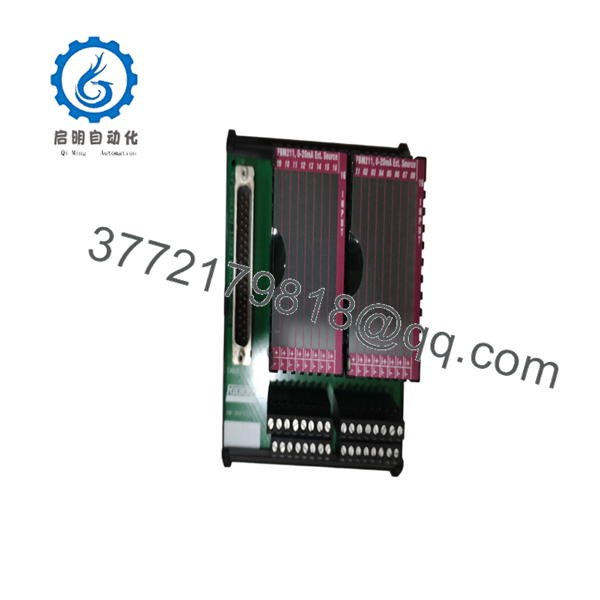
- P0916JTOE
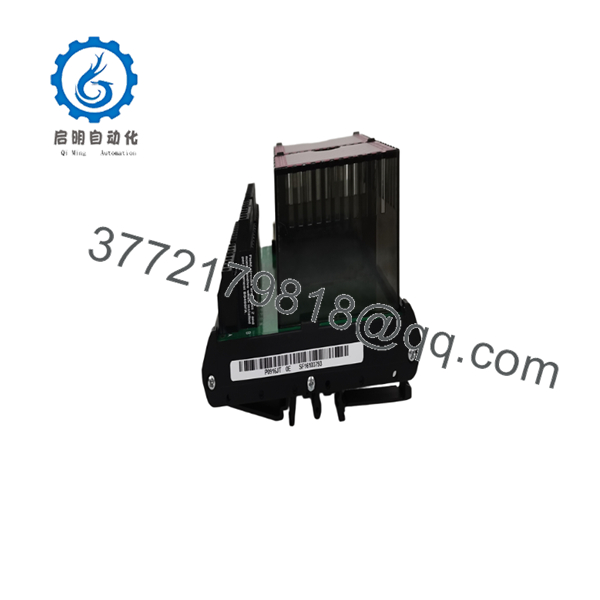
- P0916JTOE
Frequently Asked Questions
Q1. Is the P0916JTOE still available?
Availability varies because many Foxboro I/A Series components are supplied through surplus inventory or specialized automation distributors rather than current OEM production.
Q2. Is this a hot-swappable module?
Do not assume hot-swapping is supported. Follow the maintenance procedure specified for your particular Foxboro subsystem.
Q3. Is this an obsolete product?
Many Foxboro I/A Series spare parts remain in service for long-lived process plants. Confirm lifecycle status with the exact hardware revision before planning long-term inventory.
Q4. How can I verify compatibility?
Check:
- Complete part number ()
- Hardware revision
- Associated FBM or subsystem
- Cabinet wiring drawings
- OEM Product Specification Sheet (PSS)
Q5. Why are exact specifications difficult to find?
Foxboro uses many closely related P0916-series part numbers for different termination assemblies, interface modules, and hardware revisions. Public documentation often covers the product family rather than every individual suffix, so the exact ordering code should always be verified against OEM records before purchase or installation.



