
 WhatsApp: +86 16626708626
 Email:
  Phone: +86 16626708626
Description
Key Technical Specifications
| Parameter | Value |
|---|---|
| Manufacturer | Foxboro |
| Model | P0916N |
| Product Type | Control System Module |
| Product Family | Foxboro I/A Series |
| Application | Distributed Control System (DCS) |
| Installation | System Rack Mounted |
| Communication | Integrated with I/A Series architecture |
| Operating Temperature | Refer to OEM documentation |
| Storage Temperature | Refer to OEM documentation |
| Condition | New Original / New Surplus |
| Availability | Limited Stock |
| Warranty | 12 Months |
Note: Foxboro released several hardware revisions throughout the product lifecycle. Verify the exact hardware revision and firmware compatibility with the existing system before installation.
Product Introduction
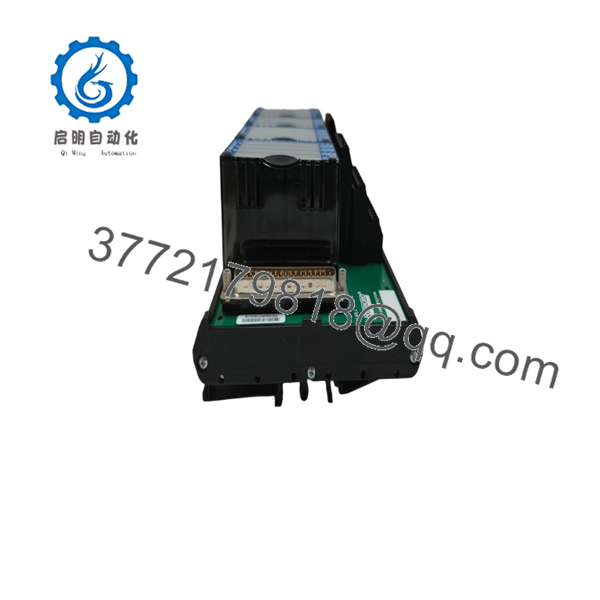
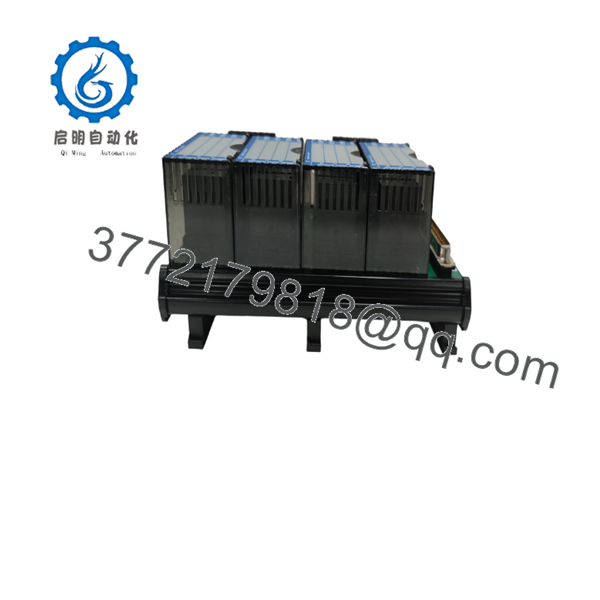
The Foxboro P0916N is an industrial control module designed for the Foxboro I/A Series Distributed Control System (DCS). It is used in continuous process industries where stable controller communication and dependable system operation are required.
Many facilities continue operating I/A Series platforms because replacing an entire DCS is significantly more expensive than maintaining qualified spare modules. The P0916N remains a practical choice for planned maintenance, emergency spare inventory, and lifecycle support. Before installation, confirm hardware revision, firmware compatibility, and system configuration against the existing installation.

- P0916N
- P0916N
Installation & Configuration Guide
Stage 1 – Pre-Installation Preparation (10 Minutes)
⚠️ Safety First
- Notify operations before scheduled downtime.
- Perform Lock-Out/Tag-Out (LOTO).
- Disconnect system power.
- Wait at least five minutes for internal capacitors to discharge.
Required Tools
- ESD wrist strap
- PH1 screwdriver
- Digital multimeter
- Wire labels
- Smartphone for documentation
Before Removal
- Back up the controller configuration.
- Record firmware revision.
- Photograph wiring and module location.
- Document all network addresses and configuration parameters.
Stage 2 – Removing the Existing Module (5 Minutes)
- Remove the front cover if installed.
- Label every cable before disconnecting it.
- Release the retaining clips.
- Pull the module straight out without twisting.
- Inspect the backplane connectors for bent pins or contamination.
⚠️ Do not discard the original module until the replacement has passed all operational tests.
Stage 3 – Installing the New Module (10 Minutes)
- Wear an ESD wrist strap.
- Confirm the replacement is P0916N with the correct hardware revision.
- Compare switch and jumper settings with the removed module.
- Insert the module evenly until fully seated.
- Tighten retaining hardware.
- Reconnect all wiring.
Installation Checklist
- ☑ Model number verified
- ☑ Wiring confirmed
- ☑ Connectors fully seated
- ☑ Module securely locked
Stage 4 – Power-On & Commissioning (10 Minutes)
- Measure the 24 V supply before energizing the rack.
- Apply power to the controller rack.
- Observe LED indicators during startup.
- Connect the engineering workstation.
- Verify module recognition.
- Confirm communication with the control network.
- Perform functional I/O testing before returning the process to service.
⚠️ If communication fails immediately after startup, verify firmware compatibility before replacing additional hardware.
Frequently Asked Questions (FAQ)
Q1. Can the Foxboro be replaced while the system is energized?
No. Foxboro I/A Series modules generally are not intended for uncontrolled hot replacement. Shut down the affected section and follow plant maintenance procedures before removing the module.
Q2. Is the still manufactured?
No. The is considered an obsolete product in many installations. Most available inventory consists of New Surplus or professionally tested surplus stock.
Q3. Will replacing this module erase my control strategy?
Normally, no. Control logic is typically retained elsewhere in the system architecture, but always perform a complete backup before replacing any controller or communication module.
Q4. Why should I verify firmware before installation?
Firmware revisions can affect communication behavior and compatibility with existing controllers. I’ve seen maintenance teams spend hours troubleshooting what appeared to be a hardware failure, only to discover the replacement module shipped with a different firmware revision than the rest of the system.
Q5. Why is New Surplus often less expensive than buying directly from the OEM?
Many New Surplus modules originate from unused project inventory or excess plant stock. They’re genuine OEM hardware that has never been installed, but they’re sold through independent inventory channels rather than directly by the manufacturer.
Q6. What should I check before ordering?
Verify:
- Complete model number
- Hardware revision
- Firmware version
- Existing system configuration
- Connector compatibility
- Required quantity
- Project delivery schedule
Taking a few minutes to confirm those details before ordering can prevent unnecessary downtime and avoid compatibility issues during installation.



