
 WhatsApp: +86 16626708626
 Email:
  Phone: +86 16626708626
Description
3. Key Technical Specifications
- Product Type: Field Device System Integrator Module (FBM230)
- Part Number: P0926GU
- Serial Ports: 4 independent, software-configurable (RS-232, RS-422, or RS-485)
- Protocol Support: Modbus RTU, Modbus ASCII, HART (serial), plus downloadable I/O drivers
- Device Capacity: Up to 64 RS-485 devices per module or 4 direct RS-232/RS-422 devices
- DCI Block Capacity: Up to 2000 Distributed Control Interface blocks
- Power Supply: 24 V DC (+5% / –10%) via baseplate
- Power Consumption: 7 W maximum
- Isolation: Channel-to-channel and channel-to-ground galvanic isolation
- Operating Temperature: –20 °C to +70 °C (–4 °F to +158 °F)
- Environmental Rating: Class G3 (harsh / corrosive environments)
- Dimensions: Approximately 102 mm (H) × 45 mm (W) × 104 mm (D)
- Weight: Approximately 284 g (10 oz)
- Mounting: Standard FBM baseplate / DIN-rail subsystem
4. Product Introduction
The Foxboro P0926GU is the FBM230 Field Device System Integrator module used in the I/A Series and Foxboro Evo DCS. It provides four independent serial ports that can be configured for RS-232, RS-422, or RS-485 and supports multiple industrial protocols through downloadable drivers.
Systems engineers use the FBM230 when they need to bring third-party serial devices—PLCs, motor controllers, analyzers, weigh scales, or other Modbus/HART serial equipment—directly into the Foxboro control database. The module handles the protocol conversion and data mapping so the external devices appear as native DCI blocks, eliminating the need for custom gateways or complex custom coding.
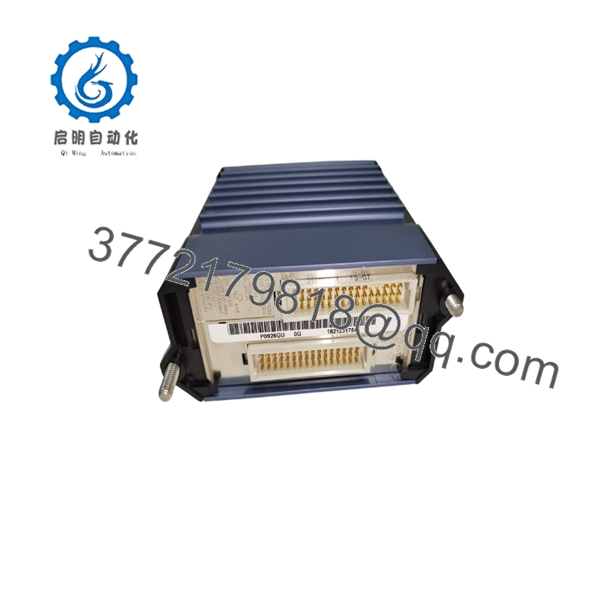
P0926GU
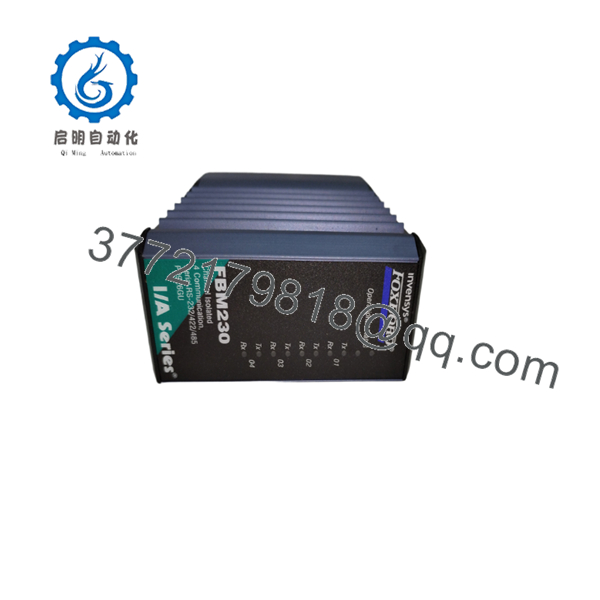
P0926GU
5. Troubleshooting Quick Reference
| Symptom | Possible Cause | Relevance to this Part | Quick Check Method | Recommendation |
|---|---|---|---|---|
| No communication with field devices | Incorrect port configuration, wiring, or driver | ✅ High | Verify port settings (baud, parity, protocol) and cable pinout | Confirm configuration matches device documentation; check termination resistors on RS-485 |
| Intermittent or lost data | Noise, grounding, or cable length issues | ✅ High | Inspect cable shielding and grounding; measure signal quality | Use proper shielded cable; keep RS-485 runs within recommended length |
| Module not recognized by system | Baseplate seating, power, or letterbug issue | ✅ High | Check module status LEDs and baseplate connectors | Reseat module; verify 24 V DC power and letterbug assignment |
| Only some ports working | Port-specific wiring or configuration error | ✅ Medium | Test each port individually with a known-good device | Isolate and reconfigure the affected port |
| High error rates or CRC failures | Baud rate mismatch or electrical noise | ✅ Medium | Compare settings on both ends; check for ground loops | Align communication parameters and improve shielding/grounding |
| Physical or environmental damage | Over-temperature, corrosion, or mechanical stress | ✅ Medium | Visual inspection of housing and connectors | Replace module if damaged; confirm Class G3 environment suitability |
If problems continue, capture module diagnostic status, port error counters, and configuration details, then contact technical support with the information.
6. Frequently Asked Questions (FAQ)
Q: Is the P0926GU the same as the FBM230? A: Yes. P0926GU is the part number for the FBM230 Field Device System Integrator module.
Q: How many devices can I connect? A: Up to 64 devices on an RS-485 multi-drop network, or up to 4 devices on direct RS-232/RS-422 connections. Total DCI block capacity is 2000.
Q: What protocols does it support? A: Native support for Modbus RTU and ASCII, plus HART over serial. Additional protocols are available through downloadable I/O software drivers.
Q: Can I hot-swap this module? A: Follow standard I/A Series procedures for the FBM subsystem. Power and configuration must be handled according to plant lock-out and system guidelines.
Q: Why is this unit priced lower than a current factory order? A: This is New Original / New Surplus stock. It is genuine Foxboro material that has not been installed in continuous service and carries functional verification. It is not refurbished.
Q: Do I need special software to configure it? A: Configuration is performed through the standard Foxboro tools (I/A Series or Evo engineering software) using the appropriate downloadable driver for the connected devices.
Q: What is the warranty and typical lead time? A: Standard coverage is 1 year. Units are normally in stock and ship within a few business days. Confirm current availability when ordering.



