
 WhatsApp: +86 16626708626
 Email:
  Phone: +86 16626708626
Description
Key Technical Specifications
- Manufacturer: Foxboro / Schneider Electric.
- Model: RH924WA.
- Product Type: Fiber optic network adapter.
- Primary Use: Network interface for Foxboro FCP280 controllers.
- Ethernet Ports: Dual independent 100 Mbps Ethernet.
- Fiber Interface: Industrial fiber optic connection.
- Network Role: Converts electrical Ethernet to optical transmission.
- Redundancy: Supports dual-network redundant architecture.
- Transmission Distance: Up to 2 km on multimode; up to 20 km on single-mode, per supplier listings.
- Power Supply: 24 V dc.
- Power Consumption: Typically under 5 W, per supplier listings.
- Isolation: Optical/electrical isolation.
- Operating Temperature: −40 to +70 °C, per supplier listings.
- Storage Temperature: −40 to +85 °C, per supplier listings.
- Humidity: 5% to 95% RH, non-condensing.
- Mounting: Direct plug-in on FCP280 baseplate.
- Note: Public data is inconsistent; verify exact OEM datasheet and connector style before ordering.
Product Introduction
Foxboro RH924WA is a fiber optic network adapter used with the FCP280 field control processor in Foxboro I/A Series DCS systems. It bridges the controller to the control network using copper or fiber media, which is useful when cable length, noise, or redundancy matters.
This part is chosen for FCP280 network connectivity and link isolation. In real replacements, the key checks are controller compatibility, media type, and physical connector style, because those details decide whether the adapter drops in cleanly or turns into a rework job.
Troubleshooting Quick Reference
| Symptom | Possible Cause | Relevance to This Part | Quick Check Method | Recommendation |
|---|---|---|---|---|
| FCP280 does not come online | Adapter not seated or incompatible version | ✅ High | Verify the adapter is fully locked on the baseplate and confirm exact part number | Reseat the adapter and confirm FCP280 compatibility |
| Link LEDs stay off | No fiber link or bad copper patch lead | ✅ High | Check both ports with a known-good cable and inspect LED status | Swap cables before replacing hardware |
| Intermittent network drops | Dirty fiber endface or failing patch cord | ✅ High | Inspect and clean the fiber connectors, then test continuity on the patch lead | Replace the cable if the fault follows it |
| One path fails in redundant setup | Switch, cable, or port mismatch | ✅ High | Compare both network paths and verify identical configuration on each side | Restore parity between the two links |
| Controller is healthy, but the network is dead | Problem is upstream in switch or media converter | ❌ Low | Test the switch port and upstream network device first | Do not condemn RH924WA until upstream gear is verified |
| No power or unstable operation | Baseplate power issue | ✅ High | Measure 24 V dc at the baseplate and check the supply rails | Fix the rack power before replacing the adapter |
If you are stuck, send the label photo, baseplate photo, and controller diagnostic log to technical support.
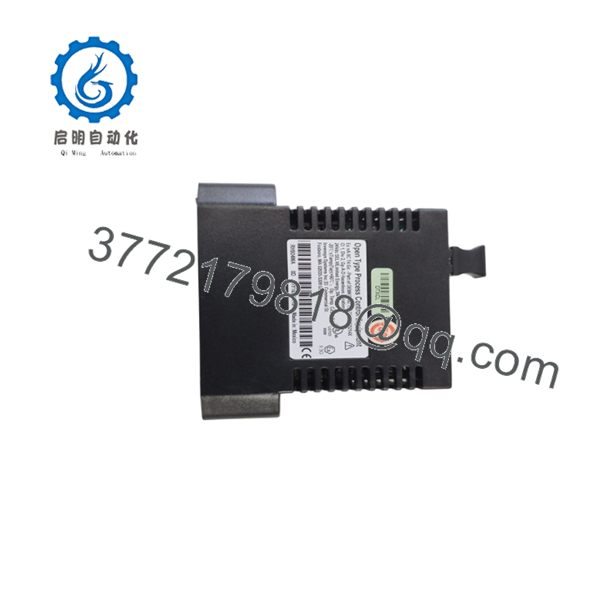
RH924WA
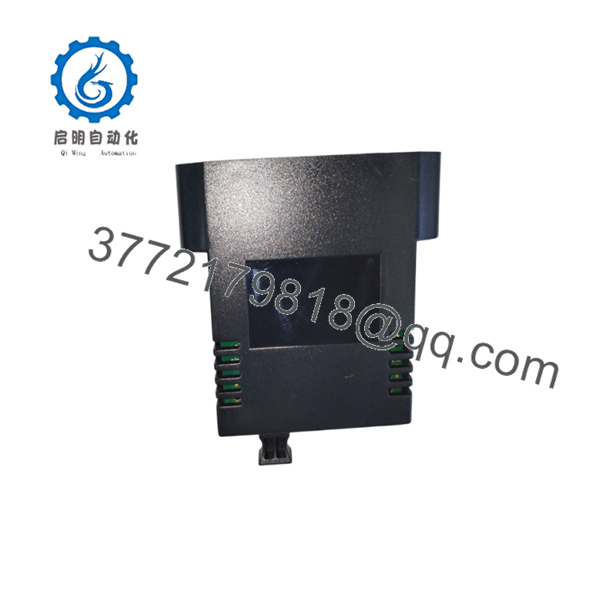
RH924WA
Frequently Asked Questions
Q: What does RH924WA do?
A: It is a Foxboro fiber optic network adapter for -based I/A Series systems. It handles the network connection between the controller and the control network.
Q: Is this the same as the controller?
A: No. The is the controller. RH924WA is the network adapter that supports the controller’s communication path.
Q: Can I use it with another Foxboro controller?
A: Do not assume that. It is tied to the platform in the public listings, so verify the exact OEM compatibility before ordering.
Q: Why does fiber matter here?
A: Fiber gives better noise immunity and longer reach than copper in noisy plant environments. If your network runs through long cable trays or electrical interference, that matters.
Q: Is this hot-swappable?
A: I would not count on a casual hot swap. Follow the site maintenance procedure and isolate the system if the OEM documentation requires it. A rushed swap can take down the control network.
Q: Why is the listing often marked New Surplus?
A: Because RH924WA is usually legacy inventory. That means unused OEM stock or excess spares, not fresh factory production.
Q: What should I verify before purchase?
A: Confirm the part label, connector style, media type, baseplate fit, and the exact revision. Those four checks prevent most bad buys.



