
 WhatsApp: +86 16626708626
 Email:
  Phone: +86 16626708626
Description
Key Technical Specifications
| Parameter | V810T |
|---|---|
| Manufacturer | Fuji Electric / Hakko Electronics |
| Product Family | MONITOUCH V8 |
| Model | V810T |
| Display Size | 10.4 in |
| Display Type | TFT color LCD |
| Resolution | 640 × 480 pixels |
| Display Color | 64K colors |
| Touch Technology | Analog resistance film |
| Power Supply | 100–240 VAC ±10% |
| Input Frequency | 47–63 Hz |
| Display Memory | 12.5 MB |
| Panel Cutout | 289.0 × 216.2 mm |
| Overall Dimensions | 303.8 × 231.0 × 69.0 mm |
| Operating Temperature | 0 to +50 °C |
| Storage Temperature | -10 to +60 °C |
| Operating Humidity | ≤85% RH, non-condensing |
| Maximum Altitude | 2,000 m |
| Case Material | PC/ABS resin |
| Case Color | Gray |
| Contamination Level | 2 |
Fuji Electric’s V8 hardware documentation identifies the V810T as the 640 × 480 TFT color, standard, AC-power model. The D suffix denotes the 24 VDC version, while the i prefix identifies the higher-performance models with built-in LAN capability.
This distinction is important when replacing an installed V810T. V810T, V810TD, V810iT, and V810iTD are not simply different labels for the same hardware. Their power and communications configurations differ.
Product Introduction
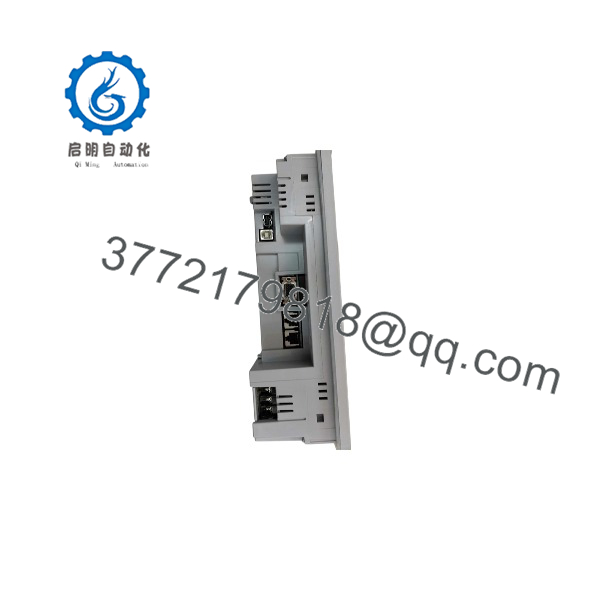
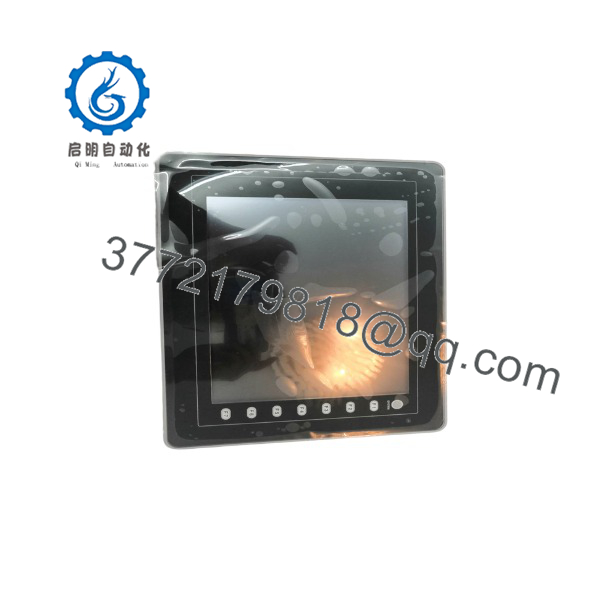
The Fuji Electric MONITOUCH V810T is a 10.4-inch industrial HMI designed for machine operation, process visualization, alarm display, and PLC-based control applications. It uses a 640 × 480 TFT color display with an analog touch switch and operates from 100–240 VAC.
The belongs to Fuji Electric’s legacy V8 platform, which can communicate with PLCs, drives, and temperature controllers through supported device protocols. Fuji’s documentation also shows that V8 projects are configured by selecting the exact HMI model, including , during screen-data development.
For maintenance engineers, the key issue is project compatibility, not just physical replacement. A replacement V8 terminal needs the correct screen data, device-driver configuration, touch configuration, and communications settings.
V810T
V810T
Installation & Configuration Guide
Stage 1 — Pre-Installation Preparation | ~5 minutes
- Apply the site’s lockout/tagout procedure before disconnecting the HMI.
- Record the complete model designation from the rear nameplate.
- Photograph every communication and power connection.
- Back up the existing V8 screen/application data if the original terminal is still operational.
- Record PLC model, communication interface, baud rate, station number, and protocol.
- Measure the panel opening before ordering a replacement.
⚠️ Do not assume and V810iT are equivalent. The i models have different hardware functionality, including built-in LAN capability.
Stage 2 — Remove the Existing HMI | ~5 minutes
- Verify that AC power has been isolated.
- Label all communication cables.
- Disconnect the AC supply and communications wiring.
- Release the panel mounting hardware.
- Remove the carefully from the enclosure.
- Inspect the panel cutout and mounting area.
- Keep the original HMI until the replacement has been commissioned successfully.
The uses a 289.0 × 216.2 mm panel cutout and has overall dimensions of approximately 303.8 × 231.0 × 69.0 mm.
Stage 3 — Install Replacement HMI | ~5–10 minutes
- Confirm the replacement is the correct configuration.
- Check the AC-input rating before applying power.
- Insert the HMI into the existing panel opening.
- Secure the mounting hardware evenly.
- Reconnect the communication cable.
- Reconnect protective earth and AC wiring according to the equipment documentation.
- Check cable strain and connector engagement.
⚠️ The is an AC-powered model. Do not connect 24 VDC directly to a standard . The V810TD is the corresponding DC-power configuration identified in Fuji’s V8 documentation.
Stage 4 — Power-On & Functional Testing | ~10–15 minutes
- Energize the HMI.
- Confirm normal startup.
- Check the touchscreen across its active area.
- Load or verify the appropriate V8 screen data.
- Confirm the selected PLC/device driver.
- Verify communication with the controller.
- Test pushbuttons, numeric entry, status displays, and alarms.
- Verify all critical data points against the PLC.
- Check screen transitions and operator security functions where applicable.
- Record the final project revision and communication parameters.
Fuji’s V8 documentation specifically requires the correct model to be selected when preparing screen data; its example uses as the target model.
Frequently Asked Questions (FAQ)
What is the Fuji Electric ?
The is a 10.4-inch MONITOUCH V8 Series industrial HMI with a 640 × 480 TFT color display and analog touch interface. It is intended for operator interaction with PLC and industrial control systems.
What power supply does the require?
The standard uses 100–240 VAC ±10% at 47–63 Hz. The V810TD is a different 24 VDC model. Verify the nameplate before applying power.
Does the have Ethernet?
The standard does not have the built-in LAN functionality associated with the V810iT. Fuji’s V8 model nomenclature uses the i designation for the high-performance models with built-in LAN capability.
What is the display resolution?
The uses a 640 × 480-pixel VGA TFT color display. Fuji’s V8 reference manual identifies /V810iT as the 640 × 480 model group.
Is the discontinued?
Yes. Fuji Electric classifies the under its legacy/discontinued MONITOUCH V8 HMI products. Replacement information points toward the MONITOUCH V9 family.
Can a V9 HMI directly replace a ?
Not as a simple electrical drop-in replacement. A V9 replacement may require mechanical, project, communication, and application-data migration. The existing V8 project should be backed up before removing a functioning .
What is the difference between and V810iT?
Both are 10.4-inch, 640 × 480 V8-series HMIs, but the V810iT is the high-performance configuration with built-in LAN capability, while the standard does not have that built-in LAN feature.
What should I include in an RFQ for a replacement ?
Specify:
- Fuji Electric / Hakko
- Complete model and nameplate information
- AC power configuration
- 10.4-inch / 640 × 480 requirement
- Existing PLC/device protocol
- Existing V8 project availability
- Required condition: new surplus, refurbished, or tested used
- Quantity
- Required warranty and test documentation
For a legacy HMI, the project file can be as important as the hardware. If the original terminal is still operational, back up its application data before taking it out of service.



