
 WhatsApp: +86 16626708626
 Email:
  Phone: +86 16626708626
Description
Key Technical Specifications
| Parameter | Value |
|---|---|
| Manufacturer | Galil Motion Control |
| Model | DMC-1040 |
| Product Family | DMC-1000 Series |
| Product Type | Multi-axis motion controller card |
| Host Interface | ISA bus |
| Maximum Axis Count | 4 axes |
| Supported Motor Types | Servo motors and stepper motors |
| Encoder Input Frequency | 8 MHz maximum |
| Motor Command Output | 16-bit DAC analog command output |
| Motion Modes | Jogging, point-to-point positioning, linear interpolation, circular interpolation, electronic gearing, and user-defined motion profiles |
| Programmability | Galil DMC command language |
| Position Feedback | Incremental encoder interface; verify exact connector and revision details from the supplied card |
| I/O and Limit Functions | Dependent on DMC-1000 card revision and host installation; verify connector pinout before purchase |
| Card Revision | Check physical label, such as Rev. H or Rev. J, because revision-specific differences may exist |
| Mechanical Format | Legacy full-length ISA expansion card; confirm physical length and slot clearance in the host PC |
| Operating Environment | Industrial PC or compatible ISA-bus host chassis |
| Lifecycle Status | Discontinued by manufacturer / legacy motion-control spare part |
Galil identifies the DMC-1040 as a four-axis motion controller within the DMC-1000 family. Distributor information lists an 8 MHz encoder-input frequency, 16-bit DAC motor-command output, and one to four axes per card.
Product Introduction
The Galil Motion Control DMC-1040 is a legacy ISA-bus motion controller card for controlling up to four servo or stepper axes from an industrial PC. It supports coordinated positioning, jogging, linear and circular interpolation, electronic gearing, and embedded motion programs using Galil’s DMC command language. Typical applications include CNC equipment, packaging machinery, robotics, inspection systems, assembly equipment, and custom automation cells.
The DMC-1040 is usually purchased as a like-for-like spare for an existing ISA-based machine controller. It is not a drop-in replacement for modern PCI, USB, Ethernet, or standalone Galil controllers. The host PC, ISA slot, cable pinout, servo amplifier command interface, encoder format, and machine software must all match the installed system.
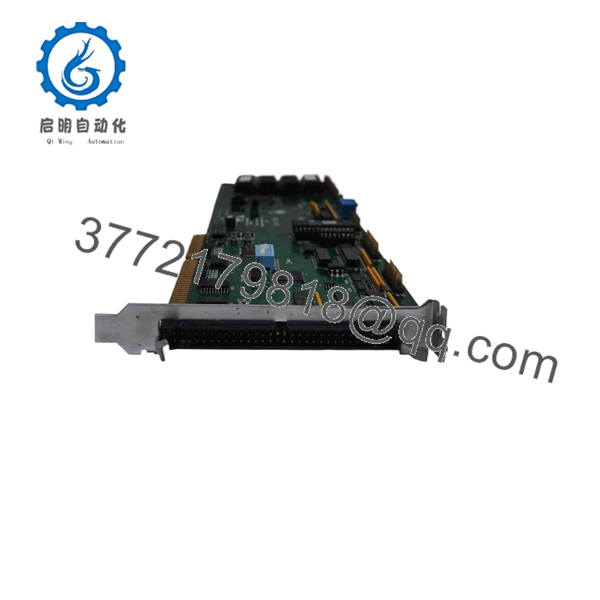
DMC-1040
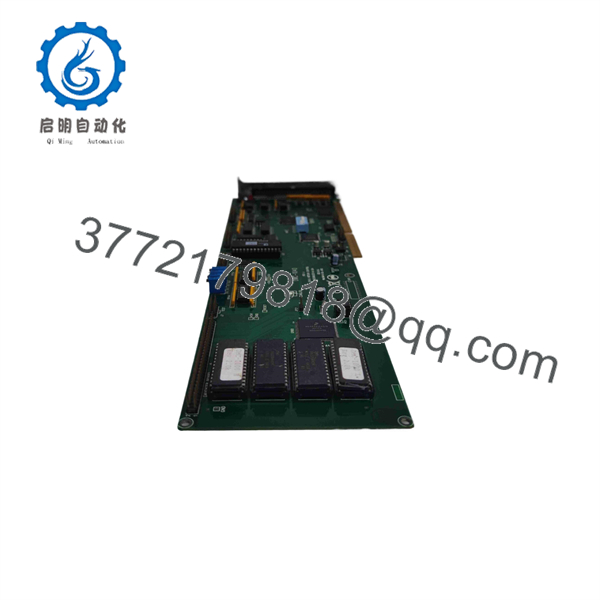
DMC-1040
Troubleshooting Quick Reference
| Symptom | Possible Cause | Relevance to This Part | Quick Check Method | Recommendation |
|---|---|---|---|---|
| Host PC does not detect the DMC-1040 | Card not fully seated, ISA slot issue, BIOS/resource conflict, damaged edge connector, failed card | ✅ High | Power down and reseat the card. Inspect ISA gold fingers for contamination or wear. Test in the original slot, then in a known-good compatible ISA slot if the machine design permits. | Check the host PC and slot first. Do not use a PCI-to-ISA adapter unless the machine software and timing requirements have been validated. |
| Motion software reports controller communication failure | Wrong I/O address, IRQ/DMA conflict, driver issue, host PC fault, bad card | ⚠️ Medium | Compare BIOS, DOS/Windows driver settings, and application configuration with the machine backup. Review installed card jumpers or address settings if present. | Restore the original resource configuration before replacing the card. Legacy ISA conflicts are common after PC service. |
| One axis does not move but other axes operate | Failed servo amplifier, open enable chain, broken motor cable, encoder fault, axis configuration issue, failed DAC channel | ⚠️ Medium | Compare the failed axis with a working axis. Check drive-ready, amplifier enable, motor power, and encoder feedback. Measure the analog command output only with proper reference and approved test points. | If the command output is absent only on the affected DMC-1040 axis while software commands motion, the controller channel may be faulty. |
| Axis runs in the wrong direction | Reversed encoder channels, reversed motor command polarity, incorrect software configuration, drive polarity setting | ❌ Usually low | Compare encoder A/B wiring and analog command polarity against the original wiring diagram. Jog at low speed with limits active. | Correct wiring or configuration. Do not swap conductors randomly; that can create a runaway axis. |
| Axis faults on following error | Encoder cable fault, loose feedback connector, mechanical jam, incorrect tuning, servo amplifier issue, controller pulse loss | ⚠️ Medium | Check encoder counts in diagnostics while moving the axis manually under safe conditions. Inspect feedback cable shields and connectors. Compare commanded versus actual position. | Investigate mechanics, encoder feedback, and amplifier tuning before replacing the . |
| Position drifts or count is lost | Encoder noise, poor shielding, broken encoder ground, loose connector, excessive electrical noise, failed input channel | ⚠️ Medium | Scope encoder A/B signals at the controller connector using isolated, suitable equipment. Inspect shield termination and encoder power supply. | Repair cable shielding and grounding first. The 8 MHz encoder capability does not protect against poor signal integrity. |
| All axes stop or lose command simultaneously | Host PC crash, controller reset, common enable chain open, power-supply failure, interface cable issue | ❌ Low | Check PC power rails, operating-system event logs where available, controller reset status, common servo-enable output, and cabinet 24 V DC supply. | Investigate the host PC and common safety/enable circuits before replacing the . |
| No analog velocity command reaches servo drive | Incorrect cable, connector pin damage, DAC reference issue, failed DMC output channel, software output disabled | ✅ Medium | Command a low-speed jog and measure the applicable analog output against analog common using the documented pinout. Compare with a working axis. | Confirm the cable and amplifier input first. If a good software command produces no DAC change at the card connector, the output stage may have failed. |
| Motion is jerky only at higher speed | Encoder frequency too high, signal degradation, servo tuning issue, mechanical resonance, host timing issue | ⚠️ Medium | Calculate encoder edge frequency at maximum speed. Compare with the 8 MHz encoder input limit. Inspect encoder waveform quality and review servo tuning. | Reduce speed or increase feedback resolution only within design limits. Fix signal quality and tuning before replacing the controller. |
| Replacement card does not run the machine | Revision difference, incompatible firmware, address/jumper mismatch, damaged shipped card, missing machine configuration | ✅ High | Photograph the original front and rear, revision label, jumper settings, cable connectors, and software configuration before removal. Compare each item with the replacement. | Request the same card revision when possible. Keep the original machine PC, cables, and configuration backup unchanged during the first replacement test. |
❗ Motion-safety warning: A motion controller replacement can create unintended travel if axis polarity, scaling, limits, encoder feedback, or servo-enable wiring is wrong. Secure the machine, establish a safe test area, verify hard limits and emergency stop function, and start with low-speed jog commands.
❗ Legacy-PC warning: The depends on an ISA-bus host. Do not treat it like a modern external controller. A newer PC, an ISA bridge, or a different operating system can change timing, driver behavior, and resource mapping. Preserve the original host hardware whenever possible.
If the fault is unresolved, provide technical support with photos of the revision label, ISA edge connector, cable connectors, host PC motherboard, software version, controller address settings, amplifier fault status, encoder wiring, and captured motion diagnostics.
Frequently Asked Questions
What is the Galil ?
The Galil is a legacy DMC-1000-series, ISA-bus multi-axis motion controller card. It controls up to four servo or stepper axes and supports motion functions including jogging, point-to-point moves, linear and circular interpolation, electronic gearing, and user-programmed motion sequences.
How many axes can the control?
The supports one to four axes per card, with the model generally identified as a four-axis controller. Actual usable axis count depends on the installed machine wiring, software configuration, servo amplifiers, and axis licenses or settings in the original system.
Does support servo motors and stepper motors?
Yes. The DMC-1000 product family supports servo and stepper motion applications. For a servo system, verify the analog command interface, encoder feedback wiring, amplifier enable circuit, and tuning parameters. For a stepper system, verify the step/direction or applicable drive interface used by the specific installation.
What encoder speed can the accept?
Distributor data lists a maximum 8 MHz encoder-input frequency. That figure is not a recommended operating target. Calculate the encoder edge frequency at maximum motor speed, leave engineering margin, and verify signal integrity, shielding, grounding, cable length, and electrical-noise exposure.
Is the compatible with a modern PCI or Ethernet PC?
Not directly. The is an ISA-bus card. A modern PC normally lacks ISA slots, and using an ISA bridge or adapter can introduce driver and timing problems. For a machine that must remain operational, use a compatible ISA industrial PC or retain the original host system. For a long-term retrofit, migrate the application only after validating software, I/O, servo interfaces, motion profiles, and safety functions.
Can I hot-swap the ?
No. Shut down the host industrial PC and isolate cabinet power before removing or installing the card. Live insertion can damage the ISA bus, controller card, host motherboard, or external I/O interfaces. Use ESD protection and handle the board only by its edges.
Will replacing the erase my machine program?
The machine program typically resides on the host computer’s storage device or within the application software, not on the controller card alone. However, configuration data can be stored in controller memory, initialization files, backup media, or the machine application. Back up the PC hard drive, program files, address settings, and controller configuration before removing the original card.
Are all cards interchangeable?
Not always. Verify the physical revision, such as Rev. H or Rev. J; ISA address or jumper settings; connector arrangement; installed firmware; and machine software expectations. A used-card listing may describe a but omit the revision, faceplate, cable hardware, or configuration details needed for a direct replacement.
Why is a New Surplus less expensive than a modern motion controller?
New Surplus and refurbished inventory generally comes from unused machine-builder stock, maintenance spares, canceled projects, or legacy-equipment dismantling. The price reflects obsolescence, ISA-host dependency, and limited demand. Ask for exact-unit photos, revision information, connector and faceplate condition, documented communication testing, axis-output verification, warranty terms, and return conditions.
What testing should a supplier perform before shipping a refurbished ?
Request an inbound inspection for corrosion, damaged ISA contacts, missing components, rework marks, and connector damage; a controlled ISA-host boot test; controller communication verification; encoder-input simulation; DAC-output checks on all four axes; digital I/O checks where fitted; and a recorded diagnostic report. A complete test should verify stable operation under a compatible legacy host PC, but final commissioning still requires the original machine software, servo drives, encoder wiring, safety chain, and mechanical axis.



