
 WhatsApp: +86 16626708626
 Email:
  Phone: +86 16626708626
Description
Key Technical Specifications
- Axes: Up to 4 (DMC-1842; lower-axis variants in the same family via the BA command)
- Bus Interface: PCI
- Encoder Input Frequency: Up to 2 MHz for servo feedback
- Stepper Output Frequency: Up to 3 MHz for step motor control
- Max Encoder Count Rate: Up to 12 million counts/sec (with sinusoidal commutation configurations)
- Max Step Rate: Up to 3 million steps/sec
- Sample Rate: As low as 62.5 µs per axis
- Non-Volatile Memory: 2 MB Flash EEPROM (stores application programs, parameters, arrays, firmware)
- Firmware Updates: Field-upgradeable without removing the card
- Card Dimensions: 4.23 in x 9 in
- Motor Commutation Support: Standard and sinusoidal commutation (brushless axes consume adjacent DAC channels)
- Typical Applications: Jogging, point-to-point positioning, vector positioning, electronic gearing, multi-axis coordinated moves
Note: The DMC-1842 is a controller, not an amplifier — it issues analog or PWM command signals and reads encoder feedback but does not supply motor drive current itself. Confirm your external amplifier’s compatibility separately.
Product Introduction
The Galil DMC-1842 is a PCI-bus motion controller from the DMC-18×2 “Econo” series, built to command up to four axes of servo or stepper motion from a single card. It handles the position/velocity control loop and encoder feedback processing in hardware, freeing the host PC from real-time motion timing while an external amplifier handles the actual motor current.
Where the DMC-1842 earns its place on older machines is sample rate and flexibility: 62.5 µs per-axis update rates and encoder counting up to 12 million counts/sec keep it usable for reasonably demanding servo applications, and its 2 MB flash memory lets it run standalone application programs without a PC connection once configured. For plants still running PCI-bus industrial PCs, it remains a direct, driver-compatible replacement rather than a platform migration.
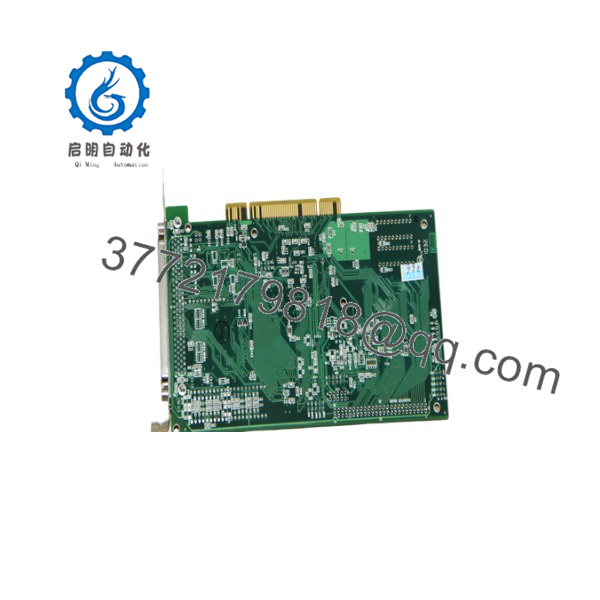
DMC-1842
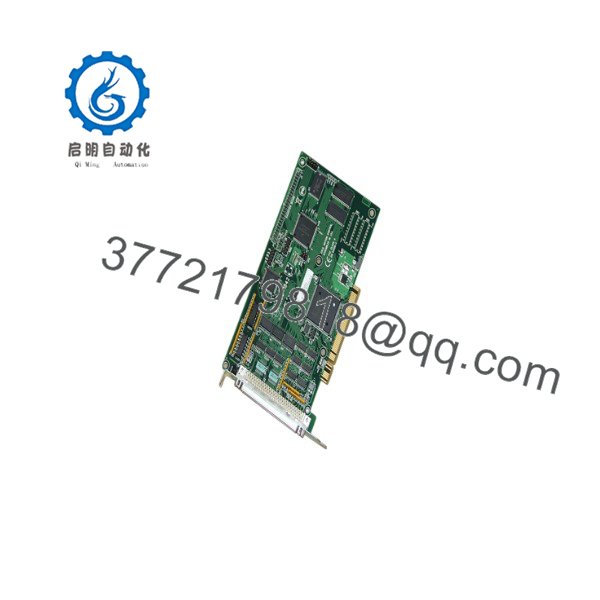
DMC-1842
Installation & Configuration Guide
Stage 1: Pre-Installation Preparation (Est. 10 min)
⚠️ Safety First: Shut down and unplug the host PC before opening the case. If the motion system is connected to live machinery, disable the amplifier’s enable line first so axes can’t move unexpectedly when the new card initializes.
Tools Required: ESD wrist strap, PH1/PH2 screwdriver, smartphone for reference photos, PC with an open PCI slot, Galil’s configuration software (GalilTools or the legacy WSDK, matched to your card’s firmware generation).
Data Backup: Before removing the old card, connect with Galil’s software and upload the current application program, axis parameters, and any stored arrays to a file. Photograph the DB connector wiring for encoder feedback, amplifier command outputs, and any I/O connections — Galil’s pinouts are consistent within the DMC-18×2 family, but confirm against your specific wiring documentation.
Stage 2: Removing the Old Card (Est. 5 min)
- Power down the PC and disconnect it from the wall outlet.
- Label and disconnect the DB connectors carrying encoder, amplifier, and I/O signals.
- Remove the PCI slot retaining screw and release the card from the slot — pull straight up to avoid flexing the connector edge.
- Inspect the PCI slot for bent contacts or debris before inserting the replacement.
⚠️ Note: Keep the old card until the replacement is verified running — if the application program didn’t upload cleanly, you’ll need the original to recover it.
Stage 3: Installing the New Card (Est. 10 min)
- ESD prep before handling the card.
- Confirm the replacement is genuinely a DMC-1842 (or an axis-count-compatible DMC-18×2 variant) and check the firmware revision against your saved configuration.
- Seat the card firmly into the PCI slot until fully engaged, then secure the retaining screw.
- Reconnect the DB connectors per your photos — encoder, amplifier command, and I/O lines.
Self-Checklist: [ ] Card fully seated in PCI slot [ ] All DB connectors reattached correctly [ ] Retaining screw secured [ ] Amplifier enable line disabled before first power-up
Stage 4: Power-On & Testing (Est. 10–15 min)
Pre-Power Check: Confirm the amplifier enable line is still disabled and no motor is coupled to a load that could cause damage from an unexpected move.
- Power on the PC and let it boot with the new card installed.
- Open Galil’s configuration software and confirm the card is detected with the expected axis count and firmware version.
- Download the saved application program and parameters back to the card.
- With the amplifier still disabled, verify encoder counts respond correctly to manual shaft movement.
- Enable the amplifier and jog each axis at low speed before returning to full operation.
⚠️ Troubleshooting Note: If the software doesn’t detect the card at all, check that it’s fully seated in the PCI slot and that the PC’s BIOS hasn’t disabled that slot. If encoder counts don’t register, check wiring against the DB connector pinout before assuming a card fault — a swapped A/B channel pair is a common wiring mistake, not a hardware failure.
Frequently Asked Questions (FAQ)
Is the DMC-1842 still in production, and is “new” stock genuinely new?
Galil has moved its current controller lineup toward Ethernet and other bus formats, so PCI-bus cards like the are past mainstream production for many configurations. Stock sold today is a mix of old distributor inventory, refurbished pulls, and repaired units — ask your supplier which one you’re getting and whether it’s been functionally tested.
Can I hot-swap this card while the PC is running?
No. It’s a PCI card — pulling or inserting it under power can damage the card, the slot, or the motherboard, and there’s no supported hot-swap mode for this series. Shut the PC down fully before working on it.
Will I lose my motion program when I swap cards?
You will if you don’t back it up first. Application programs, parameters, and arrays live in the card’s flash memory — upload everything to a file with Galil’s software before removing the old card, then download it to the replacement. Skipping this step means reprogramming from scratch.
What’s the direct replacement if the is out of stock?
Within the same DMC-18×2 family, lower-axis variants (DMC-1832, 1822, 1812) share the same card and can be reconfigured via software commands, but that only helps if you need fewer axes, not more. For a genuine like-for-like replacement, another unit is the safest match — cross-series migration to Galil’s newer controllers typically means rewriting the application program, not a drop-in swap.
Does this card drive the motor directly, or do I still need an amplifier?
You still need an external amplifier. The generates the command signal and reads encoder feedback — it doesn’t supply motor current itself. If your amplifier is also aging, budget for that as a separate compatibility check.
Why is your price below what Galil originally listed this at?
Because current sales are surplus, refurbished, or repaired units from a card Galil no longer actively markets in this bus format — not a discount off a current list price. Confirm condition and testing status directly with whoever you’re buying from.



