
 WhatsApp: +86 16626708626
 Email:
  Phone: +86 16626708626
Description
Key Technical Specifications
| Parameter | Technical Specification |
|---|---|
| Manufacturer | Galil Motion Control |
| Part Number | DMC-4080 |
| Product Series | Accelera Series (DMC-40×0 Standalone) |
| Number of Axes | 8 axes (configurable per-axis for step/direction or analog ±10 V servo) |
| Processor Architecture | 32-bit RISC processor |
| Communication Interfaces | 10/100Base-T Ethernet, RS232 (up to 115.2 kbps) |
| Maximum Encoder Quadrature Frequency | 22 MHz |
| Maximum Stepper Output Frequency | 3 MHz |
| Uncommitted Digital I/O | 8 optoisolated inputs, 8 optoisolated outputs |
| Uncommitted Analog I/O | 8 analog inputs (12-bit standard or 16-bit optional, 0–5V) |
| Internal Program Memory | 2,000 lines×80 characters non-volatile Flash memory |
| Power Supply Requirement | +24 VDC (±10%, max. 1.2 A) |
| Operating Temperature | 0 °C to 70 °C |
Product Introduction & Supply Chain Strategy
The Galil DMC-4080 is an 8-axis motion controller from Galil’s flagship Accelera series. Operating as a standalone unit or over 10/100Base-T Ethernet, it manages complex multi-axis motion profiles—including linear and circular interpolation, electronic gearing, gantry mode, and custom trajectory generation—for combination servo and stepper motor architectures.
Securing the DMC-4080 as New Surplus guarantees zero-hour reliability for critical OEM machinery, automated semiconductor processing tools, and high-speed packaging lines. Sourcing genuine, uninstalled surplus eliminates the risk of solder joint thermal fatigue and input optical isolator degradation found in heavily used drives. Keeping 1–2 backup units on-site safeguards your Total Cost of Ownership (TCO) by providing instant drop-in replacements during unexpected machine controller outages.
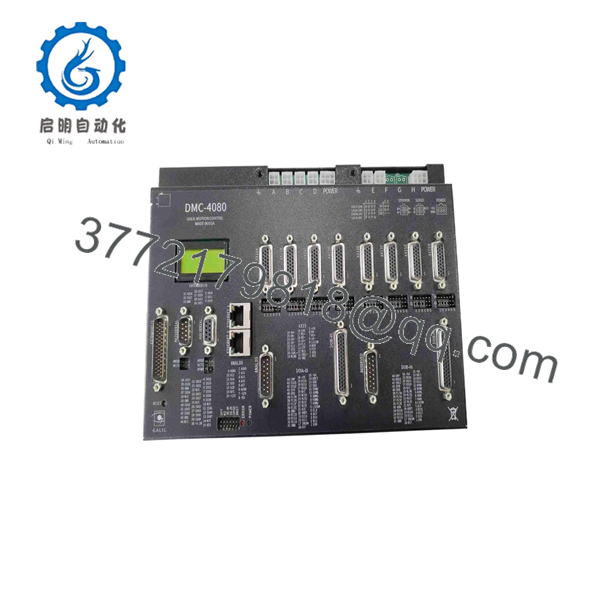
DMC-4080
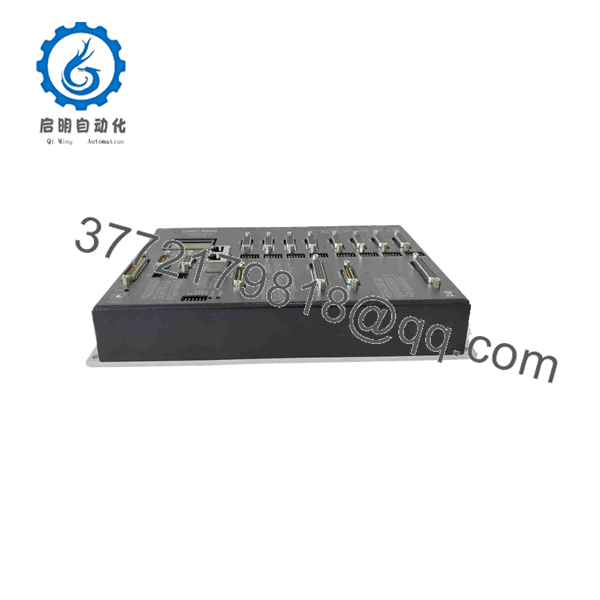
DMC-4080
Installation & Configuration Guide
Stage 1: Pre-Installation (Prep & Safety)
- Execute Lock-Out/Tag-Out (LOTO) on main machine power and the +24 VDC auxiliary logic supply.
- Put on a grounded ESD wrist strap before handling communication ports, optical lines, or I/O wiring terminals.
- Record all IP address network configurations and jumper settings (e.g., MRST, Burnham reset, or RS232 baud rate) on the original unit.
Stage 2: Removal
- Disconnect the 10/100 Ethernet RJ45 cable, RS232 serial cables, and all motor drive/encoder interconnect cables.
- Unwire the main +24 VDC power input block and optoisolated I/O terminal connectors.
- Loosen the cabinet panel mounting bolts and carefully lift the controller unit from the enclosure.
Stage 3: Installation (Clone & Seat)
- Inspect the D-sub interface connectors and PCB trace integrity on the new surplus DMC-4080.
- Replicate jumper configurations from the original board onto the replacement controller.
- Mount the DMC-4080 securely to the panel enclosure, ensuring earth ground continuity through the chassis mounting tabs.
- Reattach all motor command cables, encoder feedback leads, and +24 VDC power wires according to original system schematics.
Stage 4: Power-On & Testing
- Apply +24 VDC logic power to the controller. Confirm power LEDs illuminate green.
- Connect a PC running Galil DesignKit (GDK) or Galil Suite via Ethernet or RS232.
- Issue a
Tell Position(TP) andTell Switched(TS) command via terminal communication to confirm axis feedback status. - Download saved application code (
.dmcfiles) to flash memory and perform low-speed jog testing (BG A/BG B) across all 8 axes.
Firmware/Software Versions & Upgrade Notes
- Software Suite: Configured and programmed via Galil DesignKit (GDK) or Galil Suite.
- Firmware Flashing: Firmware can be upgraded directly via Ethernet or RS232 using Galil software utilities. Always ensure the firmware version matches the exact revision required by your host application software to avoid command structure mismatches.
- Parameter Backups: Before replacing an existing controller, upload and back up the current array variables, master programs, and parameter settings using the
UL(Upload) command in Galil terminal software.
Frequently Asked Questions (FAQ)
Is this Galil DMC-4080 controller brand new or refurbished?
This unit is strictly New Surplus (Original Unused stock). It has never been installed in a production system, integrated into a control cabinet, or subjected to board-level repair work.
Can the control both servo motors and stepper motors on the same unit?
Yes. Each of the 8 axes can be individually software-configured to output analog ±10 V command signals for servo drives or step-and-direction pulses for stepper drives.
What is the advantage of buying New Surplus over a refurbished unit?
Refurbished motion controllers frequently harbor degraded optocouplers, dry electrolytic power filter capacitors, and worn RS232/Ethernet port transceivers. New Surplus provides 100% component lifespan, full signal integrity on high-speed encoder channels (up to 22 MHz), and operational reliability.
How do I load my existing application program onto the replacement ?
Connect to the controller using Galil DesignKit (GDK) or Galil Suite, open your saved .dmc program file, and execute the Download (DL) command to write the code into non-volatile Flash memory.
What warranty is provided with this New Surplus unit?
All New Surplus Galil motion controllers include a full 1-year functional replacement warranty from the date of purchase.



