
 WhatsApp: +86 16626708626
 Email:
  Phone: +86 16626708626
Description
Key Technical Specifications
| Parameter | Value |
|---|---|
| Manufacturer | Galil Motion Control |
| Model | DMC-4143 |
| Product Family | DMC-41×3 Econo Series |
| Product Type | Multi-axis motion controller |
| Axis Count | 4 axes |
| Form Factors | Card-level controller or box-level stand-alone controller |
| Host Requirement | Can operate stand-alone or connect to a PC |
| Ethernet | 10/100BASE-T |
| USB | Supported |
| Serial Communication | RS-232 available within DMC-41×3 family; verify exact DMC-4143 hardware configuration |
| Power Supply | 20–80 V DC |
| Supported Motor Types | Servo and stepper systems, depending on output/interface configuration |
| Encoder Input Rate | Up to 22 MHz |
| Servo Update Rate | 125 µs minimum for 3–4 axis configurations |
| Command Processing Time | 11 µs |
| Digital Inputs | 8 optically isolated inputs for 1–4 axis configurations |
| Digital Outputs | 8 optically isolated, 500 mA sourcing outputs for 1–4 axis configurations |
| Extended Digital I/O | 32 TTL I/O points, 3.3 V standard; 5 V optional |
| Analog Inputs | 8 channels, 12-bit ADC standard; 16-bit option available |
| Application Program Memory | 4,000 lines × 80 characters |
| Array Elements | 24,000 |
| Variables | 510 |
| Program Threads | 8 |
| Software | GalilTools, Galil Design Kit, or compatible Galil DMC programming tools |
| Firmware Family | DMC-41×3; current firmware availability and installed revision must be verified |
| Certifications | RoHS compliant and CE certified for the controller family |
| Optional Integrated Amplifiers | Box-level configurations may include compatible D3540 or D3740 amplifier options |
| Replacement Requirement | Match card versus box form, connector type, amplifier configuration, firmware, motor feedback, and I/O arrangement |
Galil identifies DMC-4143 as a DMC-41×3-series configuration available in both card-level and box-level forms. The family can operate as a stand-alone controller or interface to a PC through 10/100BASE-T Ethernet or USB. Galil’s DMC-4000 technical data lists the applicable 1–4-axis platform capabilities: 20–80 V DC supply, 22 MHz encoder rate, 125 µs minimum servo update for three to four axes, eight opto-isolated inputs, eight 500 mA sourcing opto-isolated outputs, and eight analog inputs.
Product Introduction
The Galil DMC-4143 is a four-axis DMC-41×3 Econo Series motion controller for coordinated servo or stepper applications. It can run independently or connect to a host computer through Ethernet or USB, making it suitable for machinery that needs multi-axis positioning without relying on a legacy ISA or PCI motion card. Typical uses include packaging, assembly, robotics, inspection, laser processing, material handling, and indexing equipment.
The DMC-4143 is available in more than one physical configuration. A card-level DMC-4143 is not automatically interchangeable with a box-level , especially if the original unit includes integrated amplifiers. Match the complete ordering configuration, motor command type, amplifier modules, encoder feedback, I/O wiring, firmware revision, and Galil program before replacing the controller.
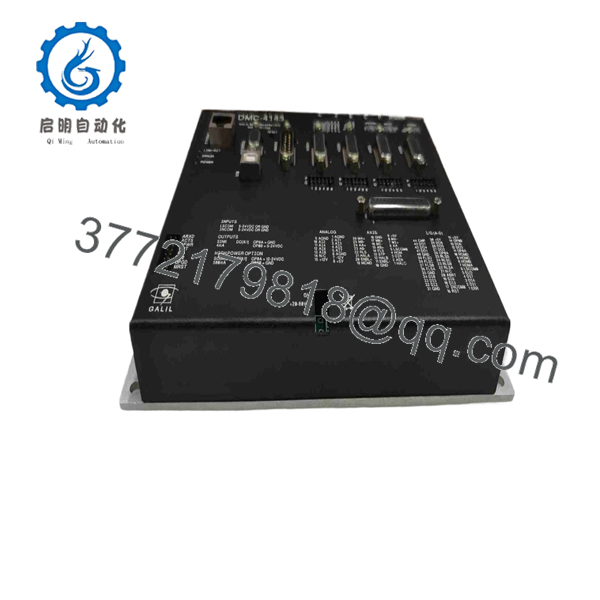
DMC-4143
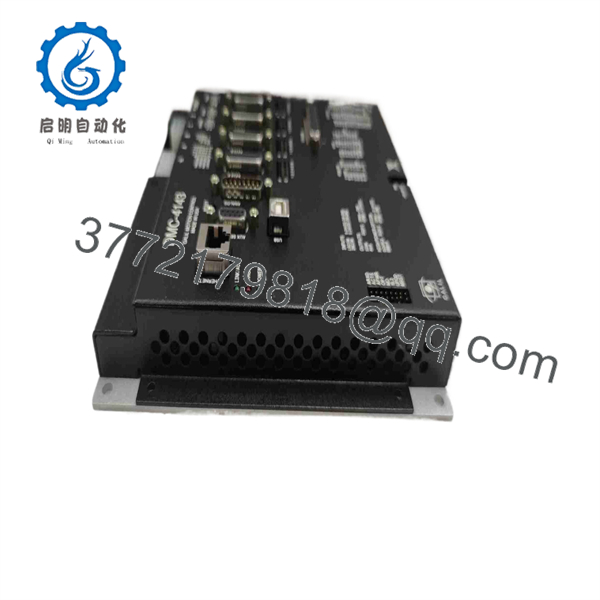
DMC-4143
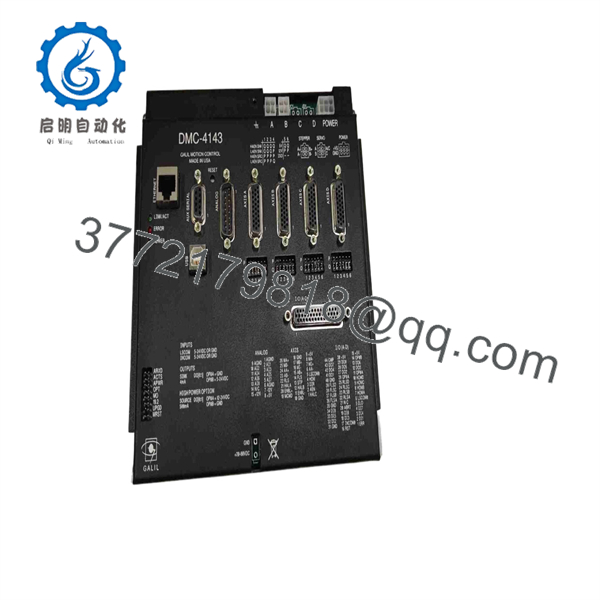
DMC-4143
Troubleshooting Quick Reference
| Symptom | Possible Cause | Relevance to This Part | Quick Check Method | Recommendation |
|---|---|---|---|---|
| No power or no status indication | Missing 20–80 V DC supply, blown fuse, reversed polarity, loose power connector, failed internal power section | ✅ High | Measure DC voltage directly at the power-input terminals. Confirm the supply stays within 20–80 V DC under load and inspect upstream fuses. | Repair the power path before replacing the controller. Verify polarity from the exact connector diagram. |
| Ethernet link is down | Bad patch cable, wrong network port, switch issue, incorrect IP settings, controller not powered | ⚠️ Medium | Check Ethernet link LEDs, test with a known-good cable and switch port, then use the correct host-network subnet and IP configuration. | Verify local network settings before replacing the . Do not connect a controller to a production network with an unknown IP address. |
| USB connection does not enumerate | Missing driver, damaged USB cable, host-PC issue, controller firmware issue, insufficient controller power | ⚠️ Medium | Test with a known-good cable and approved Galil software on a supported PC. Confirm that controller power and status indicators are normal. | Check drivers and host PC first. If Ethernet works but USB does not, the controller may still be usable depending on the machine interface. |
| Controller communicates but no axes enable | Emergency stop active, safety relay open, amplifier enable wiring fault, motor power absent, application program interlock | ❌ Usually low | Check the safety chain, amplifier ready contacts, enable outputs, motor-drive supply, and Galil program status. | Do not replace the motion controller first. Most no-enable faults come from the safety circuit or external amplifier. |
| One axis does not move while other axes operate | Failed drive channel, open motor cable, encoder feedback fault, output wiring issue, axis configuration error | ⚠️ Medium | Compare the affected axis with a working axis. Check drive-enable status, motor power, fault relay, command output, and encoder feedback. | If the command output does not change for one axis despite a valid command, inspect the controller channel after ruling out external equipment. |
| Axis moves in the wrong direction | Reversed motor wiring, reversed feedback direction, incorrect Galil configuration, command polarity error | ❌ Usually low | Secure the axis, use a low-speed jog, and compare encoder direction and motor-command polarity with the machine drawings. | Correct the configuration or wiring. Never swap conductors at random; a wrong feedback direction can cause a runaway axis. |
| Following error or unstable motion | Encoder noise, damaged feedback cable, incorrect tuning, mechanical binding, load inertia change, amplifier fault | ⚠️ Medium | Inspect encoder connectors and cable shields. Review following-error diagnostics and compare commanded versus actual position. Check mechanical free movement under safe conditions. | Fix mechanics, feedback wiring, and tuning before replacing the . |
| Missed counts at high speed | Encoder signal degradation, frequency exceeds 22 MHz limit, incorrect differential/single-ended wiring, poor shielding | ⚠️ Medium | Calculate expected encoder edge rate at maximum speed. Scope A/B signals with suitable isolated test equipment and compare with the 22 MHz family limit. | Improve signal integrity, grounding, and cable routing. Keep operating frequency below the controller limit with design margin. |
| Digital output does not drive a relay or solenoid | Output overloaded, wrong sourcing/sinking expectation, missing field common, blown external fuse, failed output channel | ✅ Medium | Command the output on and measure terminal voltage relative to the correct common. Check load current and compare against the 500 mA sourcing rating. | Use an interposing relay or external driver for loads above 500 mA. Verify output polarity before connecting a replacement controller. |
| Analog sensor input reads incorrectly | Wrong input range, open analog common, sensor power issue, noise, incorrect scaling in the Galil application | ❌ Usually low | Measure sensor signal at the controller terminal, verify analog common continuity, and compare raw ADC value with a calibrated input source. | Correct sensor wiring and software scaling before replacing the controller. |
| Replacement controller will not run the machine | Wrong card/box version, firmware mismatch, missing Galil program, incorrect IP address, different amplifier option, I/O mismatch | ✅ High | Photograph and record the original controller label, card or box form, amplifier modules, firmware revision, network settings, I/O wiring, and program backup before removal. | Match the complete configuration. Load the approved application program and test with motors uncoupled or under controlled low-speed conditions. |
❗ Motion-safety warning: A replacement can cause unintended movement if motor polarity, feedback direction, axis scaling, limit wiring, or enable logic is wrong. Secure the load, confirm emergency-stop operation, verify hard-limit switches, and begin commissioning at low speed with a safe travel envelope.
❗ Network warning: Do not assume the replacement controller has the same IP address. A spare may retain a prior customer’s network settings. Isolate it on a maintenance network, identify or assign the correct IP address, then reconnect it according to the site network procedure.
If the problem remains unresolved, send technical support photos of the full label, form factor, amplifier modules, connectors, Ethernet status LEDs, I/O wiring, motor nameplates, encoder labels, fault messages, firmware version, and Galil application backup.
Frequently Asked Questions
What is the Galil ?
The Galil is a four-axis motion controller in the DMC-41×3 Econo Series. It can operate stand-alone or communicate with a PC over 10/100BASE-T Ethernet or USB. It is available in card-level and box-level hardware configurations.
How many axes does the control?
The controls up to four coordinated axes. Depending on the machine configuration, those axes can use external servo amplifiers, stepper drives, or an integrated amplifier arrangement in a box-level controller.
What power supply does require?
The DMC-41×3 platform uses a single 20–80 V DC power source. Verify the exact connector, polarity, fuse rating, wire size, and current requirement against the hardware manual for the supplied controller and any integrated amplifier configuration.
Does support Ethernet and USB?
Yes. DMC-41×3 controllers support 10/100BASE-T Ethernet and USB communication. Some family documentation also identifies RS-232 support, but verify the specific connector set and firmware before relying on serial communication for a replacement project.
Does include servo amplifiers?
Maybe. The can be supplied as a card-level controller or as a box-level controller. Galil CAD listings show box-level configurations with D3540 or D3740 integrated amplifier options. A bare card-level controller does not include the same physical drive hardware.
Can I replace a card with a box controller?
Not as a direct swap. The card-level and box-level versions have different mounting, power, connectors, wiring, and possibly amplifier arrangements. Engineering can migrate between them, but you must redesign the panel interface, motor-drive connections, power distribution, safety circuit, and controller configuration.
Can I hot-swap ?
No. Turn off and lock out the 20–80 V DC supply before disconnecting the controller. The unit may connect to active motor drives, outputs, and safety circuits. Use ESD protection and do not remove connectors while energized.
Will I lose the motion program during replacement?
Potentially. The controller can store its own Galil program, variables, arrays, and configuration. Back up the application with GalilTools or the Galil Design Kit before replacing a controller. Also save IP settings, home/limit configuration, axis tuning, motor parameters, amplifier settings, and I/O assignments. Galil lists DMC-41×3 firmware separately, so record the installed firmware before ordering a spare.
Why is a New Surplus less expensive than a factory-configured controller?
New Surplus inventory may originate from unused OEM spares, canceled projects, maintenance stock, or distributor inventory. It may lack the firmware revision, optional amplifiers, connector kits, programming cable, documentation, or application data included in a factory-configured system. Ask for exact-unit photos, configuration labels, firmware information, included accessories, a functional test report, warranty terms, and return conditions.
What testing should a supplier perform before shipping a refurbished ?
Request visual inspection for corrosion, connector damage, missing components, or rework marks; controlled power-up at the correct DC voltage; Ethernet and USB communication checks; firmware identification; encoder-input simulation on all four axes; command-output verification; digital input/output testing; analog-input test with a calibrated source; and a documented run test. If the unit has integrated amplifiers, request motor-run testing, current monitoring, fault handling, and thermal checks. Final acceptance still requires the exact machine program, motor feedback, drives, safety chain, and mechanical load.



