
 WhatsApp: +86 16626708626
 Email:
  Phone: +86 16626708626
Description
3. Key Technical Specifications
| Parameter | Specification |
| Part Number | 125D5788G0003 |
| System Compatibility | GE Mark VI Turbine Control |
| Form Factor | VME Standard Card |
| Monitored Voltages | +5 V, +/-12 V, +/-15 V, +24 V DC |
| Temperature Sensors | Integrated on-board thermal monitoring |
| Backplane Interface | VME P1/P2 Connectors |
| Status Indication | Front-panel LED diagnostic display |
| Power Consumption | 10 W (Typical) |
| Operating Temp | 0 to 60 °C (32 to 140 °F) |
4. Product Introduction & Supply Chain Strategy
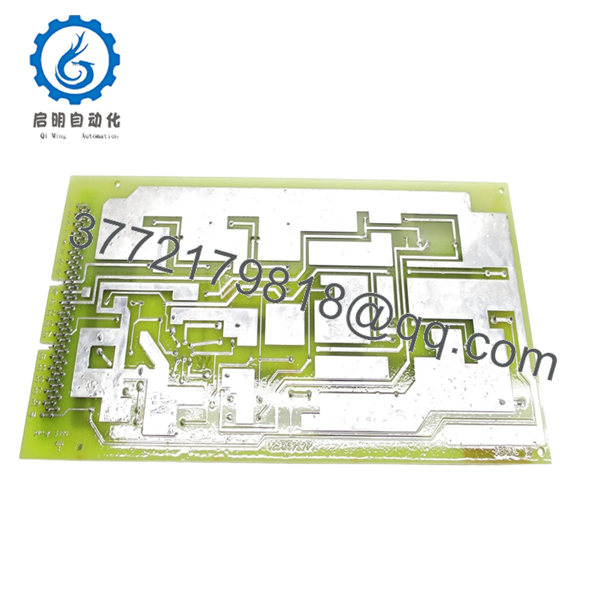
The GE 125D5788G0003 is a critical health-monitoring module designed for the Mark VI Speedtronic VME rack. It provides real-time oversight of internal power supply rails and thermal conditions, ensuring that voltage fluctuations or overheating do not lead to processor instability or turbine trips. As a fundamental component of the control system’s diagnostic layer, it triggers alarms before hardware failures become catastrophic.
From a supply chain perspective, the 125D5788G0003 is an EOL (End of Life) component, making “New Surplus” the only viable path for high-reliability operations. Choosing New Surplus over refurbished alternatives eliminates the risks of aged capacitors and latent thermal fatigue common in “pulled” parts. Maintaining 1-2 units as buffer stock is a cost-effective insurance policy against the massive TCO impact of a week-long turbine outage caused by a failed rack monitor.
5. Installation & Configuration Guide
Stage 1: Pre-Installation (Prep & Safety)
Ensure the turbine is in a safe state. Power down the specific VME rack branch if your SOP does not allow live swapping. Don a grounded ESD wrist strap and verify the new 125D5788G0003 is free of shipping damage. Use a high-resolution camera to document the jumper settings on the board being replaced.
Stage 2: Removal
Loosen the top and bottom captive screws on the existing card. Use the injector/extractor handles to apply even pressure, pulling the card straight toward you. Avoid any rocking motion, as this can bend the high-density pins on the VME backplane.
Stage 3: Installation (Clone & Seat)
Verify that the jumpers on the new 125D5788G0003 exactly match those on the old card to ensure correct node addressing and interrupt levels. Slide the card into the rack guides. Once the connectors touch the backplane, use the handles to seat the module firmly. Tighten the captive screws to ensure a solid chassis ground.
Stage 4: Power-On & Testing
Restore rack power. Observe the front-panel LEDs; a healthy card should show a “Run” or “OK” status without “Fault” or “Status” red indicators. Verify via the HMI/Toolbox software that all power rail voltages are reading within 2% of their nominal values.

- 125D5788G0003
6. Firmware/Software Versions & Upgrade Notes
- Recommended Firmware: This hardware is generally firmware-transparent to the application layer but relies on specific PROM versions for internal logic. Ensure the PROM version on the board matches your system documentation.
- Compatibility: Version G0003 is backward compatible with most G0001 and G0002 applications, but always check the Control Specification (CS2000) for your specific site.
- Risk Note: Avoid swapping EPROMs between a failed board and a new board unless you are certain the failure was not electrical/over-voltage, as this can migrate faults to the new hardware.
7. Frequently Asked Questions (FAQ)
Is this unit really new? It looks like an older design.
Yes, this is “New Surplus.” Because GE Mark VI systems have been in service for decades, the parts are no longer in active production. However, these units have never been installed in a machine. They are original OEM stock that has been kept in climate-controlled storage. They are far superior to refurbished parts that have endured 50,000+ hours of heat and vibration.
Can I hot-swap the 125D5788G0003?
While VME technically supports some hot-swap capabilities, it is highly discouraged for this specific monitoring card. Removing the monitor board while the rack is live can sometimes trigger a “Power Fail” interrupt to the main processor, causing an unintended turbine trip. Always refer to your GE Mark VI Maintenance Manual before attempting live removal.
Why is the price higher than the used units I see on eBay?
Our pricing reflects the rarity of genuine, unused hardware. A $500 “used” part from an unknown source carries a massive risk of internal component degradation. If that part fails during a critical startup, the cost of downtime will be 20x the price difference. We provide documented QC reports and a reliable warranty to protect your ROI.
Does this module require software configuration in GE Toolbox?
In most cases, the 125D5788G0003 is “plug-and-play” once the hardware jumpers are correctly set to match the previous card. The system should automatically recognize the board’s signals. However, you should always check your I/O Configuration in Toolbox to ensure the diagnostic alarms are mapped correctly.
What is the typical lifespan of this New Surplus module?
Given it is original OEM new, you can expect the standard 10-15 year service life typical of GE industrial electronics. We recommend checking the rack filters and fans during installation, as heat is the primary enemy of these VME components.



