
 WhatsApp: +86 16626708626
 Email:
  Phone: +86 16626708626
Description
Key Technical Specifications
| Parameter | Value |
| OEM Assembly Number | 605-109114-004 Rev A |
| Base Model Number | V7668A-132L00W04 |
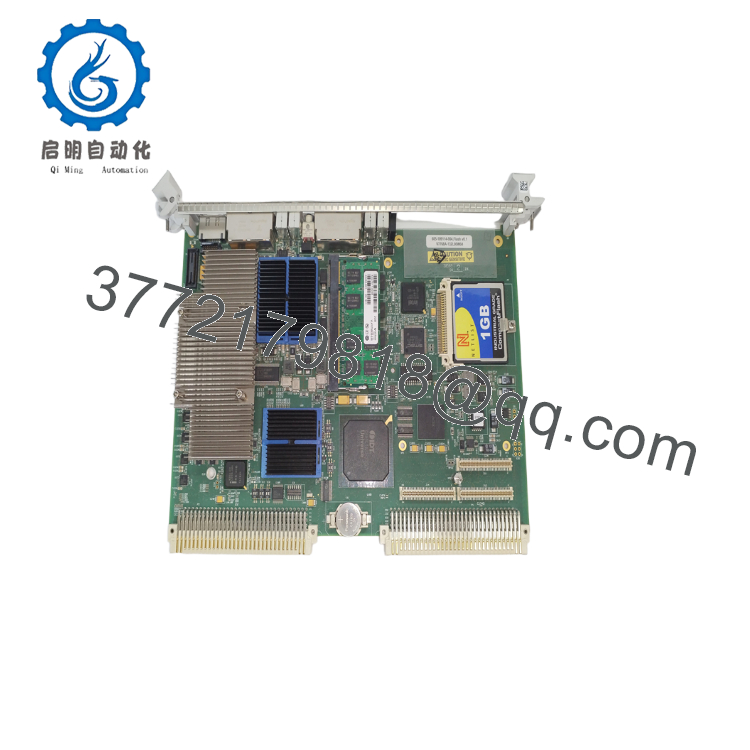
| Form Factor | 6U VMEbus Standard Slot Architecture |
| Ethernet Interfaces | 4 independent 10/100/1000M adaptive Gigabit Ethernet ports |
| Real-Time OS Support | VxWorks hard real-time determinism with VxWin integration |
| Host System Compatibility | Engineered for Lam Research wafer processing systems |
| Bus Interface | VME64 compliant backplane pinout |
| Cooling Profile | Passive onboard heatsink configuration (forced air required via chassis) |
| Operating Temperature | 0 to +55 °C (32 to 131 °F) |
Product Introduction & Supply Chain Strategy
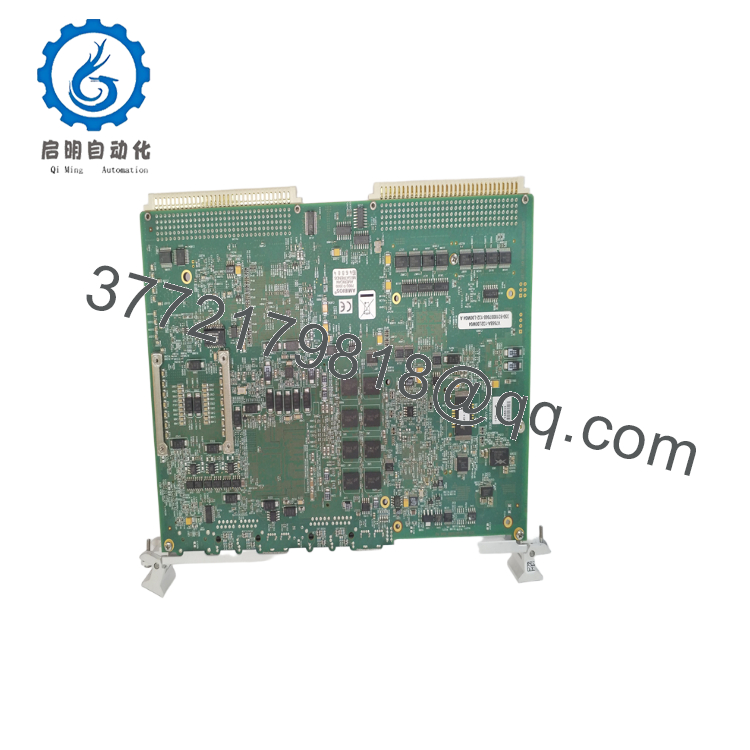
The GE 605-109114-004 (V7668A-132L00W04) is a high-performance 6U VME Single Board Computer built to deliver deterministic, hard real-time execution in heavy industrial settings. Featuring an integrated Intel embedded processor architecture paired with four adaptive Gigabit Ethernet communication ports, this controller board serves as the primary processing module for complex automation networks. It is widely relied upon within the semiconductor manufacturing sector, running embedded VxWorks/VxWin operating systems to precisely orchestrate high-aspect-ratio etching, chemical vapor deposition (CVD), and atomic layer deposition (ALD) steps on wafer fabrication tracks.
Maintaining this exact processor hardware as New Surplus is a vital supply chain calculation for high-tech cleanrooms. Since this VME architecture has reached a mature end-of-life (EOL) phase, direct factory replenishment channels are closed, creating massive lead time variability on the open market. Opting for cheaper, second-hand refurbished hardware brings hidden risks, such as trace chemical film exposure, micro-fractured soldering layers, and degraded power components that lead to parity errors. Storing a factory-sealed surplus unit as an insurance asset on your site eliminates the risk of an unexpected, multi-week tool outage, defending your production yields while saving you from an unplanned tool modernization layout.
Installation & Configuration Guide
Stage 1: Pre-Installation (Prep & Safety)
- Safely shut down the tool workstation operating software. Turn off the main circuit breakers on the VME chassis enclosure power rack.
- Put on a grounded ESD wrist strap and snap its clamp onto the bare steel framework of the machine sub-panel to prevent static damage to the surface-mount logic.
- Access the active controller via a network utility or serial command line to back up the VxWorks boot parameters, local IP addresses, and specific hardware configuration parameters.
- Carefully map out and identify the four Gigabit Ethernet connections and any serial cables running to the front plate of the board.
Stage 2: Removal
- Unplug the RJ45 network lines and peripheral cables from the faceplate connectors. Label each cable clearly to avoid swapping lines during reassembly.
- Unlatch the upper and lower injector/ejector handles on the VME module by pushing them outward simultaneously.
- Pull the card smoothly along the chassis slot card guides, taking care to pull straight outward to avoid bending any of the rear VME64 P1/P2 backplane connector pins.
- Place the removed processor assembly into an ESD shielding bag immediately.
Stage 3: Installation (Clone & Seat)
- Verify that the onboard DIP switches and jumpers on the new surplus 605-109114-004 perfectly mirror the positions on the board you just pulled.
- Slide the replacement board smoothly along the slot guide tracks until the faceplate levers meet the frame edges.
- Press the injector/ejector handles inward firmly to seat the rear pins completely into the backplane matrix.
- Fasten the faceplate locking screws down firmly to ground the assembly chassis and prevent connection looseness from machine cooling fan vibrations.
- Reinsert the network and control cables back into their designated ports.
Stage 4: Power-On & Testing
- Turn on the VME rack auxiliary power unit and check the front LED diagnostic lights immediately.
- The board should pass its power-on self-test (POST) cleanly, with the status lights shifting from a boot sequence to an active execution state.
- Use a diagnostic console connection to check that the VxWorks real-time operating system kernel loads completely without generating hardware interrupt errors.
- Run a network ping test across the four Gigabit Ethernet ports to verify proper data handshakes with the primary tool controller before restarting production runs.

- 605-109114-004
- 605-109114-004
Firmware/Software Versions & Upgrade Notes
The GE 605-109114-004 relies on embedded flash memory settings and specific bootrom chip revisions to properly initialize its four-port network controllers. Changing versions within a tool array running older software can lead to boot communication faults or cause real-time VxWin OS engine drops.
Before installing a replacement card, always confirm that its firmware revision matches the baseline requirements of your specific Lam Research or tool station software. If you must adjust the boot parameters, do so using verified software utilities over a direct serial connection, avoiding field flash rewrites that can permanently lock up the module logic.
Frequently Asked Questions (FAQ)
Q: What is the relationship between the GE 605-109114-004 part number and the V7668A-132L00W04 designation?
A: The number 605-109114-004 represents the specific production line printed circuit board assembly (PCBA) part number used by equipment makers like Lam Research. The V7668A-132L00W04 code is the base commercial model number used by GE Intelligent Platforms (formerly VMIVME). Both identifiers point to the identical hardware card, allowing for direct drop-in replacement inside your industrial control slots.
Q: Are these units truly unused, or are they refurbished parts that have been cleaned up?
A: Every single assembly we classify as New Surplus is completely brand new and has never been put into active service. These boards are obtained from uninstalled system expansion reserves, canceled capital projects, and clean, climate-controlled warehouse stocks. They feature pristine gold-plated connection pins and entirely unaged internal circuitry, completely separating them from used or refurbished parts.
Q: Why should our procurement team choose a surplus unit over a cheaper refurbished card?
A: Refurbished computer boards used in semiconductor production carry major unmeasured risks. While a used board might look clean on the outside, its internal components have been exposed to high cleanroom cooling demands and repeated thermal expansion cycles. A failure on a second-hand part can lead to thousands of dollars in ruined silicon wafers and unexpected tool downtime, easily wiping out any initial purchase savings.
Q: Does this processor board retain its IP address configuration when disconnected from power?
A: The base operating software, hardware boot settings, and core network configurations are stored safely in non-volatile onboard flash memory. This data remains completely intact during long-term storage and does not require active control power or battery packs to protect its basic configuration settings.
Q: What kind of warranty program protects this surplus VME card?
A: We cover this new surplus module with a comprehensive 12-month operational warranty starting from your logistics delivery date. This ensures the unit will run identically to factory-new specifications, providing full engineering confidence when backing up critical legacy machinery.



