
 WhatsApp: +86 16626708626
 Email:
  Phone: +86 16626708626
Description
Key Technical Specifications
- Part Number: DS200DCFBG1BQC
- Brand: GE
- Series: Mark V
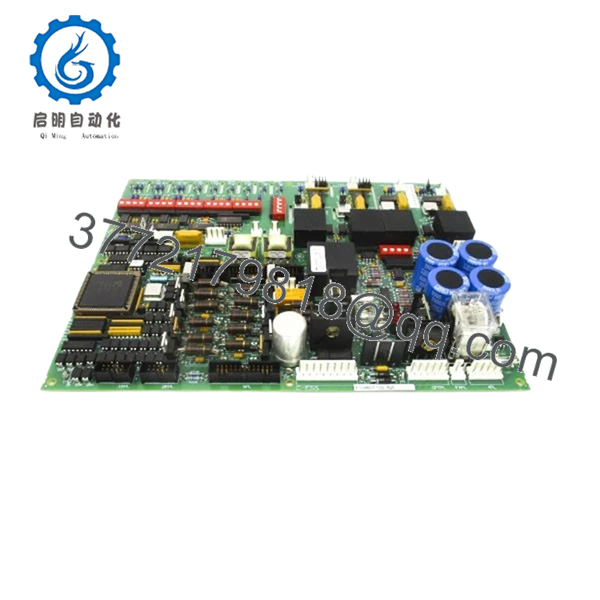
- Product Type: Power supply board
- Function: DC feedback and control power distribution
- Input Power: 38 VAC and 115 VAC
- Application: GE Mark V drive control systems
- Compatibility Note: Verify suffix revision before ordering
- Condition: New Surplus
- Stock Note: Limited availability
- Reference Manual: GEI-100028 is commonly cited for this board family
Product Introduction
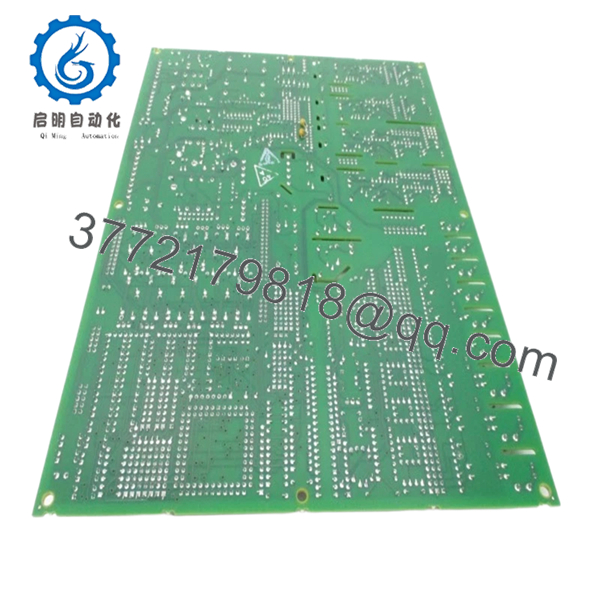
GE DS200DCFBG1BQC is a Mark V DC power supply feedback board used in GE drive control systems. It handles control-level power distribution and feedback functions inside the Mark V platform.
This board is commonly chosen for direct replacement work where the original module has failed or become unavailable. Confirm the exact suffix, board revision, and rack compatibility before installation.
Troubleshooting Quick Reference
| Symptom | Possible Cause | Relevance to this Part | Quick Check Method | Recommendation |
|---|---|---|---|---|
| Drive will not power up | Loss of incoming 38 VAC or 115 VAC | ✅ High | Measure input voltage at the board feed points with a multimeter | Check upstream transformer, fuses, and wiring first |
| Fans do not run | Board not delivering 115 VAC to enclosure fans | ✅ High | Verify fan supply output with the cabinet energized | Inspect board output path and fan circuit before replacement |
| Controller alarms on power feedback | Feedback circuit failure or loose connection | ✅ High | Read the drive diagnostics and inspect all board connectors | Reseat the board and confirm the feedback path |
| Intermittent shutdowns | Loose backplane contact or thermal issue | ⚠️ Medium | Check connector seating and cabinet temperature | Inspect for heat damage and poor contact pressure |
| Output voltage missing | Failed board section or upstream loss | ✅ High | Trace input power to output with a meter under safe conditions | Replace only after input power is confirmed good |
| Alarm after board swap | Wrong suffix, revision, or incompatibility | ✅ High | Compare the old board label to the replacement part number | Stop and verify the exact suffix before proceeding |
If you get stuck, contact technical support with photos of the label, connectors, and drive diagnostics.

- DS200DCFBG1BQC
Frequently Asked Questions
Q: Is GE DS200DCFBG1BQC a direct replacement?
A: It can be, but only if the exact suffix and board revision match the original unit. GE Mark V hardware is picky, and a near-match can still fail at power-up.
Q: What does this board do?
A: It manages DC power feedback and control-level power distribution in the Mark V drive system. In plain terms, it helps the drive receive and monitor the power it needs to run.
Q: Is this part new or refurbished?
A: This listing is best treated as New Surplus. That means unused stock from excess inventory, not factory-sealed retail packaging.
Q: Why is it cheaper than buying from the OEM?
A: Surplus pricing is lower because the part comes from secondary inventory channels, not active factory distribution. The tradeoff is that you must verify condition, suffix, and compatibility before installation.
Q: Can I hot-swap it?
A: No, not in normal field practice. Kill power and follow lockout/tagout before touching the board, or you risk damaging the rack or the replacement.
Q: Will my existing settings stay in place after a swap?
A: Usually the board itself is not the main settings store, but the system can still depend on the original configuration. Photograph jumpers, connectors, and any site-specific setup before removal.
Q: What should I check before ordering?
A: Match the exact part number, suffix, board revision, and Mark V application. If the old board is still available, take clear photos of the label and connector layout first.



