
 WhatsApp: +86 16626708626
 Email:
  Phone: +86 16626708626
Description
3. Key Technical Specifications
| Parameter | Value |
| Manufacturer | General Electric (GE) |
| Board Acronym | GSIA |
| Revision Level | G1CGD (Latest Revision Compatibility) |
| Application | Mark V Turbine Control / DC2000 Drives |
| Connection | 53-Pin Header Connectors |
| Signal Type | High-speed Gate Pulse / Suction Feedback |
| Isolation | Magnetic Pulse Transformers |
| Cooling | Passive Convection |
| Operating Humidity | 5% to 95% Non-condensing |
| Dimensions | Standard GE “G1” Form Factor |
4. Product Introduction & Supply Chain Strategy
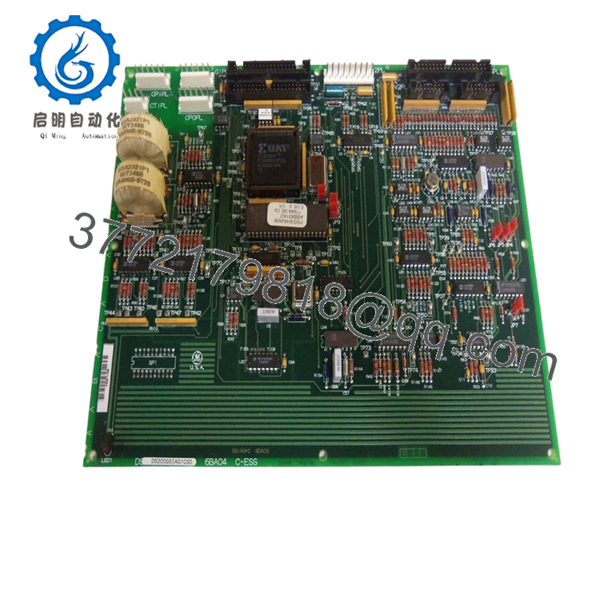
The GE DS200GSIAG1CGD is a pivotal Gate Suction Interface (GSIA) board used primarily in Mark V Speedtronic turbine control systems and high-power SCR drives. Its primary role is to condition and distribute firing pulses to power semiconductors while providing necessary feedback isolation. Because this board sits at the intersection of sensitive control logic and high-power circuitry, any degradation in signal integrity can lead to erratic turbine behavior or immediate system trips.
Strategically, maintaining the DS200GSIAG1CGD as “New Surplus” is vital for plant reliability. As these systems move further into their legacy lifecycle, the market is flooded with refurbished boards that have undergone thermal stress and chemical cleaning, which often weakens solder joints. By securing New Surplus stock, procurement managers avoid the high Total Cost of Ownership (TCO) associated with “refurbished gambles,” ensuring that the replacement part provides the full 15-20 year service life expected of OEM hardware.
5. Installation & Configuration Guide
- Stage 1: Pre-Installation (Prep & Safety): Verify all power sources are isolated via LOTO. Essential tools include an ESD-safe wrist strap and a high-resolution camera. Document the exact positions of all jumpers and ribbon cable orientations on the existing board before removal.
- Stage 2: Removal: Gently disconnect the 53-pin headers and any auxiliary wiring. Carefully unscrew the board from its standoffs, ensuring no torque is applied to the PCB, which could crack internal traces.
- Stage 3: Installation (Clone & Seat): Match the jumper settings on the new DS200GSIAG1CGD to the original board. Align the board with the mounting standoffs and seat the connectors firmly. Hand-tighten the screws to secure the module.
- Stage 4: Power-On & Testing: Perform a cold-start diagnostic. Monitor the control panel for “GSIA Board Communication” status. Verify that the gate suction feedback signals are within the specified millivolt range before synchronizing the turbine to the grid.

- DS200GSIAG1CGD
6. Firmware/Software Versions & Upgrade Notes
The “G1CGD” suffix indicates a specific revision level that may include hardware enhancements over earlier “G1A” or “G1B” versions.
- Revision Compatibility: While many GSIA boards are backward compatible, the “CGD” revision often requires specific PROM versions in the control rack to utilize all diagnostic features.
- Configuration Warning: Never swap the EEPROM chips from a damaged board to a new one without verifying chip integrity; a corrupted EEPROM can prevent the new DS200GSIAG1CGD from initializing properly.
7. Frequently Asked Questions (FAQ)
How do I know this isn’t a refurbished board?
Our New Surplus inventory is verified by the absence of solder flux residue, zero wear on mounting holes, and original factory markings. Unlike refurbished units, these boards have not been subjected to high-heat repair cycles.
Why is the “CGD” version important for my inventory?
The “CGD” revision represents a later engineering change order from GE, often improving noise immunity. Replacing an older revision with this version is generally a strategic upgrade for system stability.
Does this board require specialized software for installation?
The board itself is hardware-heavy, but your Mark V system may need a “Control Constant” verification after installation to ensure the signal scaling on the new board matches your specific drive parameters.
Is it safe to keep this part in long-term storage?
Yes, provided it remains in its original anti-static packaging in a climate-controlled environment. We recommend a “Last-Time-Buy” strategy for this model due to dwindling global New Surplus availability.
What happens if I install the board with the wrong jumper settings?
Incorrect jumper configurations can lead to improper signal attenuation or incorrect node addressing, which may result in a “Startup Interlock” or failure to fire the power bridge. Always clone the original board’s jumpers exactly.



