
 WhatsApp: +86 16626708626
 Email:
  Phone: +86 16626708626
Description
Key Technical Specifications
- Board type: Key/LED display board
- System family: GE Mark V
- Front-panel indicators: 32 LEDs
- Display format: Twenty-one 4-character displays
- Jumpers: 1 jumper
- Connector: 40-pin connection strip
- Mounting role: Plug-in control cabinet board
- Application: Turbine control and local operator interface
- Order code: DS200KLDCG1A
- Model status: Discontinued / legacy stock
Product Introduction
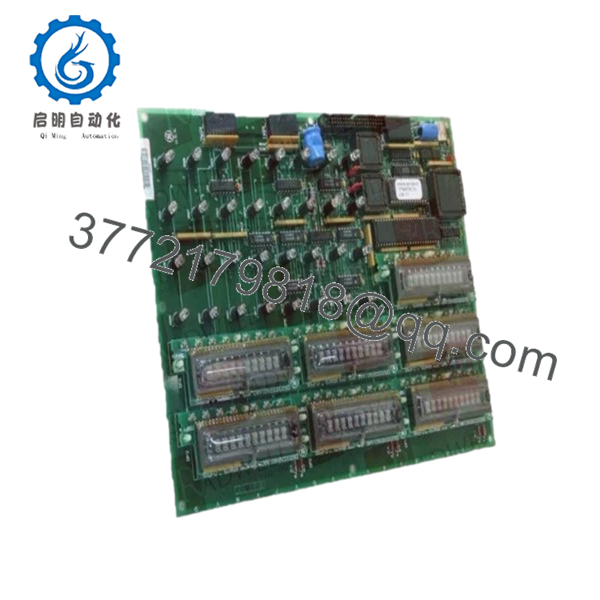
GE DS200KLDCG1A is a Mark V Key/LED/Display board used in GE turbine control cabinets. It provides local status indication and operator interface functions through LEDs, displays, and a 40-pin backplane connection.
This board is usually sourced for legacy Mark V systems where exact part matching matters. The 32 LEDs and twenty-one 4-character displays make it the correct fit when the existing panel layout must stay unchanged.
Troubleshooting Quick Reference
| Symptom | Possible Cause | Relevance to this Part | Quick Check Method | Recommendation |
|---|---|---|---|---|
| No display activity on power-up | Missing cabinet power, bad backplane seat, or failed board | ✅ High | Measure cabinet supply, reseat the board, inspect the 40-pin connector | Check power and seating first; replace only after verifying inputs |
| LEDs light but displays stay blank | Display section fault or bad connection to the board | ✅ High | Verify backplane connection and compare with a known good board | If the connector is clean and power is stable, replacement is likely |
| Random characters on displays | Logic board fault, unstable supply, or contamination on contacts | ✅ High | Clean contacts, check supply voltage, compare output with another slot | Reseat and retest before condemning the board |
| Intermittent alarm indication | Loose jumper, vibration, or poor board contact | ✅ Medium | Inspect jumper position and verify board retention hardware | Reinstall carefully and confirm jumper settings match the original |
| Local keypad does not respond | Front interface fault or related system-side issue | ✅ High | Test adjacent controls and check whether the cabinet reads inputs correctly | If the rest of the panel works, this board is the likely failure point |
| Board works cold, fails warm | Component aging or thermal drift | ✅ High | Monitor cabinet temperature and run the unit under load | Replace if the fault repeats after warm-up |
| No issue found on board | External wiring or control system fault | ❌ Low | Check upstream controller, power supply, and backplane signals | Do not replace the board until the cabinet-side checks are done |
If the fault is still unclear, send photos of the front panel, backplane, and jumper position with any diagnostic logs.

- DS200KLDCG1A
Frequently Asked Questions (FAQ)
Q: What is the GE DS200KLDCG1A used for?
A: It is a Mark V Key/LED display board for local indication and operator interface in GE turbine control cabinets. The board provides status LEDs and multi-character displays for cabinet-level visibility
Q: Is this a direct replacement for every DS200KLDCG board?
A: No. The exact suffix matters. DS200KLDCG1A should match the original part number, connector style, and cabinet revision before installation.
Q: What makes this part easy to misdiagnose?
A: A lot of failures look like board failure but come from the backplane, cabinet power, or a dirty connector. I would check power and seating before calling the board bad.
Q: Is it hot-swappable?
A: No. Pull power first and verify the cabinet is safe. Swapping a board like this live is how you damage the backplane or chase a ghost fault for hours.
Q: Is this item new or refurbished?
A: New surplus. That usually means unused stock from legacy inventory, not factory fresh packaging. Expect the price to reflect availability rather than current production.
Q: Why would this be cheaper than a factory source?
A: Because the DS200KLDCG1A is a legacy Mark V board and is no longer current production, so the market is surplus-driven. That lowers cost, but you should still verify exact compatibility before ordering.
Q: What should I check before swapping it in?
A: Confirm the original part number, inspect the backplane connector, and match the cabinet configuration exactly. Take a photo of the old board before removal; that saves rework.



