
 WhatsApp: +86 16626708626
 Email:
  Phone: +86 16626708626
Description
3. Key Technical Specifications
| Parameter | Value |
| Microprocessors | LAN Control, Drive Control, and Motor Control Processors |
| Communication | DLAN (Drive Local Area Network) & ARCNET |
| Board Revision | H1A (Standard High-Performance Revision) |
| Interface Ports | 9-pin RS-232, Fiber Optic, and Ribbon Connectors |
| Control Loops | Supports high-speed inner-loop motor regulation |
| Programming | EPROM-based firmware (U6, U7, U18, U19 positions) |
| Diagnostic Display | Onboard 7-segment LED status indicator |
| Power Input | +5 V DC, +/-15 V DC via backplane |
4. Product Introduction & Supply Chain Strategy
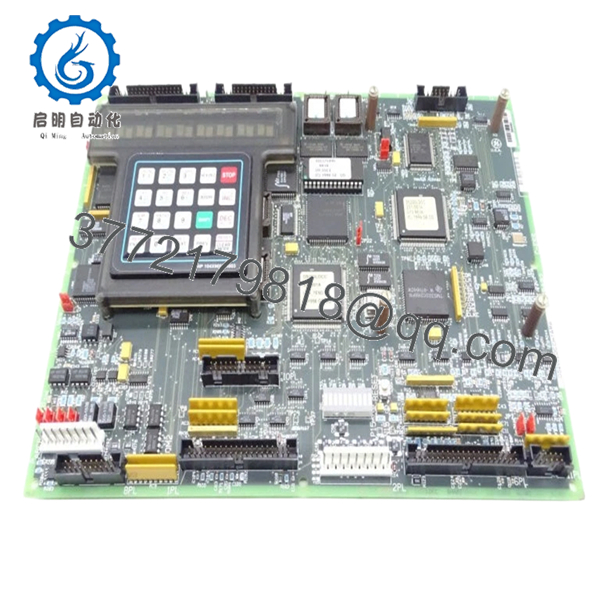
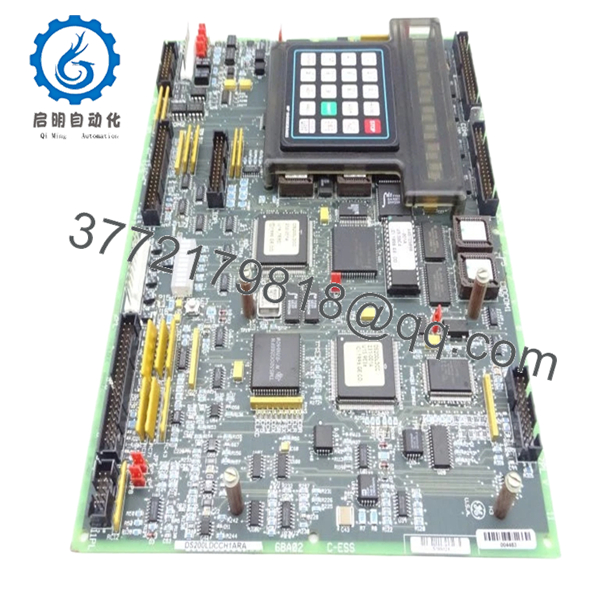
The GE DS200LDCCH1A is the “brain” of the Mark V drive system, serving as the primary interface between the higher-level control system and the motor-specific power electronics. It integrates LAN communications with complex motor control algorithms, allowing for synchronized operation in demanding industrial environments like paper mills, steel plants, and power generation facilities.
From a Total Cost of Ownership (TCO) perspective, procuring a New Surplus LDCC board is the only viable method for maintaining system integrity. Refurbished LDCCH1A units often suffer from “latent damage” in the communication chipsets or dried-out electrolytic capacitors that lead to intermittent LAN dropouts. By integrating New Surplus inventory into your buffer stock, you eliminate the high-stakes gamble of used parts and ensure another 10–15 years of operational life for your existing drive infrastructure.
5. Installation & Configuration Guide
Stage 1: Pre-Installation (Prep & Safety)
Ensure the drive is completely de-energized and follows LOTO safety protocols. Use a calibrated ESD wrist strap. Identify the locations of the four socketed EPROM chips (U6, U7, U18, and U19) on the existing board. Document the current jumper settings for JP1 through JP12.
Stage 2: Removal
Disconnect the fiber optic cables carefully—do not bend them beyond a 2-inch radius. Unplug the ribbon cables and the RS-232 connection. Remove the mounting screws and slide the board out of the carrier.
Stage 3: Installation (Clone & Seat)
Transfer the EPROM chips from the old board to the new DS200LDCCH1A using a professional PLCC extraction tool. Ensure the notch on each chip aligns with the notch on the socket. Replicate all jumper settings exactly to match your site-specific motor parameters and LAN node address.
Stage 4: Power-On & Testing
Reattach all cables and power up the drive. Monitor the onboard 7-segment display. A “0” usually indicates normal operation, while alphanumeric codes indicate specific initialization errors. Verify LAN communication at the HMI to ensure the node is back online.

- DS200LDCCH1A
- DS200LDCCH1A
6. Firmware/Software Versions & Upgrade Notes
- Chip Migration: The DS200LDCCH1A relies heavily on the software stored in the U6/U7 (LAN) and U18/U19 (Drive) chips. Hardware swaps without migrating these chips will result in a “Configuration Mismatch” and the drive will not start.
- Revision Compatibility: The H1A revision is the standard replacement for most LDCCH1A installations. However, always verify that the hardware revision matches your existing documentation to avoid signal scaling issues.
- Static Warning: The processors on this board are extremely sensitive to static discharge. Even a “invisible” spark during chip migration can cause the LAN processor to hang intermittently weeks after installation.
7. Frequently Asked Questions (FAQ)
Does this board come with the firmware chips (EPROMS)?
New Surplus boards are typically “blank” or contain factory-default test code. You must transfer your existing EPROMS to the new board or order programmed chips that match your specific drive’s firmware version.
Can I hot-swap the DS200LDCCH1A?
No. Attempting to hot-swap this board while the backplane is energized will likely result in permanent damage to the LAN processors and can cause unpredictable motor behavior.
Why is the price higher than the refurbished units found online?
Refurbished units are used boards that have been cleaned. Our New Surplus boards have zero “power-on hours,” meaning the silicon and capacitors have not been subjected to the thermal aging that causes used boards to fail. The extra cost is an insurance premium against the $20,000+ cost of a single day of unplanned downtime.
What does the “H1A” revision signify?
The “H1” indicates the hardware group, and “A” is the first revision. This is the most common version of this board and provides the highest level of compatibility across the Mark V L-Frame and drive systems.
Are these boards tested?
Yes. Every DS200LDCCH1A undergoes a power-on self-test (POST) and a communication handshake verification before being sealed in ESD-safe packaging to ensure out-of-the-box reliability.



