
 WhatsApp: +86 16626708626
 Email:
  Phone: +86 16626708626
Description
3. Key Technical Specifications
| Parameter | Value |
| Manufacturer | GE (General Electric) |
| Part Number | DS200SDCIG1AFB |
| Acronym | SDCI |
| System Compatibility | Mark V / DC2000 Drive Systems |
| Input Channels | Isolated DC Feedback Channels |
| Logic Voltage | 5 VDC / 12 VDC / 24 VDC (Backplane Supplied) |
| Communication | LAN Control Interface (LCC) Handshake |
| Mounting | Cabinet Standoff / Rack Mount |
| Revision Suffix | AFB (Group 1 Architecture) |
4. Product Introduction & Supply Chain Strategy
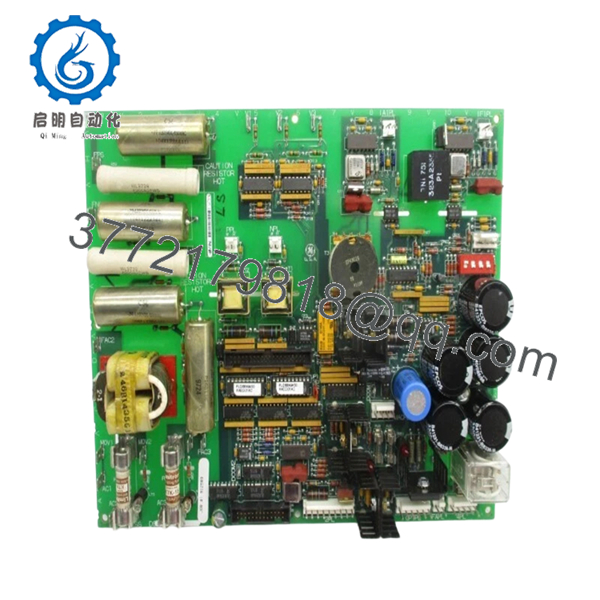
The GE DS200SDCIG1AFB serves as a critical bridge for DC instrumentation within the Speedtronic Mark V and DC2000 drive systems. It acts as the primary hardware interface that converts raw motor feedback and instrumentation data into a format that the central control processors can execute. Its role is fundamental in maintaining the precise speed and torque regulation required for heavy industrial applications, including power generation and large-scale manufacturing.
Strategically, this “AFB” revision module is a vital asset for inventory managers looking to reduce the Total Cost of Ownership (TCO). Because these modules are no longer manufactured, relying on refurbished parts introduces the danger of “latent failure”—where a used component works during testing but fails shortly after installation due to previous thermal fatigue. Choosing a New Surplus unit eliminates this risk, providing a factory-clean baseline that ensures system stability for years to come.

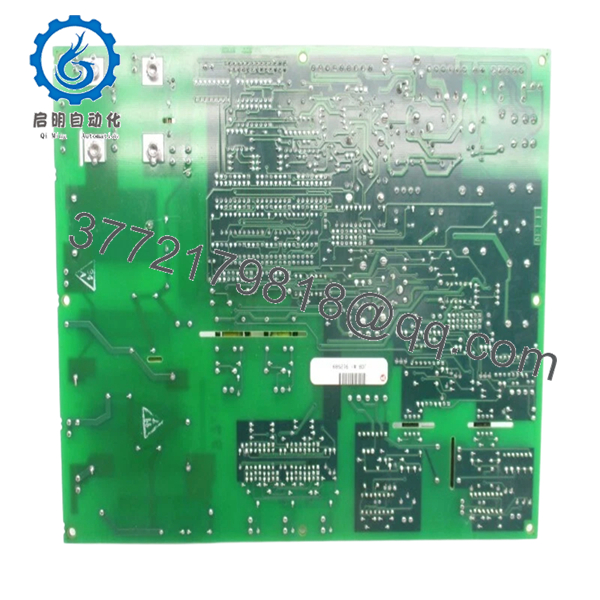
- DS200SDCIG1AFB
5. Installation & Configuration Guide
- Stage 1: Pre-Installation (Prep & Safety): Perform a full power-down of the drive and control rack. Use a calibrated multimeter to verify no residual voltage exists. Ensure you are wearing a grounded ESD wrist strap, as the SDCI board contains high-density logic chips sensitive to static.
- Stage 2: Removal: Carefully label and disconnect all ribbon cables and terminal blocks. Unscrew the mounting hardware from the standoffs. Pull the board straight outward to avoid lateral stress on the backplane connectors.
- Stage 3: Installation (Clone & Seat): Verify the jumper positions on the new DS200SDCIG1AFB. These jumpers define scaling and node addresses and must match your original board exactly. Seat the board onto the standoffs and tighten the hardware; then reconnect all cables firmly.
- Stage 4: Power-On & Testing: Restore control power and monitor the startup diagnostics. Verify that the “RUN” or “OK” LEDs are illuminated. Check the HMI for any instrumentation “Out of Range” alarms before attempting to energize the main motor bus.
6. Firmware/Software Versions & Upgrade Notes
The DS200SDCIG1AFB is hardware-configured, but its functional “address” must be recognized by the drive’s executive software. When replacing an older revision board with the “AFB” version, check the compatibility notes in your GE maintenance manual. A revision jump may require a minor update to the configuration files to recognize updated scaling parameters. We strongly recommend documenting your current software revision before a hardware swap to simplify troubleshooting if a communication handshake failure occurs.
7. Frequently Asked Questions (FAQ)
What does the “AFB” suffix represent?
The “AFB” suffix denotes the specific hardware revision and grouping. This includes specific resistor values and component layouts optimized for certain drive sizes. You should always aim to match the suffix exactly to ensure seamless compatibility without recalibrating your entire drive system.
Is this part “New Original” or “New Surplus”?
It is New Surplus. This means the board is in original, unused factory condition but was sourced from surplus inventory rather than directly from the current production line (as GE has discontinued active manufacturing for this series). It offers the same reliability as a brand-new part.
Can I hot-swap the SDCI board while the drive is running?
No. Hot-swapping the DS200SDCIG1AFB can cause bus contention or electrical spikes that can destroy the LAN Control Card (LCC) or the Drive Control Card. Always power down the system before installation.
How do I verify the board is working after installation?
The easiest method is to check the diagnostic LEDs on the board face and monitor the analog feedback values on your system HMI. If the values are stable and within the expected range (e.g., 4-20mA or +/-10V), the interface is functioning correctly.
What is the warranty period for this module?
We provide a standard 1-year warranty on this New Surplus unit. This covers any functional defects and provides peace of mind that your legacy system is protected by high-quality hardware.



