
 WhatsApp: +86 16626708626
 Email:
  Phone: +86 16626708626
Description
3. Key Technical Specifications
| Parameter | Value |
| Series | Mark VI Speedtronic |
| Function | Bridge Control / I/O Board |
| Compatibility | GE Mark VI Turbine Control Systems |
| PCB Coating | Conformal Coated (Harsh Environment) |
| Mounting | VME Rack-mounted |
| Communication | Mark VI Internal Bus |
| Operating Temp | 0 to 60 °C (32 to 140 °F) |
| Storage Temp | -40 to 85 °C |
| Humidity | 5% to 95% (Non-condensing) |
4. Product Introduction
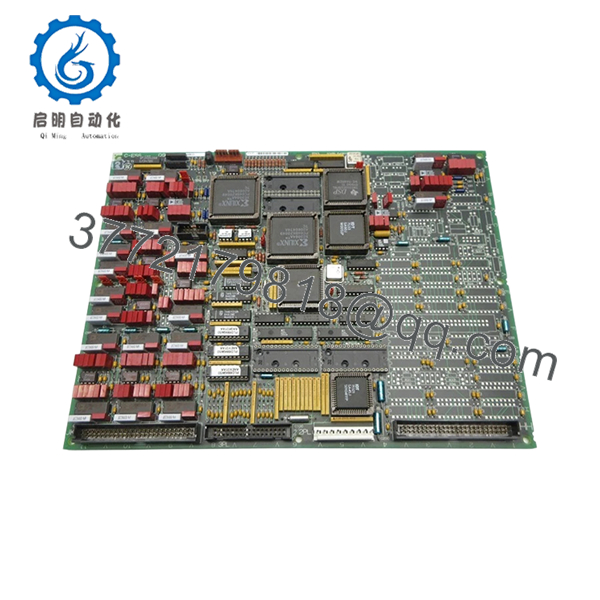
The GE DS200TCCBG88ED is a critical bridge I/O control board designed for the Speedtronic Mark VI turbine control system. It serves as an interface module, facilitating high-speed data exchange and signal processing within the VME rack architecture of GE heavy-duty gas and steam turbine controls.
Engineers choose this specific revision for its reliability in demanding power generation environments. It manages internal communication across the Mark VI bus, ensuring precise control loop execution. As a legacy component, finding these in original condition is essential for maintaining system integrity without the need for platform migration.
5. Installation & Configuration Guide
Stage 1: Pre-Installation Preparation
- ⚠️ Safety First: Coordinate with the control room to ensure the turbine is in a safe, offline state. Perform full Lock Out/Tag Out (LOTO) on the Mark VI cabinet power supply. Wait at least 5 minutes to ensure internal power supply capacitors are fully discharged.
- Tools Required: Anti-static wrist strap, precision flat-head and PH1 screwdrivers, digital multimeter, ESD-safe storage bag.
- Documentation: Before pulling the existing board, photograph all jumpers and daughterboard configurations. If the board has specific settings, they must be mirrored exactly.
Stage 2: Removing the Old Module
-
- Remove the front-facing panel cover of the VME rack.
-
- Use the extraction levers at the top and bottom of the module to unseat it from the backplane.
-
- Pull the module straight out to prevent damage to the backplane pins.
-
- Inspect the backplane for debris, dust, or bent pins. Ensure the slot is clean before insertion.
Stage 3: Installing the New Module
-
- ESD Prep: Ensure you are properly grounded using an ESD wrist strap connected to the cabinet frame.
-
- Configuration Clone: Verify that all jumpers on the DS200TCCBG88ED match the configuration of the module you removed. This is critical—misconfigured jumpers can lead to communication errors or hardware faults.
-
- Insert: Align the board with the card guides. Slide the board into the slot until the pins engage the backplane connector. Use the extraction levers to lock the module securely into place.
-
- Self-Checklist: [ ] Jumpers match original, [ ] Board fully seated, [ ] Front panel secure.
Stage 4: Power-On & Testing
-
- Restore power to the cabinet.
-
- Monitor the LED status indicators on the front panel. The board should complete its boot sequence (refer to your specific Mark VI alarm manual for LED status definitions).
-
- Connect the GE programming software (CIMPLICITY or Toolbox) to verify the module is communicating on the bus.
-
- Check for system alarms. If the module is not recognized, verify the rack slot address and firmware compatibility.

- DS200TCCBG88ED
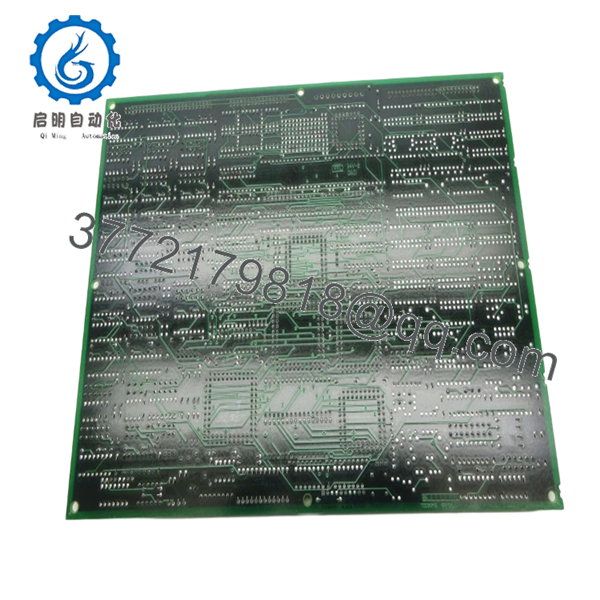
- DS200TCCBG88ED
6. Frequently Asked Questions (FAQ)
Q: Can I hot-swap this module while the turbine is running?
A: Do not attempt this. The Mark VI rack architecture is not designed for hot-swapping control boards. Doing so can cause a surge that may damage the backplane or other cards in the rack. Always kill the power.
Q: Is the DS200TCCBG88ED obsolete?
A: Yes, this model is part of the legacy Mark VI platform. We source these as New Surplus, which are often genuine units from decommissioned projects or warehouse stock. We verify their condition through rigorous inspection before shipping.
Q: Will I lose my turbine control logic when I replace this board?
A: Generally, no. The control logic resides in the main controller, not on the bridge board. However, you must ensure that all jumper settings are identical. If the module acts as a communication bridge, double-check your software configuration in the Toolbox to ensure the rack recognizes the new serial ID.
Q: Why is your price lower than the OEM factory list price?
A: We specialize in surplus and discontinued industrial components. Our pricing reflects the secondary market value for verified, functional hardware, rather than the original list price set by the OEM for new production runs.
Q: Do you test these boards before shipping?
A: Yes. Every unit undergoes a visual inspection, a continuity check, and a power-on test to verify the board enters a ready state. We do not ship “as-is” items without first confirming they pass basic functionality parameters.



