
 WhatsApp: +86 16626708626
 Email:
  Phone: +86 16626708626
Description
Key Technical Specifications
- Part Number: DS200TCDAG1B
- Manufacturer: GE
- Product Line: Mark V
- Function: Digital I/O board
- Application: Gas turbine control system I/O
- Weight: About 1 to 2 kgkorean.
- Dimensions: About 200 mm x 100 mm, per supplier listing
- Availability: Commonly listed as in stock or surplus
- Condition: Typically sold as surplus or replacement
Product Introduction
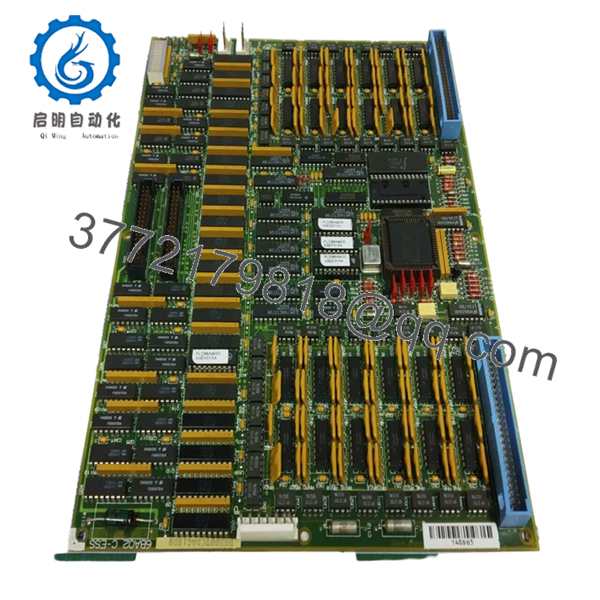
GE DS200TCDAG1B is a Mark V-series digital I/O board used in GE turbine control systems. It handles field signal interfacing inside the Mark V rack and is purchased as a direct replacement board for maintenance and downtime recovery.
Buyers choose this part when they need the exact GE model number, not a generic substitute. The main check is fitment against the existing Mark V rack, mounting, and site wiring before installation.

- DS200TCDAG1B
Troubleshooting Quick Reference
| Symptom | Possible Cause | Relevance to this Part | Quick Check Method | Recommendation |
|---|---|---|---|---|
| No board status indication | No rack power, bad backplane, or seating issue | ⚠️ Medium | Measure rack supply voltage at the backplane and reseat the board | Verify power and connector seating before replacing the board |
| I/O points not responding | Field wiring fault, terminal issue, or upstream logic problem | ⚠️ Medium | Check field-side voltage and continuity at the terminal block | Confirm the problem follows the board, not the field wiring |
| Intermittent alarms or dropouts | Loose connectors, contamination, or rack vibration | ✅ Medium | Inspect edge connector, harness, and mounting hardware | Clean, reseat, and retest before calling the board failed |
| Cannot clear fault after swap | Configuration mismatch or incompatible revision | ✅ High | Compare the part suffix, jumpers, and rack assignment with the original unit | Mirror the original configuration exactly |
| No visible output change | Output stage issue, external load fault, or blown fuse upstream | ⚠️ Medium | Measure load side and check fuses with a multimeter | Test the external circuit before condemning the board |
| Board runs hot | Overload, bad airflow, or internal component failure | ✅ Medium | Check ambient temperature and rack ventilation during operation | Remove and inspect the rack for heat or overload conditions |
Contact technical support with photos of the board, rack, connector side, and any diagnostic logs if the fault is still unclear.
Frequently Asked Questions
Q: Is DS200TCDAG1B hot-swappable?
A: No. Power down the rack before removal. Pulling it live can damage the board or the backplane, and that is not a risk worth taking.
Q: What does this board actually do?
A: It serves as a GE Mark V digital I/O board for turbine control applications. In plain terms, it interfaces field signals inside the control rack.
Q: Will it work as a direct replacement?
A: Usually, yes, if the model number, suffix, rack type, and wiring match the original. Do not assume a close-looking GE board is interchangeable.
Q: Why is the price lower than a factory part?
A: This is typically sold as New Surplus or replacement stock, not factory-new retail inventory. That usually means lower cost, but you still need to verify condition and compatibility.
Q: Do I need to match jumpers or configuration settings?
A: Yes. Take photos of the original board before removal and copy the jumper or hardware settings exactly. That is where most swap issues start.
Q: Does it keep programming after replacement?
A: The board replacement itself does not guarantee retained site configuration. Back up system data and document the original setup before changing hardware.
Q: What should I confirm before ordering?
A: Confirm the exact suffix, rack location, board function, and physical condition. If the old unit failed electrically, also check the surrounding wiring and power supply first.



