
 WhatsApp: +86 16626708626
 Email:
  Phone: +86 16626708626
Description
Key Technical Specifications
| Parameter | Value |
|---|---|
| Model | DS215UCVBG1AJ |
| Brand | GE (GE Fanuc) |
| Series | Speedtronic Mark V (DS200/DS215) |
| Product type | Genius Controller Module (UC2000V) |
| Primary application | GE Mark V turbine control Genius I/O bus communication |
| Ethernet port | 1 Ethernet connector for configuration/diagnostics |
| Configuration switches | 2 blocks of DIP/configuration switches |
| Status indicators | Multiple LED status indicators |
| Connector type | Mark V backplane connector + Genius bus connector |
| System compatibility | GE Speedtronic Mark V simplex and TMR systems |
| Redundancy support | Supports Mark V simplex, dual, and triple-redundant configurations |
| Origin | Made in USA |
| Mounting | Mark V DS200/DS215 backplane slot with faceplate connectors |
| ESD sensitivity | Static-sensitive (handle with ESD strap and ESD bag) |
| Condition | New Surplus / Tested |
| Warranty | 12 months (typical) |
Product Introduction
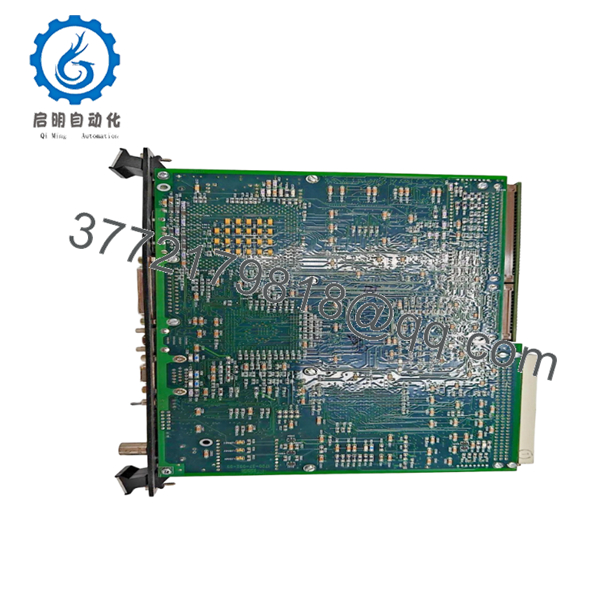
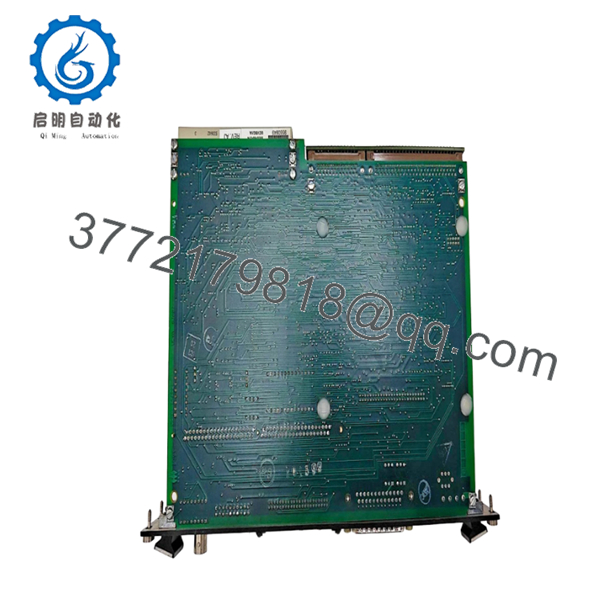
GE DS215UCVBG1AJ is a UC2000V Genius Controller Module used in GE Speedtronic Mark V turbine control systems. It serves as the Genius I/O bus controller, managing communication between the Mark V core processors and Genius remote I/O stations for distributed sensor and actuator integration.
This module is chosen when replacing a failed Genius controller in a Mark V cabinet. Its built-in Ethernet port supports configuration and diagnostics, while the multiple LED indicators provide at-a-glance system status for quick troubleshooting in the field.

- DS215UCVBG1AJ
- DS215UCVBG1AJ
Troubleshooting Quick Reference
| Symptom | Possible Cause | Relevance to this Part | Quick Check Method | Recommendation |
|---|---|---|---|---|
| Genius bus communication timeout | Controller fault, wiring fault, or terminal station failure | ✅ High | Check Genius bus LEDs; verify Genius cable continuity and termination | Replace controller after confirming Genius cabling and terminal stations |
| No Ethernet connectivity | Port fault or config mismatch | ✅ Medium | Link LED status; ping from laptop; verify IP/config | Reseat or replace if port remains dead |
| Multiple Geniu s I/O stations offline | Controller fault or backplane power issue | ✅ High | Measure backplane voltage at slot; check Genius bus LEDs | Replace controller after confirming slot power |
| Controller fails to boot (no LEDs) | Slot power failure or board fault | ✅ High | Measure 24 V DC at slot pins; check fuse/PSU | Replace board only after confirming slot power |
| Intermittent Genius faults | Poor seating or dirty connector | ✅ High | Clean edge connector; reseat firmly; check for bent pins | Reseat and verify; clean contacts if needed |
| Configuration switches mismatch | Wrong DIP switch settings | ✅ Medium | Compare DIP switch blocks to original unit photo | Restore correct switch positions; reboot controller |
⚠️ ESD Warning: This is a static-sensitive board. Wear a grounded wrist strap and handle in an ESD-safe area. I once watched a tech handle a $2,000 card in the dead of winter without a strap. Powered it up, and it immediately let the magic smoke out. Use an ESD strap.
⚠️ Genius Bus Warning: Verify Genius cable termination and shielding at both ends before blaming the controller. A missing terminating resistor or bad shield ground can cause intermittent faults that look like a dead board.
Contact technical support with photos of the board, LED status, DIP switch positions, Genius bus wiring, and controller diagnostic logs if the fault is unclear.
Frequently Asked Questions
Q: Is DS215UCVBG1AJ a direct replacement?
A: Yes within the same Mark V cabinet generation, but verify board revision and DIP switch settings. Different revisions can have altered configurations or firmware requirements.
Q: Can I hot-swap this controller module?
A: No. Power down the rack before swapping. Hot-swapping can damage the backplane, corrupt Genius bus communication, or cause protection trips in the turbine system.
Q: Will my configuration stay intact after replacement?
A: Part of the config is set via the 2 blocks of configuration switches on the board, not stored in flash. Take a clear photo of the old board’s switch positions before removal, then mirror the exact configuration on the new unit.
Q: What condition is this part in?
A: This listing is New Surplus / Tested. It is not factory-sealed OEM fresh, but it should pass visual inspection and live functional tests. Test reports, photos, and diagnostic logs are available on request.
Q: Why is it cheaper than factory-direct?
A: Surplus stock comes from excess inventory, decommissioned units, or unused spares. Pricing reflects sourcing, not a claim that the part is newer than OEM stock.
Q: What should I verify before installation?
A: Confirm board revision, DIP switch block positions, Genius bus cable termination and shielding, and slot power. Calculate total rack backplane power consumption and leave a 20% buffer.
Also check the Genius cable termination at both ends. I’ve seen projects where a tech swapped a module and the PLC threw a “Communication Timeout” for two days, just because the terminating resistor was missing at one end of the Genius bus.
Q: How do I know the controller is actually bad?
A: Look for failed boot LEDs despite stable slot voltage, Genius bus faults that persist after verifying cabling and termination, or multiple I/O stations going offline simultaneously. If diagnostics still point to the controller after those checks, replacement is justified.
Q: What is the Ethernet port used for?
A: The Ethernet port supports local configuration, diagnostics, and firmware updates. It allows you to connect a laptop and monitor Genius bus status without needing the full engineering workstation.



