

 WhatsApp: +86 16626708626
 Email:
  Phone: +86 16626708626
Description
3. Key Technical Specifications
| Parameter | Value |
|---|---|
| Model | DS305MLTAH |
| Brand | GE Fanuc (GE Automation & Controls) |
| Series | DS305 / Legacy PLC CPU |
| Product Type | Central Control Module (PLC Processor) |
| Power Supply | 24V DC (from rack backplane) |
| Processor Type | Legacy GE Fanuc proprietary |
| I/O Support | Discrete and analog I/O modules |
| Communication Protocols | SNP (Serial Network Protocol), possible Ethernet (varies by firmware) |
| Programming Software | Logicmaster (legacy) or VersaPro (depending on family) |
| Mounting | Rack-based (compatible with specific backplane) |
| Operating Temp | 0 to +60°C (32 to 140°F) typical |
| Storage Temp | -40 to +85°C (-40 to 185°F) |
| Humidity | 5% to 95% non-condensing |
| Status LEDs | Power, Run, Fault, I/O Status |
| GE Part Family | DS305 Series (Legacy PLC) |
| Lifecycle Status | Obsolete — no factory support |
4. Product Introduction
The GE DS305MLTAH is a central control module (CPU) for GE Fanuc PLC systems. This module executes control logic, processes I/O, and manages communication with field devices, HMIs, and other controllers in industrial automation applications. You’ll find it in manufacturing lines, material handling systems, water treatment facilities, and legacy power generation controls-1.
The DS305MLTAH belongs to GE Fanuc’s legacy PLC family — known for robust design and long service life in harsh industrial environments-1. It supports discrete and analog I/O modules and communicates via SNP (Serial Network Protocol). For modern applications, GE has migrated to the PACSystems platform (RX3i, RX7i) with faster processors (1.6 GHz) and larger memory (64 MB RAM)-1. If your system is still running on this CPU and failing, this is a direct replacement to keep your legacy line running while you plan a migration.
5. Installation & Configuration Guide
Estimated time for replacement by a qualified technician: 30 minutes
Stage 1: Pre-Installation Preparation (10 minutes)
⚠️ Safety First: Notify operations of planned downtime. Lock out/tag out main power to the PLC rack. Verify the system is in a safe state. Wait 5 minutes for capacitors to discharge.
Tools Required:
- ESD wrist strap (grounded to earth)
- Small flathead screwdriver (for terminal connections)
- Multimeter (for voltage verification)
- Smartphone for photos
- Programming laptop with Logicmaster or VersaPro (depending on your system)
Data Backup (Critical):
- Connect your programming software to the existing CPU via the programming port (RS-232).
- Upload the current logic program. Save the file with a descriptive name and date.
- Document the CPU configuration (I/O mapping, scan time settings, communication parameters).
- Photograph the rack layout — note which I/O modules are in each slot.
- Photograph any DIP switches or jumpers on the CPU module.
Stage 2: Removing the Old Module (5 minutes)
Step 1: Identify the DS305MLTAH in the rack. It is typically in the leftmost slot (slot 1) of the backplane, but verify your specific configuration.
Step 2: Remove any front panel covers or connectors.
Step 3: Release the retaining clips or screws securing the module to the rack.
Step 4: Pull the module straight out of the backplane. Do not rock side to side — this bends backplane pins.
Step 5: Inspect the backplane connector for bent pins, corrosion, or debris. Use a flashlight.
Step 6: Place the old module on an ESD mat. Keep it as a reference until the new unit is running.
Stage 3: Installing the New Module (10 minutes)
Step 1 (ESD): Ground your wrist strap. Unpack the new DS305MLTAH on an ESD mat.
Step 2 (Verify Model): Confirm the new module label reads DS305MLTAH exactly. Do not substitute different DS305 variants without verifying compatibility.
Step 3 (Clone Configuration):
- If the module has DIP switches or jumpers, set them to match the photo of the old module.
- Pay special attention to node address, baud rate, and memory protection settings.
Step 4: Align the module with the backplane slot. Push evenly until the retaining clips engage. Listen for the click.
Step 5: Reconnect any front panel connectors (programming port, I/O cables).
Self-Checklist:
- DIP switches/jumpers match old module
- Module fully seated (retaining clips locked)
- Programming port connected (if used)
- I/O cables secure
Stage 4: Power-On & Testing (5 minutes)
Pre-Power Check:
Verify no tools or debris remain in the rack. Double-check that all I/O modules are properly seated.
Power-On Steps:
- Apply power to the PLC rack.
- Observe the status LEDs on the DS305MLTAH:
- Power LED (green): Must be on.
- Run LED (green): Should illuminate when the CPU is in Run mode.
- Fault LED (red): Should be off. A steady fault indicates hardware or configuration error.
- Connect your programming laptop to the CPU.
- Download the saved logic program to the new CPU:
- Open your saved program file.
- Select “Download to Controller”.
- Follow the software prompts.
- Place the CPU in Run mode.
- Verify I/O operation:
- Monitor inputs in the programming software (force or toggle field devices).
- Toggle outputs (if safe to do so) and verify physical response.
- Check communication to HMIs or SCADA systems.

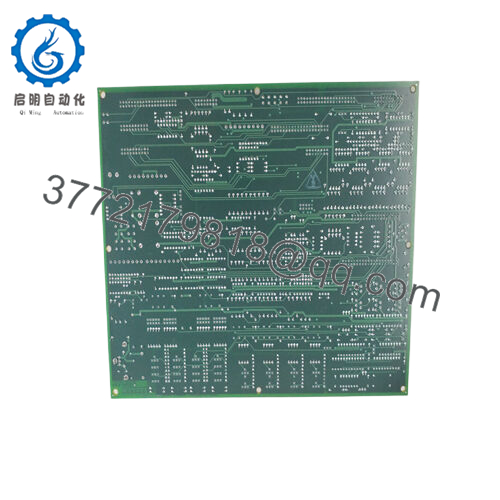
- DS305MLTAH

⚠️ Troubleshooting:
| Symptom | Likely Cause | Action |
|---|---|---|
| Power LED off | 24V DC missing or backplane issue | Measure voltage at backplane. Check rack power supply. |
| Fault LED on steady | Hardware failure or corrupted firmware | Cycle power. If fault persists, replace module. |
| Fault LED flashing | Configuration mismatch or missing I/O | Verify I/O modules are present and seated. Check configuration in software. |
| No communication with programming software | Wrong serial settings or cable issue | Verify baud rate and protocol. Use null modem cable if required. |
| I/O not updating | Scan time configuration wrong or I/O module failure | Check I/O configuration in software. Verify I/O module LEDs. |
| Program downloads but won’t run | Missing END statement or logic error | Check program for errors. Verify CPU is in Run mode. |
6. Frequently Asked Questions (FAQ)
Q: Is the DS305MLTAH a direct replacement for all DS305 series CPUs?
A: Possibly, but verify carefully. The DS305MLTAH is a specific variant within the DS305 series. Different suffixes (e.g., MLTAH vs MLTBH) may indicate different memory sizes, communication ports, or firmware versions. Always check your existing module’s label and compare it to the replacement. If uncertain, send us photos of your old module’s label and any DIP switches — we will verify compatibility before shipping.
Q: Will I lose my program when I replace the CPU?
A: Yes. The DS305MLTAH stores logic in volatile memory (battery-backed RAM). A new module ships with no program loaded. You must have a backup of your logic program on a laptop. After installation, download the program to the new CPU. If you do not have a backup, do not remove the old CPU — contact us for program extraction services.
Q: Can I hot-swap this CPU while the system is running?
A: Absolutely not. Removing the CPU while power is applied can damage the backplane, the CPU, and other modules in the rack. Procedure: Shut down the system, lock out main power, wait 30 seconds, then swap. After replacement, download the program and test before returning to production.
Q: What PLC family does the DS305MLTAH belong to? Is it Series 90-30, Series 90-70, or PACSystems?
A: Based on the part number pattern (DS305…), this module belongs to a legacy GE Fanuc PLC series-1. It is not a PACSystems RX3i or RX7i CPU (those use IC695 or IC698 part numbers). It is also not a standard Series 90-30 CPU (those use IC693 part numbers)-1. This may be a specialized or third-party-labeled module. We strongly recommend verifying compatibility with your specific rack and backplane before ordering. Send us photos of your existing rack and CPU label.
Q: What programming software do I need for the DS305MLTAH?
A: That depends on the exact PLC family. Legacy GE Fanuc PLCs typically use:
- Logicmaster 90 (DOS-based, for Series 90-30/70)
- VersaPro (Windows-based, for Series 90-30/70)
- CIMPLICITY Machine Edition (for later legacy systems)
The DS305MLTAH may require one of these. We cannot guarantee compatibility without verifying your existing system. If you are unsure, provide the software name and version from your programming laptop.
Q: Why is your price lower than OEM?
A: GE discontinued support for most legacy PLC families. This DS305MLTAH is new surplus stock — originally purchased by a plant or distributor and never used. You get a genuine OEM module at below-factory pricing because we are clearing excess inventory. No refurbishment, no clones. 1-year warranty included.
Q: My DS305MLTAH shows a “BATT LOW” LED. What does that mean?
A: The CPU has an onboard battery that retains the program and configuration when power is off. A low battery warning means the battery is nearing end of life. Replace the battery immediately to prevent program loss. The battery is typically a lithium coin cell (e.g., CR2032 or BR2032) or a replaceable pack. If the battery fails completely, the CPU will lose its program on power cycle.
Q: What’s your testing process for this module?
A: We test every DS305MLTAH on a compatible backplane with a known-good configuration. Test sequence:
- Visual inspection (corrosion, bent pins, rework marks)
- Power-on test (LED sequence, current draw)
- Program download test (load known-good logic)
- Run mode verification (CPU executes logic)
- I/O communication test (if compatible I/O modules available)
- 24-hour burn-in with continuous logic execution
Test report available upon request.
Q: What is the warranty on this obsolete module?
A: 1-year replacement warranty. Covers failure under normal operating conditions (0-60°C, correct backplane voltage). Does NOT cover damage from ESD, incorrect wiring, physical damage, or battery failure (batteries are consumable). We cross-ship replacements within 24 hours for confirmed defects. We also offer a 30-day compatibility guarantee — if the module does not work in your specific system due to incompatibility (not hardware failure), return it for full credit.
Q: My system is still running on DS305 CPUs. Should I migrate to PACSystems?
A: Yes, if your budget and downtime allow. Legacy GE Fanuc PLCs are obsolete — GE no longer provides factory support-1. Spare parts are increasingly difficult to source. The PACSystems RX3i (IC695CPK330) offers a 1.6 GHz processor, 64 MB RAM, built-in Ethernet, and modern programming tools-1. Migration requires a new rack, power supply, CPU, and I/O modules — but the long-term reliability and support are worth it. We can provide migration consulting and hardware. In the meantime, keep a spare DS305MLTAH on your shelf.



