
 WhatsApp: +86 16626708626
 Email:
  Phone: +86 16626708626
Description
Key Technical Specifications
| Parameter | Specification |
| Board Type | Driver / Interface Board |
| System Compatibility | GE Speedtronic Mark IV Gas/Steam Turbine Control |
| Input Voltage | +5 VDC / +/- 15 VDC (System Backplane) |
| Revision Level | B1B (High-revision compatibility) |
| Dimensions | 8.25 in x 6.5 in |
| Weight | 0.85 lbs |
| Operating Temp | 0 to 60°C (32 to 140°F) |
| Mounting | Card Edge Connector / Rack Mount |
| Logic Processing | Discrete and Integrated Circuitry |
Product Introduction
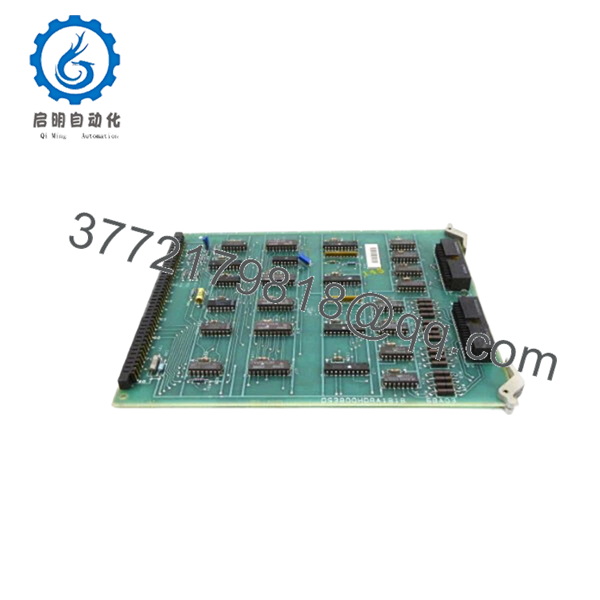
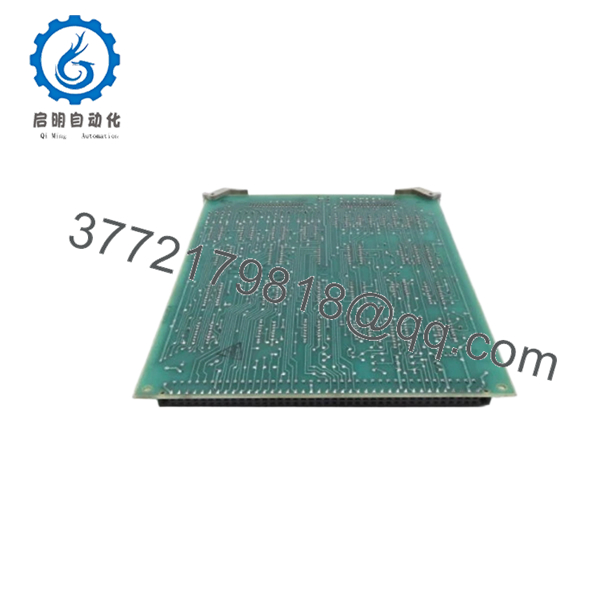
The GE DS3800HDRA1B1B is a specialized driver board engineered for the Speedtronic Mark IV turbine control system. It serves as a critical interface between the central processing logic and the field-level actuators or feedback sensors. Designed during the peak of GE’s analog-to-digital transition, this board handles high-speed signal conditioning required for stable turbine operation.
Engineers specify the DS3800HDRA1B1B primarily for maintenance and expansion of existing Mark IV installations. Its B1B revision indicates improved noise immunity and component longevity compared to earlier “A” series iterations. While the Mark IV system is technically legacy equipment, this original OEM board remains the only reliable way to maintain system integrity without performing a full, multi-million dollar DCS migration.
Installation & Configuration Guide
Stage 1: Pre-Installation Preparation (Estimated Time: 10 mins)
- ⚠️ Safety First: Turbine control systems involve high-energy equipment. Ensure the unit is in a “Safe” or “Cooldown” state. Follow all site-specific Lockout/Tagout (LOTO) procedures for the control cabinet power supply.
- Tools Required: Grounding wrist strap (ESD), Phillips #1 screwdriver, and a high-resolution camera.
- Data Backup: While this driver board doesn’t store the primary control logic, you must document the position of any manual jumpers or potentiometers on the existing board.
Stage 2: Removing the Old Module
- Open the Mark IV cabinet and locate the target card slot.
- Photograph the board in its installed state, specifically noting cable orientations.
- Loosen the retention screws on the front faceplate.
- Using the card pullers (if equipped) or even pressure on the edges, slide the board out of the rack. Do not rock it side-to-side, as this can damage the backplane pins.
- Place the old board on an ESD-safe mat immediately.
Stage 3: Installing the New Module (Estimated Time: 15 mins)
- Configuration Clone: Check the DS3800HDRA1B1B for any jumpers or hardware-set addresses. Compare them to your photos of the old board. Move jumpers on the new board to match the site-specific configuration.
- Inspect the edge connectors on the new board for any debris or oxidation.
- Slide the board into the guide rails. Push firmly until the edge connector seats fully into the backplane.
- Secure the faceplate screws to ensure the board remains grounded to the chassis.
- Self-Checklist: [ ] Jumpers verified, [ ] Connector seated, [ ] Screws torqued.
Stage 4: Power-On & Testing
- Apply logic power to the rack.
- Observe the diagnostic LEDs on the card faceplate and the master controller.
- Green LEDs typically indicate power rail health. If a “Card Fault” or “Voter Mismatch” appears on the HMI, re-verify the jumper settings.
- Conduct a loop check or signal simulation to confirm the driver is communicating with the field devices correctly before initiating a turbine start sequence.

- DS3800HDRA1B1B
- DS3800HDRA1B1B
Frequently Asked Questions (FAQ)
Q: Can I hot-swap the DS3800HDRA1B1B while the turbine is running?A: Absolutely not. The Mark IV backplane does not support hot-swapping for this specific driver board. Pulling this card under power can cause a transient voltage spike that may trip the turbine or, worse, damage the backplane and adjacent processor cards. Always power down the local rack first.
Q: Is this board “New Original” or a used pull?A: We provide this as New Original Surplus. This means the board has never been commissioned in a live system and has been stored in a climate-controlled environment. Because GE moved the Mark IV to “End of Life” years ago, “Factory New” from current production doesn’t exist; “New Surplus” is the highest grade available.
Q: Why does my new board have a different revision suffix than my old one?A: GE revisions (like B1B) are generally backward compatible with earlier versions (like A1A). The “B” revision typically includes component upgrades or circuit path optimizations to fix known stability issues in the “A” series. We recommend checking your system manual, but in 95% of cases, the B1B is a direct, superior replacement.
Q: Will I need to reload the turbine control software after replacing this board?A: No. The DS3800HDRA1B1B is a driver/interface board, not a processor board. It does not house the EEPROM containing your site-specific control constants or logic. As long as your jumpers are set correctly, it will function as soon as power is restored.
Q: How do you verify the quality of these legacy boards?A: Every board undergoes a multi-stage QC process. We perform a visual inspection for “Capacitor Plague” (leaking electrolytic caps) and trace corrosion. We then conduct power-on tests to verify the logic gates and signal paths are within OEM tolerances before sealing the unit in ESD packaging.



