
 WhatsApp: +86 16626708626
 Email:
  Phone: +86 16626708626
Description
3. Key Technical Specifications
| Parameter | Value |
| System Compatibility | Mark IV Speedtronic Turbine Control |
| Board Function | Local Area Network (LAN) Communication |
| Protocol Support | Proprietary GE Mark IV Communication |
| Data Rate | High-speed serialized data transfer |
| Revision Suffix | G1B1B (Specific hardware/logic grouping) |
| Indicators | Diagnostic LEDs for Transmit (TX) and Receive (RX) |
| Connectors | Edge-card backplane and front-facing ribbon ports |
| Addressing | Configurable via on-board DIP switches |
4. Product Introduction & Supply Chain Strategy
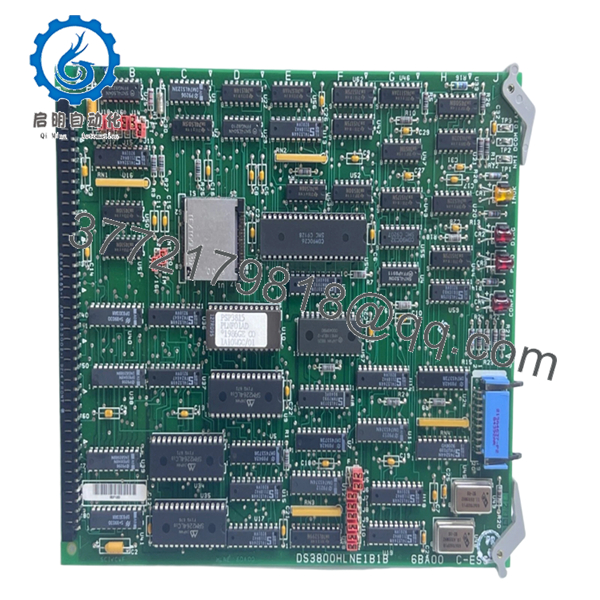
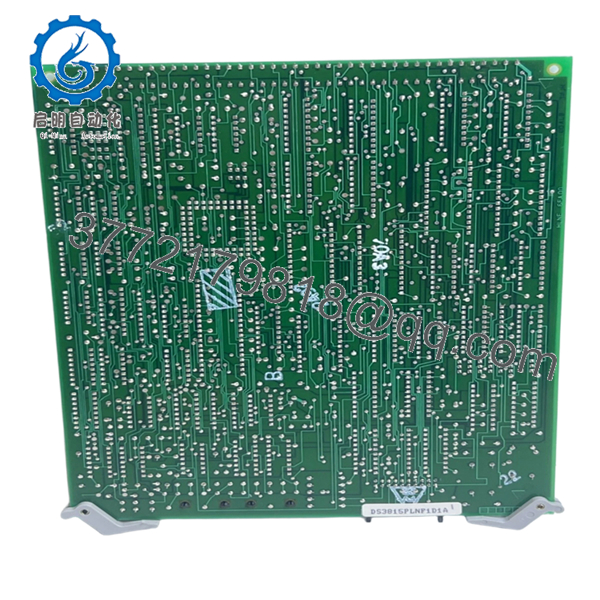
The GE DS3800HLNE1B1B acts as the primary communication bridge within the Mark IV Speedtronic system. This HLNE board facilitates the exchange of critical data between the , , and control cores, as well as the core and the operator interface. Without a functional HLNE board, the “voting” logic and synchronization of the turbine control system fail, leading to immediate communication alarms and potential unit trips.
From a TCO and reliability perspective, the HLNE board is a high-priority spare. Communication boards are sensitive to electrical noise and ESD, and over time, the transceivers on these legacy modules can weaken. A refurbished board often carries the “hidden debt” of aged capacitors and stressed logic gates. By utilizing a New Surplus DS3800HLNE1B1B, you ensure maximum signal integrity and low latency across your control network, preventing the intermittent “Comm Loss” faults that plague aging power plants.
5. Installation & Configuration Guide
Stage 1: Pre-Installation (Prep & Safety)
Power down the control core or communication rack. Wear a grounded ESD wrist strap, as the communication chips on this board are highly susceptible to static discharge. Crucial: Document the exact positions of the DIP switches on the old board; these define the unique network node address for the module.
Stage 2: Removal
Unlock the card cage ejector handles. Gently slide the DS3800HLNE1B1B out of its slot. Inspect the backplane for any dust or debris that could interfere with high-speed data transmission. Place the board in an ESD-shielded bag for protection.
Stage 3: Installation (Clone & Seat)
Verify that the DIP switches and any hardware jumpers on the new DS3800HLNE1B1B are set to match the original board exactly. Align the board with the slot guides and push firmly until it is fully seated in the backplane. Secure the ejector handles to lock the board in place.
Stage 4: Power-On & Testing
Restore power to the system. Monitor the TX/RX LEDs on the front of the board; they should begin flickering rapidly, indicating active data traffic. Check the operator terminal for “All Cores Communicating” status. If the “Link” LED is solid or off, verify the node address settings and cable seating.
6. Firmware/Software Versions & Upgrade Notes
- Revision Matching: The ‘G1B1B’ suffix is critical for protocol compatibility. Using a different revision can lead to “Node Busy” or “Protocol Timeout” errors if the network timing parameters differ.
- DIP Switch Accuracy: Incorrect node addressing is the #1 cause of failed installations. Double-check all switch positions before powering the rack.
- Firmware EPROMs: Ensure the firmware chips (labeled U numbers) are the correct version for your site’s specific Mark IV software release. If necessary, firmware may need to be swapped from the old board, though this carries an ESD risk.

- DS3800HLNE1B1B
- DS3800HLNE1B1B
7. Frequently Asked Questions (FAQ)
What happens if the HLNE board fails?
A failure typically results in a “Communication Failure” alarm. If the system loses too many communication paths between cores, it will lose the “2-out-of-3” voting capability and trip the turbine for safety.
Can I hot-swap the DS3800HLNE1B1B?
No. Hot-swapping a communication board can cause a data “glitch” on the entire network, potentially tripping other healthy cores. Always power down the core before replacement.
Why is my new board not communicating even though it is seated?
The most common issue is a DIP switch mismatch. Each board in the network must have a unique, correct address. Even one switch in the wrong position will prevent the board from joining the network.
Is New Surplus better than a refurbished communication board?
Yes. Communication modules rely on high-speed switching logic. Repaired boards often use generic components that may not meet the original timing tolerances, leading to intermittent “Comm Alarms” that are difficult to diagnose.
Does this board come with the communication cables?
No, this is the PCB module only. You will need to reuse your existing ribbon cables or coaxial connectors. Ensure those cables are in good condition, as frayed shielding is a common cause of LAN errors.



