
 WhatsApp: +86 16626708626
 Email:
  Phone: +86 16626708626
Description
3. Key Technical Specifications
| Parameter | Value |
| Memory Type | Volatile Random Access Memory (RAM) |
| Component Density | Multi-chip array for expanded data storage |
| Access Speed | Optimized for real-time turbine control interrupts |
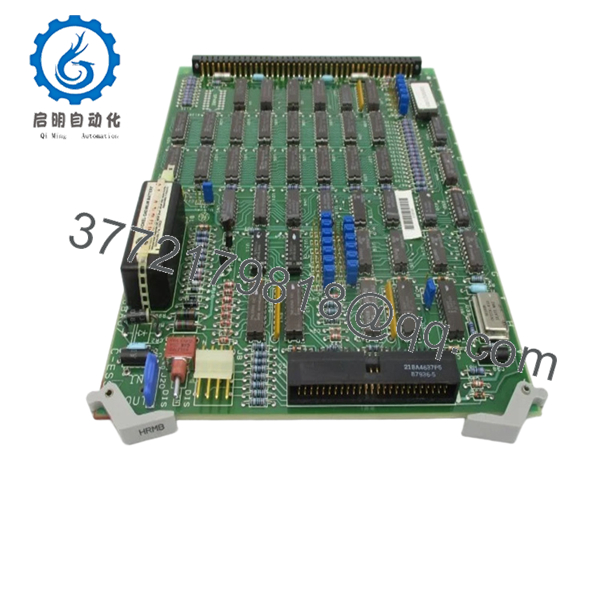
| Connector | 122-pin gold-plated edge finger interface |
| Board Revision | 1J1G (Enhanced noise immunity and trace routing) |
| Retention | Standard Mark IV pull-tab extraction handles |
| Form Factor | Full-height Mark IV card frame compatible |
| Voltage | +5 VDC logic supply (via backplane) |
4. Product Introduction & Supply Chain Strategy
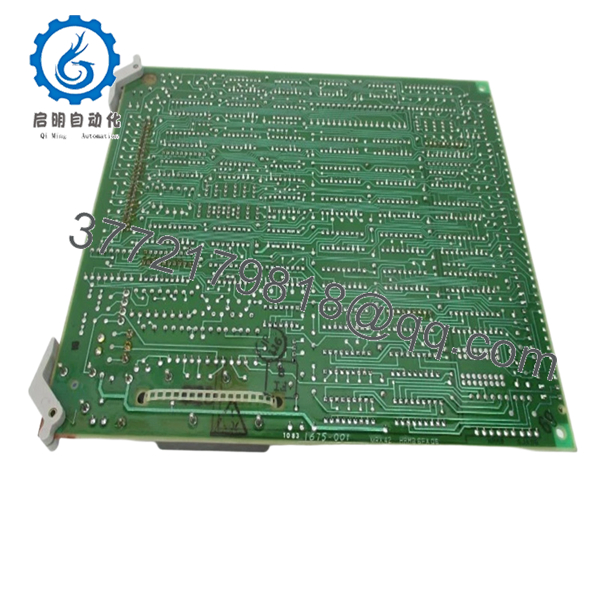
The GE DS3800HRMB1J1G is the primary RAM memory expansion board for the Speedtronic Mark IV turbine control system. It provides the high-speed workspace required for the system microprocessors to calculate governor algorithms, manage alarm stacks, and process I/O data in real-time. Without a functional HRMB board, the Mark IV controller cannot maintain its memory registers, leading to immediate processor halts and turbine trips.
Procuring this board as New Surplus is a strategic necessity for aging power plants. Memory boards of this vintage are particularly susceptible to “bit rot” and microscopic trace oxidation in refurbished units. By opting for New Surplus inventory, you ensure that the RAM chips have not been subjected to decades of localized cabinet heat, which significantly extends the Mean Time Between Failures (MTBF) compared to used or repaired parts.
5. Installation & Configuration Guide
Stage 1: Pre-Installation (Prep & Safety)
- Perform a controlled turbine shutdown and isolate the control rack power.
- CRITICAL: Use a grounded ESD wrist strap. Memory chips are highly vulnerable to static discharge that can cause latent failures.
- Check the jumper settings (e.g., memory addressing jumpers) on your original board and document them.
Stage 2: Removal
- Using the black pull-tabs, extract the old DS3800HRMB board with a steady, straight pull.
- Inspect the backplane for any dust or debris that could interfere with the high-speed data bus signals.
Stage 3: Installation (Clone & Seat)
- Transfer any site-specific jumper configurations to the new DS3800HRMB1J1G.
- Slide the board into the designated memory slot, ensuring it tracks correctly along the card guides.
- Firmly seat the board into the backplane connector until the pull-tabs are flush.
Stage 4: Power-On & Testing
- Restore logic power and monitor the Mark IV diagnostic display for any “Memory Parity” or “RAM Fault” codes.
- Verify that the system successfully completes its Power-On Self-Test (POST) and enters the “Running” state.

- DS3800HRMB1J1G
- DS3800HRMB1J1G
6. Firmware/Software Versions & Upgrade Notes
The DS3800HRMB1J1G is a hardware-based memory module and does not host its own firmware. However, it must be compatible with the addressing logic of your central processor card.
- Revision Matching: The “G” revision is generally the most stable and backward compatible version of this board.
- Data Retention: Because this is volatile RAM, all data is lost when power is removed. Ensure your system’s backup batteries (if applicable) and EEPROMs are healthy so that the system can reload the necessary logic into this new RAM board upon restart.
7. Frequently Asked Questions (FAQ)
Does this board require a battery to hold the memory?
The DS3800HRMB1J1G is volatile RAM, meaning it requires continuous power to hold data. In the Mark IV system, the configuration logic is typically stored on separate EEPROM chips and loaded into this RAM board during the boot sequence.
Why is the “G” revision important?
The “G” suffix indicates that this board has undergone GE’s final hardware revisions for this series, which typically include better filtering for the power supply rails and improved timing stability for the memory chips.
Can I replace a DS3800HRMB1A with this 1J1G version?
Yes, the 1J1G is the functional successor to the earlier revisions. However, always verify that the manual jumper positions are replicated from the original board to ensure the memory address space remains the same.
How do I know if my current RAM board is failing?
Common symptoms include intermittent processor resets, “Parity Error” alarms, or the controller failing to boot past the initial diagnostic phase.
What is the shelf life of a New Surplus memory board?
When stored in an ESD-safe, climate-controlled environment, these boards have an indefinite shelf life. The lack of operational heat means the semiconductor junctions remain in factory-new condition.



