
 WhatsApp: +86 16626708626
 Email:
  Phone: +86 16626708626
Description
- Key Technical Specifications
- Input type: Digital (discrete) high-speed inputs.
- Input voltage range: Standard industrial TTL/24 V DC compatibility (verify actual threshold on datasheet).
- Channel count: Multiple discrete channels (verify exact channel count on OEM datasheet).
- Backplane interface: DS3800 rack bus connector (fits GE DS3800 rack).
- Response time: High-speed sampling suitable for fast discrete events (check OEM spec for ms/μs figure).
- Operating temperature: Typical industrial range (confirm exact °C from datasheet).
- Power consumption: Low module draw from backplane (confirm mA/W in datasheet).
- Dimensions: Standard DS3800 module form factor (confirm mm/in OEM drawing).
- Weight: Module-level weight (confirm on datasheet).
- Compliance: Conforms to GE DS3800 mechanical and electrical interfaces (confirm exact standards in OEM docs).
- Product Introduction
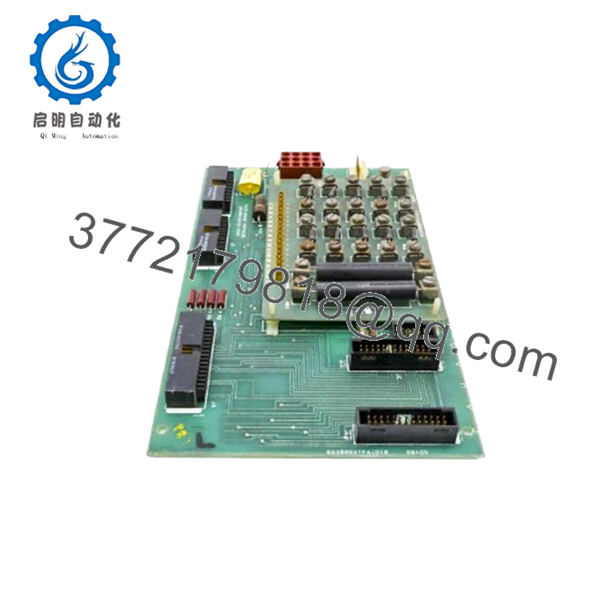
The GE DS3800HSQD1G1B is a DS3800-series high-speed digital input module designed to receive multiple discrete signals and present them on the DS3800 backplane for processing by the host controller. It’s used in mid-to-large industrial control racks where fast, deterministic discrete input sampling is required, such as machine safety inputs, encoder markers, or high-speed event logging.
Engineered for field serviceability, this module provides rapid input detection and standard DS3800 electrical compatibility; verify firmware and backplane revision compatibility before purchasing to avoid communication or pinout mismatches. - Troubleshooting Quick Reference
Symptom Possible Cause Relevance to this Part Quick Check Method Recommendation No LEDs on power-up Backplane/PSU failure ❌ Low Measure rack DC bus voltage at module slot with multimeter (expect specified backplane voltage). Check rack power supply and fuses before replacing module. Input LED never changes state when channel toggled Loose field wiring / open circuit ✅ High Measure field input voltage at module input terminal (measure 24 V DC presence when input active). Confirm wiring and shield; if wiring OK, swap with known-good input module. Sporadic inputs / chatter Grounding/EMI or wiring shield issue ✅ Medium Inspect cable shielding and connector grounding; measure noise on input with scope. Re-terminate shield correctly; add series filtering or RC debounce if needed. ERR or FAULT LED lit Module fault or backplane comms error ✅ High Read module diagnostic status from controller software; check fault codes. If fault persists after reseat and power cycle, replace module and provide logs. Controller reports missing I/O at boot Backplane addressing or firmware mismatch ✅ High Verify module is seated correctly; compare module firmware revision to controller compatibility list. Do not hot-swap; power down, reseat, power up; match firmware ranges or request specific firmware. Note: This module rarely fails electrically; most field issues are wiring, grounding, or firmware/backplane mismatches. Contact technical support with photos of wiring, backplane slot label, module serial and firmware version, and controller diagnostic logs if unresolved.

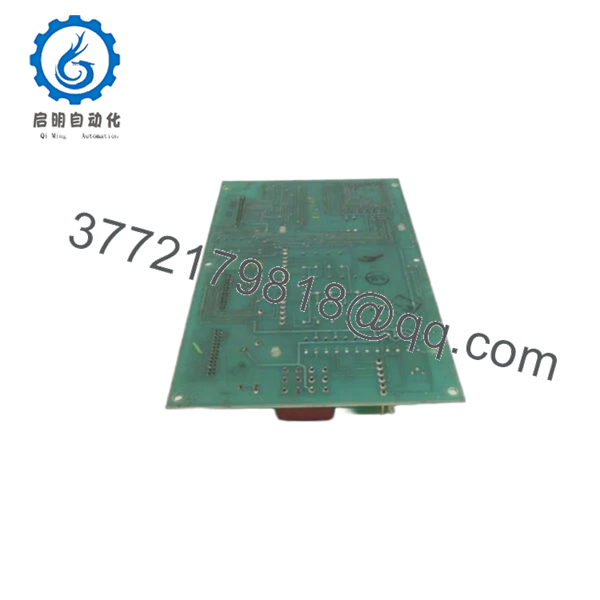
- DS3800HSQD1G1B
- DS3800HSQD1G1B
- Frequently Asked Questions (FAQ)
Q: Is this module hot-swappable?
A: To be honest, treat the DS3800HSQD1G1B as non-hot-swappable unless your system documentation explicitly permits it; many DS3800 racks require power removal to avoid backplane transients that can damage modules.
Q: How do I confirm compatibility with my rack/controller?
A: Verify the DS3800 series slot type and firmware compatibility in your controller’s hardware manual; confirm the module P/N and firmware revision against the OEM cross-reference before ordering.
Q: What should I do about firmware revision mismatches?
A: Document the existing module firmware before replacement. If firmware differs, you may need a firmware update or a matching module revision—order specifically by firmware range when necessary.
Q: Why is this unit cheaper than factory-new?
A: Common reasons are New Surplus inventory or warehouse stock; always confirm condition (New Original vs. Refurbished) and request inbound inspection/test reports to validate functionality.
Q: Will the module retain I/O mapping during replacement?
A: Mapping lives in the controller; replacing a module generally preserves mapping if the replacement is the same P/N and firmware. Still, back up your controller configuration and capture photos of DIP switches before swapping.
Q: What tests do you perform before shipping?
A: We perform source verification, visual inspection, anti-counterfeit checks, live functional testing on a DS3800 test rack (power-on LED checks, comms handshake, input simulation, continuous load test), insulation/ground checks, firmware readout and photo backup, and final ESD-safe packaging—test reports available on request.
Q: What warranty/lead time should I expect?
A: Lead time and warranty depend on stock condition: New Original/New Surplus typically ships same-week with a 1-year limited warranty; refurbished units carry a 90-day functional warranty. Confirm at order.
Technical pitfall reminders (short):
- Photograph DIP switches and terminal wiring before removal.
- Measure and record input voltages; don’t assume 24 V thresholds match older revisions.
- Use a grounded wrist strap when handling modules.
- Allow 20% headroom on rack power budgets to avoid brownouts.



