
 WhatsApp: +86 16626708626
 Email:
  Phone: +86 16626708626
Description
3. Key Technical Specifications
| Parameter | Value |
|---|---|
| Manufacturer | GE General Electric |
| Model Number | DS3800NHVF1B1A |
| Product Series | Speedtronic Mark IV |
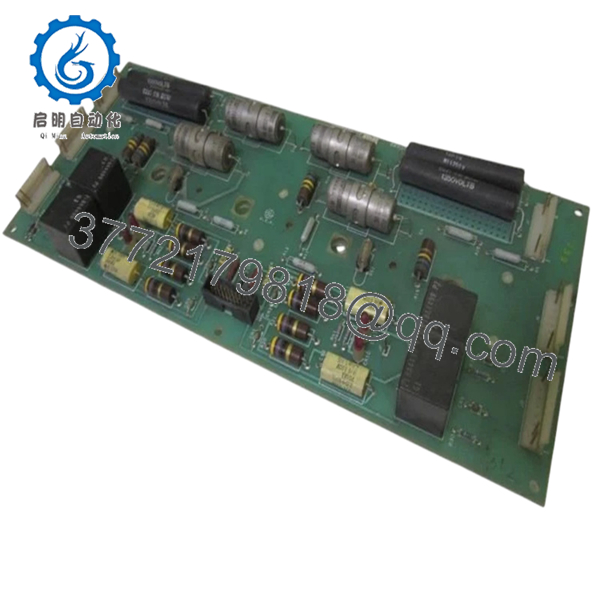
| Functional Description | High Voltage Board |
| Product Type | Daughter PCB / High Voltage Interface Board |
| Application | Gas and steam turbine control systems |
| System Compatibility | GE Mark IV turbine control racks |
| Board Interface | Motherboard-mounted daughter board |
| Relay Components | Four onboard relays |
| Diagnostic Indicators | Four red LED indicators |
| Connector Type | Six male multi-pin connectors |
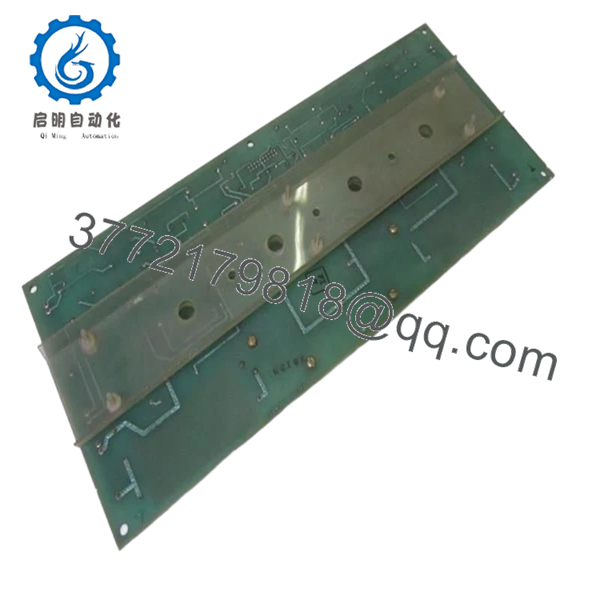
| Mounting Method | Factory-drilled PCB mounting points |
| Power Source | Rack backplane supplied |
| Operating Environment | Industrial control cabinet installation |
| Firmware Dependency | Verify compatibility with installed Mark IV revision |
| Availability | Limited surplus inventory |
| Typical Lead Time | 3–7 business days depending on stock |
The DS3800NHVF1B1A is identified in GE Mark IV documentation as a high-voltage daughter board used within Speedtronic turbine control systems. The board interfaces through motherboard connectors and contains relays, LEDs, capacitors, and resistor networks for signal and control handling inside turbine control cabinets.
4. Product Introduction
The GE DS3800NHVF1B1A is a high-voltage interface PCB used in GE Speedtronic Mark IV gas and steam turbine control systems. It functions as a daughter board connected to a larger motherboard assembly inside the Mark IV rack architecture. The board participates in control signal handling, relay operation, and voltage interface functions within turbine protection and sequencing systems.
Plants maintaining legacy Mark IV installations typically retain spare DS3800-series boards to avoid major migration costs and extended outages. In real-world maintenance environments, direct replacement of a failed board is usually faster and lower risk than converting an operating turbine cabinet to a newer control platform.
5. Installation & Configuration Guide
Stage 1: Pre-Installation Preparation (Estimated Time: 10 Minutes)
⚠️ Safety First
- Notify operations personnel and obtain outage clearance.
- Shut down the turbine safely according to site SOP.
- Apply lock out/tag out (LOTO) procedures.
- Wait a minimum of 5 minutes for cabinet discharge.
Tools Required
- ESD wrist strap
- PH1 screwdriver
- Fluke 115 multimeter or equivalent
- Wire labels
- Smartphone for documentation photos
- Inspection flashlight
Data Backup
- Export current controller configuration if supported.
- Photograph:
- Rack location
- Connector orientation
- Jumper positions
- Adjacent board arrangement
- Record cabinet alarm states before shutdown.
❗ Take photos before touching anything. This is the simplest insurance policy in turbine maintenance. I’ve watched technicians spend four hours trying to remember one jumper position they were “sure they’d remember.”
Stage 2: Removing the Old Module (Estimated Time: 5–10 Minutes)
- Open cabinet covers carefully.
- Identify the DS3800NHVF1B1A location in the rack assembly.
- Label any connected cables if applicable.
- Release retaining hardware.
- Pull the board straight out evenly.
- Inspect motherboard connector pins for:
- Bent contacts
- Heat damage
- Oxidation
- Dust contamination
⚠️ Important Note
Do not discard the old board immediately. Keep it beside the cabinet until startup is fully verified.
Stage 3: Installing the New Module (Estimated Time: 10 Minutes)
Installation Steps
- Wear grounded ESD protection before handling the PCB.
- Verify the exact model number:
- DS3800NHVF1B1A
- Compare board revision markings with the removed unit.
- Configuration Clone (Crucial):
- Replicate all jumpers and switch settings exactly.
- Verify any addressing or termination settings.
- Align the PCB carefully with the motherboard connector.
- Insert evenly without twisting.
- Secure mounting hardware.
- Reconnect all wiring and connectors.
Self-Checklist
- Correct model confirmed
- Jumpers matched
- Connectors fully seated
- Retention hardware secured
- No loose wiring inside cabinet
❗ Partial insertion is more common than people think. A board that is off by even a millimeter can throw intermittent faults that look like firmware corruption or backplane failure.
Stage 4: Power-On & Testing (Estimated Time: 10–15 Minutes)
Pre-Power Check
- Use a multimeter to verify no short exists on the cabinet DC supply.
- Confirm cabinet grounding continuity.
- Inspect for loose screws or dropped hardware.
Power-On Steps
- Power the control rack first.
- Observe startup LEDs on the DS3800NHVF1B1A.
- Verify normal communication with the Mark IV controller.
- Check diagnostic alarms through the HMI or maintenance terminal.
- Perform dry-run I/O testing before turbine startup.
⚠️ Troubleshooting Note
If the board does not initialize properly:
- Verify connector seating
- Recheck jumper configuration
- Confirm rack slot placement
- Inspect for firmware revision mismatch
I’ve seen replacement boards fail commissioning because a newer revision changed timing characteristics slightly. The cabinet showed random communication timeouts for nearly two shifts before anyone checked revision compatibility.
Quality Control & Testing Procedure
1. Inbound Inspection & Traceability
Each DS3800NHVF1B1A board undergoes:
- OEM label verification
- Serial number traceability review
- Anti-counterfeit inspection
- Visual inspection for corrosion, solder rework, UV yellowing, and damaged traces
- Connector integrity verification
2. Live Functional Testing
Testing is performed using GE Mark IV-compatible rack hardware whenever available.
Procedures include:
- Power-on verification
- LED startup diagnostics
- Communication handshake testing
- Relay activation checks
- Continuous energized runtime testing exceeding 24 hours with thermal monitoring
Test reports, startup photos, and test videos are available upon request.
3. Electrical Parameter Testing
- 500 V insulation resistance testing (>10 MΩ target)
- Ground continuity testing
- DC rail stability measurements using calibrated Fluke instruments
4. Firmware & Configuration Verification
- Revision markings documented before shipment
- Jumper and hardware configuration photographed for QC records
5. Final QC & Packaging
- QC technician sign-off
- Anti-static ESD packaging
- Bubble wrap protection
- Heavy-duty corrugated export carton
- QC Passed labeling with inspection date

- DS3800NHVF1B1A
- DS3800NHVF1B1A
6. Frequently Asked Questions (FAQ)
Q1: Can I hot-swap the DS3800NHVF1B1A while the cabinet is energized?
No. The Mark IV platform was not intended for routine hot-swapping of these daughter boards. Removing the board live can damage the motherboard connector or destabilize adjacent control circuitry.
Kill power first.
Q2: Is the DS3800NHVF1B1A obsolete?
Yes. The DS3800NHVF1B1A belongs to the legacy GE Speedtronic Mark IV platform, which has been out of OEM production for years. Most available stock today comes from surplus inventory or tested refurbishment channels.
Availability changes constantly.
Q3: What exactly does this board do in the Mark IV system?
This board functions as a high-voltage daughter PCB connected to a larger motherboard assembly. It handles portions of relay logic, signal interfacing, and voltage conditioning inside the turbine control cabinet.
Q4: Will replacing this board erase turbine logic?
Normally no.
The turbine application logic is generally stored elsewhere in the Mark IV control architecture. However, always back up configuration data and document jumper settings before replacement. Some older installations rely heavily on hardware configuration details.
Q5: Why do firmware revisions matter on these old GE boards?
Because Mark IV systems are surprisingly sensitive to revision drift.
I’ve seen one installation where a replacement board had a slightly newer revision level than the installed rack set. The turbine controller reported intermittent communication faults for nearly two days before the mismatch was identified.
Always document revision labels before ordering replacements.
Q6: What is the most common installation mistake?
❗ Incorrect jumper replication.
Technicians pull the old board, forget the original jumper positions, and install the replacement using factory defaults. Suddenly the rack cannot communicate properly or the board initializes incorrectly.
Take photos before removal. Every time.
Q7: Why are some surplus DS3800 boards priced much lower than others?
Price differences usually come down to:
- Tested versus untested condition
- Actual surplus versus repaired stock
- Cosmetic condition
- Availability of traceability records
- Whether the board passed live rack testing
A lower price is not automatically a problem. But if the seller cannot provide actual photos, test documentation, or inspection records, proceed carefully.
Keep these checks in mind and you’ll avoid most of the downtime traps that show up during legacy Mark IV maintenance work.



