
 WhatsApp: +86 16626708626
 Email:
  Phone: +86 16626708626
Description
Key Technical Specifications
- Assembly Name: DS3820AIPA1A1A
- Main Board: DS3800XAIA
- Product Type: Analog I/O Module (“ANA 10”)
- Platform: GE Speedtronic Mark IV turbine control system
- Terminal Segments: 4
- Connector Count: approx. 18
- Function: Interfaces and processes analog signals (temperature, pressure, flow, level) for monitoring and control within Mark IV systems
- Weight: reported as approx. 7.00 lb by one source — not independently corroborated, verify if load/shipping planning depends on it
- Mounting: Rack-based, consistent with DS3800 series card cage installation
Note: Beyond terminal/connector counts, no verified signal range, resolution, or input voltage specification turned up in available sources. Confirm exact analog input/output ranges and channel assignments against GE’s Mark IV documentation or your system’s I/O list before treating this as a like-for-like spec match.
Product Introduction
The GE DS3820AIPA1A1A is an analog I/O assembly built on the DS3800XAIA main board, part of the Speedtronic Mark IV turbine control platform. It handles the interfacing of analog signals — the kind of continuous process variables (temperature, pressure, flow, level) that a turbine control system needs to monitor and act on in real time.
As a Mark IV-era board, it’s a legacy component at this point, but for plants still running that platform, it’s a functionally specific replacement rather than something you reconfigure broadly: matching the exact assembly number and confirming physical/connector compatibility against your system’s existing board is the main task, not redesigning the I/O architecture.
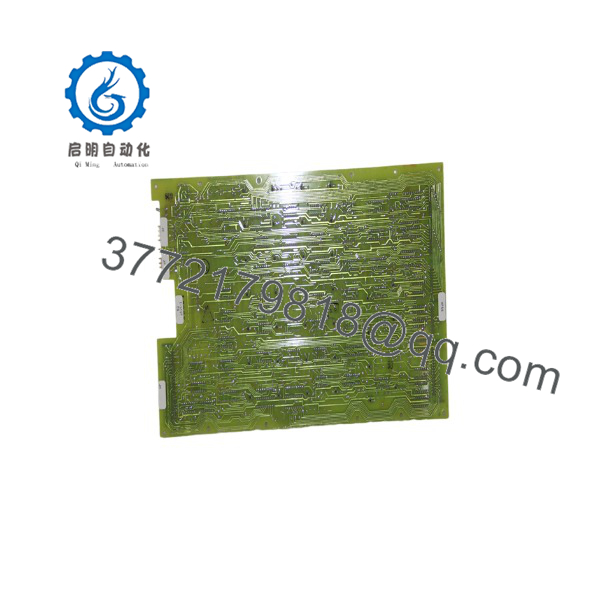
DS3820AIPA1A1A
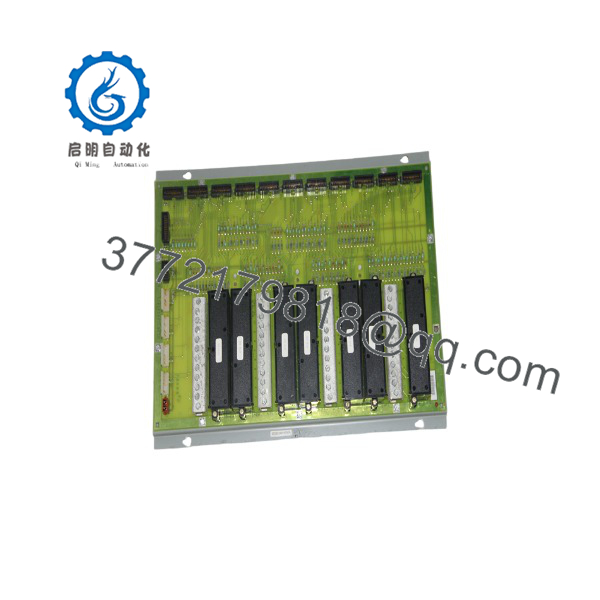
DS3820AIPA1A1A
Installation & Configuration Guide
Stage 1: Pre-Installation Preparation (Est. 10 min)
⚠️ Safety First: Notify operations of the turbine control functions this board affects before starting. Confirm the system is in a safe state to pull an I/O board — on a running turbine control system, this typically means confirming redundancy or a planned outage window, not just local lockout. Follow your site’s turbine control change procedure.
Tools Required: ESD wrist strap, PH1 screwdriver, multimeter, wire/cable labels, smartphone for photos.
Data Backup: Photograph all cable connections and terminal port assignments before removal — with 13+ male terminal ports across multiple connector types on this board family, mislabeling during reinstall is a real risk. Document the exact assembly number and any revision suffix from the board’s nameplate.
Stage 2: Removing the Old Board (Est. 10 min)
- Remove all cables from the board, labeling each as you go to avoid confusion on reinstall.
- Release the card’s retaining screws and edge fasteners.
- Withdraw the board straight out of the rack slot to avoid stressing the backplane connector.
- Inspect the rack slot for bent pins or debris before proceeding.
⚠️ Note: ESD sensitivity applies here — keep the replacement board in its static-protective bag until the moment of installation, and touch an unpainted metal surface on the rack to discharge static before handling it.
Stage 3: Installing the New Board (Est. 10 min)
- Ground yourself with the ESD strap before removing the new board from its static bag.
- Confirm the assembly number on the new board’s edge matches DS3820AIPA1A1A exactly, including any revision suffix your system requires.
- Seat the board fully into the rack slot, ensuring the backplane connector engages completely.
- Reconnect all labeled cables to their original terminal ports.
Self-Checklist: [ ] Assembly number and revision match [ ] All cables reconnected per labels [ ] Board fully seated in rack
Stage 4: Power-On & Testing (Est. 10–15 min)
Pre-Power Check: Visual inspection for any loose cables or connectors before restoring power to the rack.
- Restore power and observe the Mark IV system’s diagnostic indicators for the affected I/O.
- Verify the system recognizes the board without raising a fault or I/O configuration error.
- Cross-check a few known analog signals against expected values before returning to full operation.
⚠️ Troubleshooting Note: If the system flags an I/O fault immediately after the swap, check terminal connections against your photos before assuming a board defect — mismatched terminal ports are a more common cause on Mark IV analog boards than the replacement board itself being faulty.
Frequently Asked Questions (FAQ)
Is the DS3820AIPA1A1A still available new, or is everything surplus at this point?
This is a Mark IV-era board — GE’s Speedtronic Mark IV platform is long past active production, so anything available now is surplus, refurbished, or repaired stock. Ask your supplier for the specific condition and whether it’s been tested in a genuine Mark IV rack before you buy.
Can this board be hot-swapped while the turbine control system is running?
Treat it as not hot-swappable unless your specific Mark IV documentation says otherwise for this board type. Pulling an analog I/O board from a live turbine control rack risks losing monitoring or control on whatever process variables it handles — follow your site’s change procedure for turbine control hardware, which typically requires a planned window.
Will I lose my system configuration when I swap this board?
Configuration on Mark IV systems is generally held at the controller/processor level rather than on individual I/O boards like this one, but back up your current configuration through your Mark IV toolset regardless before doing any hardware swap — don’t assume based on board type alone.
What’s the direct replacement if this exact board is out of stock?
I don’t have a confirmed cross-reference from available sources — for Mark IV-specific boards, a mismatched assembly or revision can mean incompatible terminal wiring or signal ranges. Contact GE or a turbine controls specialist directly rather than substituting a similarly-numbered DS3800-series board on your own.
Why do descriptions of this board vary so much between suppliers?
Because a chunk of what’s indexed for legacy GE turbine boards is low-effort content — some listings read like they’re describing the board’s physical appearance rather than its actual function, and at least one source describes an entirely different product type (a power supply) that doesn’t match what the majority of listings agree on. Treat any single supplier’s description with some skepticism and cross-check against your own board’s markings.
Why is your price different from another supplier’s listing for the same part number?
Given how inconsistent public information is on this specific board, get a written quote that specifies condition, test status, and warranty terms rather than comparing sticker prices — you want to know you’re comparing equivalent units, not just the same part number pulled from different quality sources.



