
 WhatsApp: +86 16626708626
 Email:
  Phone: +86 16626708626
Description
3. Key Technical Specifications
| Parameter | Value |
| Circuit Type | Logic-driven Audible and Visual Annunciation |
| Display Support | Interfaces with local 7-segment or discrete LED arrays |
| Audio Output | Integrated driver for cabinet-mounted speakers/horns |
| System Bus | Mark IV standard internal communication link |
| Voltage Input | +5 V DC and +24 V DC (for audio amplification) |
| Mounting | Standard 19-inch rack or local operator console |
| Interconnect | Multi-pin ribbon cable headers (typical J-series) |
| Logic Components | Discrete TTL and CMOS integrated circuits |
4. Product Introduction & Supply Chain Strategy
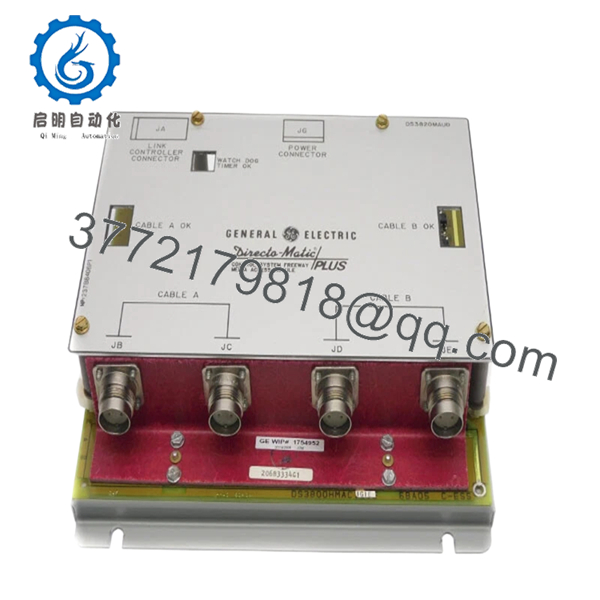
The GE DS3820MAUD is the primary audible and display interface board for the GE Mark IV Speedtronic turbine control system. It serves as the local “voice” of the control cabinet, driving the horns, buzzers, and local LED status displays that alert plant personnel to trip conditions or warnings. Without a functional MAUD board, local operators may lose critical situational awareness during an emergency, as the hardware-level alarm triggers operate independently of the primary HMI software.
Maintaining this board as a “New Surplus” item is a strategic safety requirement. Used MAUD boards frequently suffer from degraded audio capacitors and “burnt” LED driver paths due to the continuous power-on nature of annunciator panels. By choosing New Surplus, you ensure that the alarm circuits respond instantly with the correct voltage levels, mitigating the risk of missed alerts. This proactive stocking strategy significantly reduces Total Cost of Ownership (TCO) by ensuring your facility remains compliant with safety standards without the high cost of a full system upgrade.
5. Installation & Configuration Guide
Stage 1: Pre-Installation (Prep & Safety)
Initiate LOTO procedures on the control power circuit. Wear a grounded ESD wrist strap. Note the routing of the audio output wires and the ribbon cables. If the board is mounted behind a display panel, ensure you have the proper hex drivers or nut starters for tight spaces.
Stage 2: Removal
Disconnect the audio leads and the multi-pin ribbon cables. If the board uses plastic standoffs, use needle-nose pliers to compress the tabs. Carefully remove the board, ensuring the audio transformer (if equipped) does not snag on adjacent wiring.
Stage 3: Installation (Clone & Seat)
Verify that any socketed chips or jumpers on the new DS3820MAUD match the original board configuration. Align the board with the mounting standoffs and press until it clicks. Reattach the ribbon cables, ensuring the red stripe on the cable aligns with “Pin 1” on the header.
Stage 4: Power-On & Testing
Restore power to the cabinet. The local LEDs should perform a lamp test (all on) during initialization. Trigger a non-critical alarm (such as a cabinet door open or a forced test bit) to verify that the audible horn or buzzer activates at the correct decibel level.

- DS3820MAUD
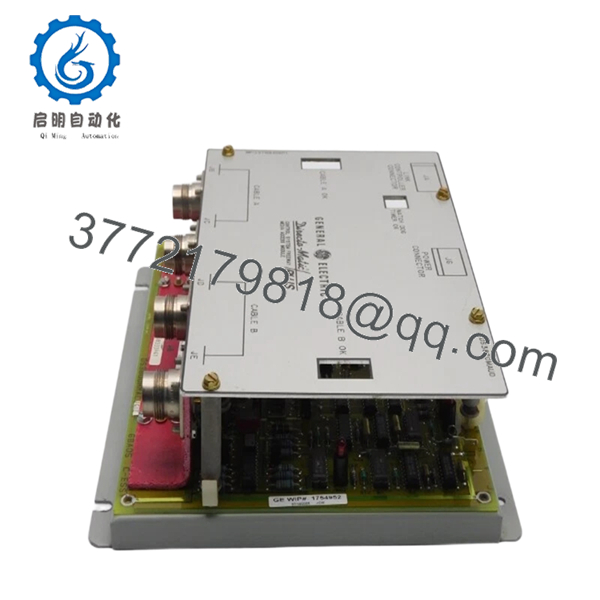
- DS3820MAUD
6. Firmware/Software Versions & Upgrade Notes
- Hard-Wired Logic: The DS3820MAUD is primarily a hardware-logic interface. It does not typically require software downloads, but it must be compatible with the PROM versions located on the main processor boards.
- Voltage Compatibility: Some variations of the MAUD board were designed for different horn voltages (12 V vs 24 V). Verify your cabinet’s audio hardware requirements before installation to prevent blowing the onboard driver transistor.
- Component Age: Even as New Surplus, we recommend a visual inspection of the electrolytic capacitors. We cycle our inventory to ensure you receive units with the highest component integrity.
7. Frequently Asked Questions (FAQ)
What happens if the MAUD board fails while the turbine is running?
The turbine will continue to run based on the logic in the , , and cores. However, you will lose local audible alarms and panel-mounted status updates. This creates a safety risk as operators may not be immediately aware of a local fault.
Is the audio horn included with the DS3820MAUD?
No, the DS3820MAUD is the driver board. The physical horn or speaker is a separate cabinet component. This board provides the signal and power to trigger those devices.
Why shouldn’t I just repair my old MAUD board?
Audible driver circuits generate heat, which over time makes the PCB traces brittle. Repairing one failed component often leads to another failure nearby shortly after. New Surplus inventory provides a fully refreshed circuit path with factory-spec reliability.
Can I adjust the volume of the alarm on this board?
Some versions include a small onboard potentiometer for gain control, while others rely on fixed resistors. Check the board revision to see if manual adjustment is available for your specific unit.
Are the ribbon cables included?
Cables are typically part of the cabinet wiring harness. If your cables show signs of cracking or “greying” (insulation breakdown), we recommend replacing them alongside the new board to ensure signal integrity.



