
 WhatsApp: +86 16626708626
 Email:
  Phone: +86 16626708626
Description
Key Technical Specifications
| Parameter | Value |
|---|---|
| Manufacturer | GE Fanuc / GE Intelligent Platforms |
| Current Product Brand | Emerson Automation |
| Series | VersaMax |
| Part Number | IC200EBI001 |
| Product Type | Ethernet Network Interface Unit |
| Network Role | Ethernet slave / distributed-I/O controller |
| Ethernet Standard | 10Base-T or 100Base-TX |
| Data Rate | 10/100 Mbps, auto-negotiated |
| Ethernet Connector | RJ-45 |
| Maximum Cable Distance | 100 m |
| Cable Type | Category 5, four twisted pairs |
| Supported Protocols | Modbus Ethernet Class 0 and Class 1 |
| EGD Support | Release 1.1 and later |
| Modbus Connections | Release-dependent; verify firmware revision |
| Maximum I/O Data | 1,024 bytes total |
| Maximum Input Data | 512 bytes |
| Maximum Output Data | 512 bytes |
| Fault Data | 128 bytes maximum |
| I/O Modules | 8 on Release 1.0; up to 64 on Release 1.1 and later |
| Expansion Racks | Up to 7 on Release 1.1 and later |
| High-Density Analog Support | Release 1.1 and later |
| Hot Insertion | I/O modules only, Release 1.1 and later |
| Power Consumption | +5 V DC at 175 mA; +3.3 V DC at 425 mA |
| Power Source | VersaMax power supply mounted directly on the ENIU |
| IP Address | Rotary switches select the final field; factory default uses 195.0.0.x |
| Status LEDs | PWR, OK, FAULTS, LAN, STAT |
| Mounting | 35 mm × 7.5 mm conductive DIN rail |
| Dimensions | Approximately 133.35 × 85.85 × 70 mm with power supply |
| Firmware | Revision-dependent; firmware stored in FLASH |
| Firmware Update | FTP through the RJ-45 port; kit 82A1043-PM01-A1 documented for Release 1.32 |
| Hazardous Locations | Certain revisions carry Class I, Division 2 suitability; verify suffix and approval |
| Condition | Must be stated as New Original, New Surplus, or Refurbished (tested) |
The IC200EBI001 is a VersaMax Ethernet Network Interface Unit that controls a local group of VersaMax I/O modules and exchanges data with an Ethernet host. The official GE Fanuc technical information specifies 10Base-T/100Base-TX, up to 1,024 bytes of I/O data, five status LEDs, and power supplied through a VersaMax power supply mounted on the NIU.
Release differences matter. Release 1.0 supports eight I/O modules without expansion racks, while Release 1.1 and later support up to 64 modules, seven expansion racks, EGD, high-density analog modules, and I/O hot insertion.
Product Introduction
GE Fanuc IC200EBI001 is a VersaMax Ethernet Network Interface Unit for distributed I/O stations. It connects VersaMax I/O modules to a 10/100 Mbps Ethernet network and supports Modbus Ethernet; later hardware and firmware releases also support Ethernet Global Data.
This legacy NIU requires a compatible VersaMax power supply, carrier, firmware revision, rotary-switch IP configuration, and I/O configuration. Check the complete suffix, firmware level, network protocol, station size, and expansion-rack requirements before installing a replacement.
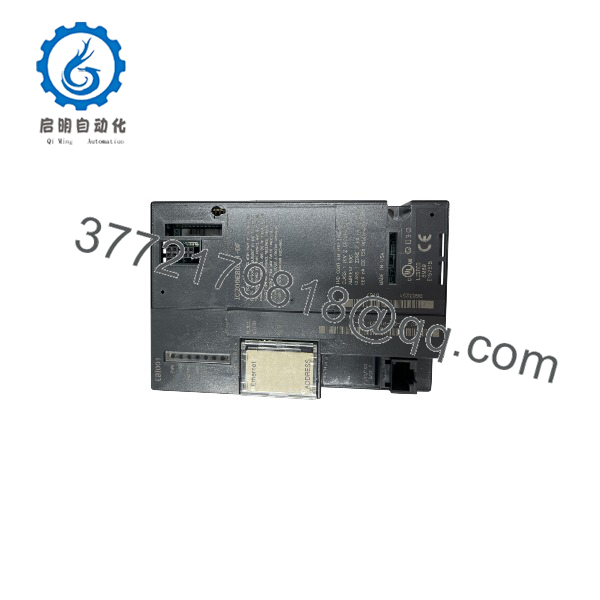
IC200EBI001
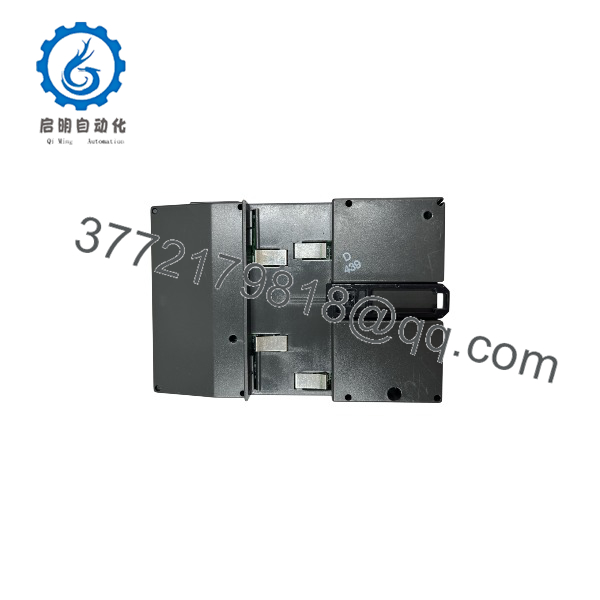
IC200EBI001
Troubleshooting Quick Reference
| Symptom | Possible Cause | Relevance to This Part | Quick Check Method | Recommendation |
|---|---|---|---|---|
| PWR LED is off | Missing power supply, loose power connector, or failed VersaMax power module | ✅ High | Measure the specified backplane supply and inspect the power-supply latch and connector | Check the power module before replacing the ENIU |
| OK LED is off | Firmware not running, internal fault, or power-quality problem | ✅ High | Record all LED states and cycle power after checking supply voltage | Replace the ENIU only after external power is verified |
| FAULTS LED is amber | I/O module fault, configuration error, or ENIU fault | ✅ High | Read the fault table with VersaPro or Remote I/O Manager | Correct the reported I/O fault before replacing the network unit |
| FAULTS LED flashes amber | Fatal ENIU fault | ✅ High | Record LED sequence and diagnostic data before power cycling | Hardware replacement is likely after verifying the power supply |
| LAN LED is off | No Ethernet link, failed cable, switch port problem, or inactive network | ✅ High | Test the RJ-45 cable and switch port with a known-good device | Repair the physical network before replacing the module |
| STAT LED flashes amber | Invalid IP address or address conflict | ✅ High | Check the three rotary switches and ping the configured address | Set a valid unique IP address and cycle power |
| Host cannot connect | Wrong IP, subnet, protocol, or firmware configuration | ✅ High | Confirm rotary-switch address, subnet, host settings, and protocol mode | Match the host configuration to the ENIU revision |
| I/O data is incorrect | Physical module order differs from downloaded configuration | ✅ High | Compare the physical slot order with the configured I/O order | Correct the physical arrangement or update the configuration |
| Only eight modules are recognized | Release 1.0 firmware or missing expansion configuration | ✅ High | Read the ENIU revision and count the local and expansion modules | Use Release 1.1 or later when the application requires expansion racks |
| EGD exchanges fail | Firmware below Release 1.1 or incorrect EGD configuration | ✅ High | Check firmware revision and review produced/consumed exchange settings | Upgrade or replace with a compatible later revision |
| Outputs go to default state | Communication timeout or ENIU power loss | ✅ High | Review update-timeout settings and host message rate | Confirm the intended fail-state behavior before returning the station to service |
| Outputs hold unexpectedly | Older firmware behavior or timeout parameter set to zero | ✅ High | Check the firmware and Update Timeout parameter in the configuration | Configure a validated timeout and test the safe output state |
| Module replacement will not communicate | Wrong hardware suffix, firmware mismatch, or stored configuration issue | ✅ High | Compare suffix, firmware, MAC address, rotary switches, and I/O configuration | Match the original revision and restore the validated configuration |
| ENIU works on a hub but drops data | Excessive Ethernet collisions | ✅ Possible | Review switch/hub collision statistics and packet errors | Replace an unsuitable hub with a proper Ethernet switch |
| Module cannot be removed safely | Power supply still energized or carrier connectors engaged | ✅ High | Follow the VersaMax removal procedure and isolate power first | Turn off the power supply before removing the NIU or power module |
Critical warning: The ENIU’s output behavior during communication loss depends on firmware and timeout configuration. Do not assume that “Hold Last State” behaves the same across revisions. Save the current configuration, record the firmware, and test the defined fail state before returning the station to operation.
Frequently Asked Questions (FAQ)
What is GE Fanuc IC200EBI001?
It is a VersaMax Ethernet Network Interface Unit that acts as an Ethernet slave and local controller for VersaMax I/O modules. It connects the I/O station to an Ethernet host using Modbus Ethernet and, on later releases, EGD.
Is IC200EBI001 still a GE Fanuc part?
The original part belongs to the GE Fanuc / GE Intelligent Platforms VersaMax family. Emerson Automation is the current brand associated with much of the former GE automation product line. Use the complete printed suffix when sourcing legacy stock.
How many I/O modules can it support?
Release 1.0 supports eight I/O modules without expansion racks. Release 1.1 and later support up to 64 modules across the local station and as many as seven expansion racks. Confirm the firmware and hardware revision before planning a larger station.
Does it support Ethernet Global Data?
Yes, but EGD requires Release 1.1 or later. Modbus Ethernet Class 0 and Class 1 are supported across the documented releases.
What power supply does IC200EBI001 need?
The NIU receives operating power from a VersaMax power supply that mounts directly on the unit. The documented electronics consumption is +5 V DC at 175 mA and +3.3 V DC at 425 mA; the complete power-supply selection must account for the attached I/O modules.
Can I hot-swap this module?
Do not hot-swap the ENIU itself unless the exact system manual explicitly permits it. Later releases support hot insertion of I/O modules, not necessarily removal or replacement of the Ethernet NIU while energized. Follow the documented power-down procedure.
How is the IP address configured?
Three rotary switches select the final field of the IP address. The factory default uses 195.0.0.x, where the switch setting selects x from 1 through 254. After changing the switches, cycle power to make the address active.
Is the unit new or refurbished?
The base part number does not establish condition or firmware. State the actual status as New Original, New Surplus, or Refurbished (tested). A meaningful test record should include power-up, LED operation, Ethernet link, IP addressing, Modbus or EGD communication, I/O autoconfiguration, fault-table operation, and extended-run testing.



