
 WhatsApp: +86 16626708626
 Email:
  Phone: +86 16626708626
Description
3. Key Technical Specifications
| Parameter | Value |
|---|---|
| Number of Inputs | 4 |
| Number of Outputs | 2 |
| Power Supply | 115 VAC (operating range approx. 98–132 VAC) |
| Supported Signal Ranges | 0–10 VDC, ±10 VDC, ±5 VDC, 0–5 VDC, 4–20 mA |
| Resolution | 12-bit + sign |
| Update Rate | Once every 4 ms |
| Absolute Accuracy | ±0.2 % of full scale (typical) |
| Isolation | 1500 V block-to-block |
| Heat Dissipation | Approx. 6 W |
| Status LEDs | Unit OK, I/O Enabled |
| Input Filter | Selectable up to 1024 ms |
| Output Behavior on Comm Loss | Hold last state or go to configured default |
| Dimensions (approx.) | 8.83 × 3.34 × 3.91 in |
| Weight (approx.) | 1.8 kg (4 lb) |
4. Product Introduction
The GE Fanuc IC660BBA100 is a Genius distributed I/O analog block that provides four independent analog input channels and two independent analog output channels. It is powered by 115 VAC and supports five configurable signal ranges on each circuit: 0–10 V, ±10 V, ±5 V, 0–5 V, and 4–20 mA.
The block offers 12-bit + sign resolution, a 4 ms update rate, and selectable input filtering. Outputs can be configured to hold last state or move to a preset default value if communications with the host are lost. Independent scaling, alarm limits, and fault reporting are available for each channel. The electronics assembly can be replaced without disturbing field wiring. This Genius block is discontinued.
5. Installation & Configuration Guide
Stage 1: Pre-Installation Preparation (15–20 min) ⚠️ Safety First: De-energize the Genius bus and the 115 VAC supply to the block. Follow lockout/tagout. Tools Required: Screwdriver, multimeter, Genius Hand-Held Monitor (HHM), shielded cable as required. Data Backup: Record the existing block configuration (baud rate, address, scaling, alarm limits, output defaults) using the Hand-Held Monitor before removal.
Stage 2: Removing the Old Block (10–15 min)
- Confirm power is removed from the block and the Genius bus.
- Disconnect field wiring from the terminal assembly. Label every wire.
- Disconnect the Genius bus cable.
- Unmount the block. ⚠️ The terminal assembly can remain in place if only the electronics are being replaced.
Stage 3: Installing the New Block (15–25 min)
- Verify the unit is marked IC660BBA100.
- Mount the block and connect the Genius bus cable (observe proper termination if at the end of the bus).
- Reconnect field wiring to the terminal assembly, matching the previous configuration.
- Apply 115 VAC power. Self-Checklist: [ ] Bus cable and terminators correct [ ] Field wiring matched [ ] Power within 98–132 VAC range.
Stage 4: Power-On & Testing (20–40 min)
- Confirm Unit OK and I/O Enabled LEDs are on.
- Using the Genius Hand-Held Monitor, set or verify the block address, baud rate, scaling, filter times, and alarm limits.
- Apply known input signals and verify reported values.
- Force or write output values and confirm field response.
- Test communication loss behavior (hold last state or default). ⚠️ Troubleshooting Note: Bus faults are commonly caused by missing terminators, incorrect baud rate, or duplicate addresses. Incorrect analog readings usually result from wrong range selection or scaling.
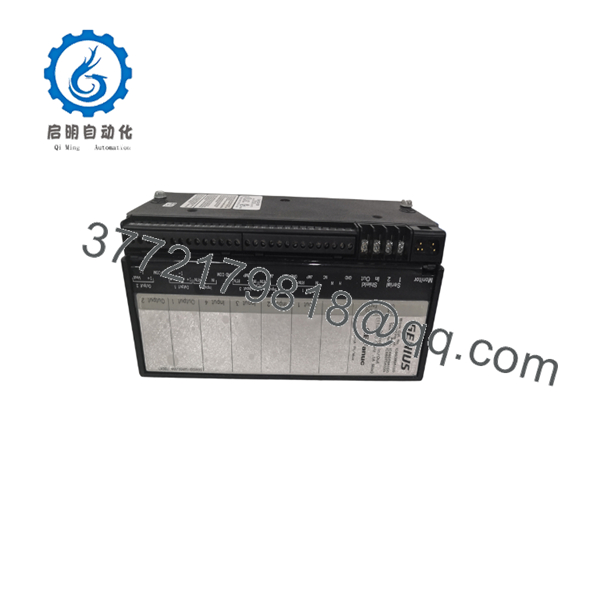
IC660BBA100
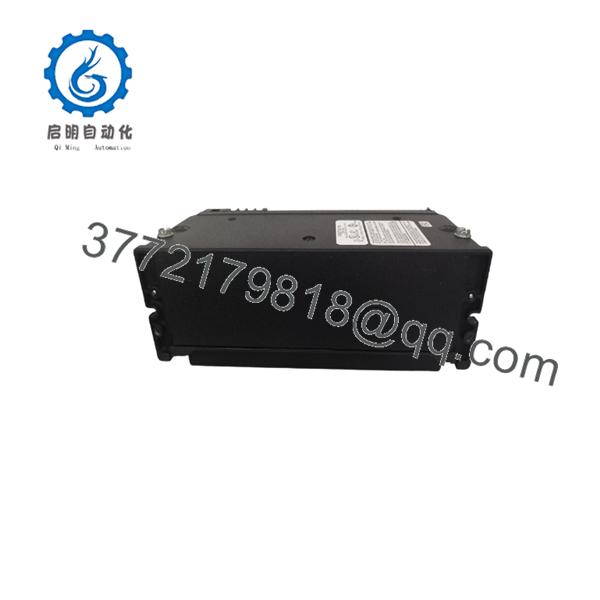
IC660BBA100
6. Frequently Asked Questions (FAQ)
Q: Can the IC660BBA100 be hot-swapped? The electronics assembly can often be replaced without removing field wiring, but power to the block and the Genius bus should be removed first for safety.
Q: Is the IC660BBA100 still in production? No. Genius I/O blocks are discontinued. Remaining units are new surplus or refurbished. For new systems, migrate to modern distributed I/O platforms (VersaMax, RX3i, or Ethernet-based I/O).
Q: What signal ranges are supported? Each channel can be configured for 0–10 V, ±10 V, ±5 V, 0–5 V, or 4–20 mA.
Q: What happens to the outputs if communications are lost? Each output can be independently configured to hold its last state or go to a user-defined default value.
Q: Why is the price lower than historical OEM list price? These are genuine surplus units from excess inventory. They are original GE Fanuc blocks that have never been installed in a running system, but they are no longer available through standard channels. Functional testing and warranty are provided.
Q: Is a Hand-Held Monitor required? Yes, for configuration and diagnostics. Most HHM models are compatible; certain older models may require baud-rate or redundancy setting adjustments.
Q: What is the resolution? 12-bit + sign.



