
 WhatsApp: +86 16626708626
 Email:
  Phone: +86 16626708626
Description
3. Key Technical Specifications
| Parameter | Specification |
|---|---|
| Manufacturer | GE Fanuc / General Electric |
| Part Number | IC660HHM501N |
| Product Line | Genius I/O System |
| Interface Display | 4-line alphanumeric liquid crystal display (LCD) |
| Keyboard Input | Tactile membrane keypad with numeric, function, and navigation keys |
| Bus Compatibility | Standard Genius Serial Bus (153.6 Kbps, 76.8 Kbps, or 38.4 Kbps network speeds) |
| Connection Port | 1x Serial port (via standard HHM twisted-pair cable or block connector plug) |
| Power Options | Internal rechargeable battery pack / Powered directly from active Genius Block / AC Adapter |
| Enclosure Style | Rugged, impact-resistant industrial portable housing |
| Operating Temperature | 0 to +50 °C |
| Diagnostics Scope | Read/write block parameters, monitor point states, force I/O, check network error logs |
4. Product Introduction & Supply Chain Strategy
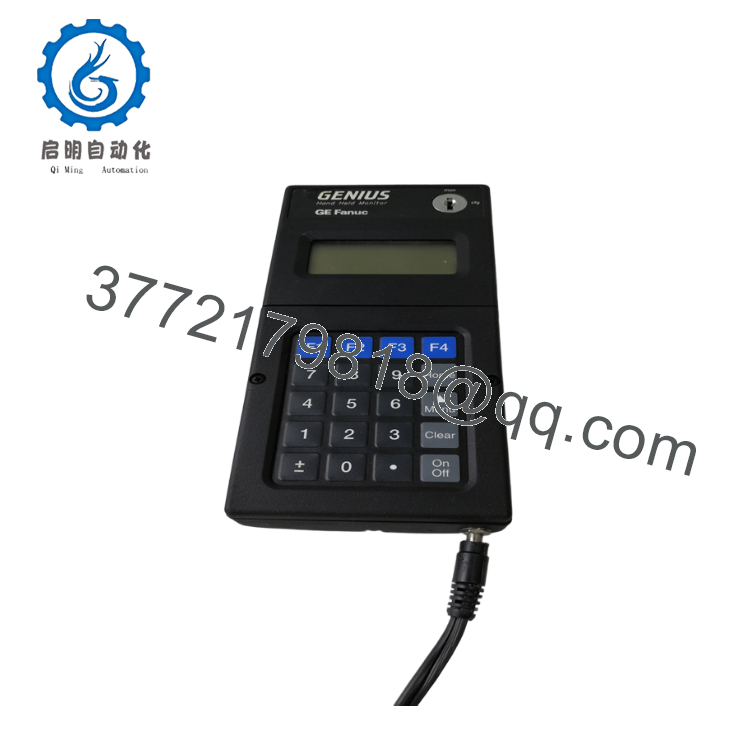
The GE Fanuc IC660HHM501N is a rugged, portable Hand-Held Monitor (HHM) designed for the classic Genius I/O network ecosystem. Acting as a universal diagnostic window and programming device, this unit connects directly to individual Genius I/O blocks or anywhere along the serial bus line. It allows field engineers to adjust block parameters, select I/O configuration modes (such as matching discrete voltage timing filters or analog spans), force specific physical outputs for testing, and extract live internal diagnostic fault codes without requiring an engineering workstation.
Because the Genius I/O line is a legacy platform phased out by the manufacturer, the IC660HHM501N is a crucial tool for keeping vintage systems running safely. Buying a refurbished or second-hand monitor carries significant risks; the internal rechargeable battery arrays degrade over decades, liquid crystals in the displays often bleed or lose contrast, and the constant mechanical pressing of used membrane keypads can break down conductive trace pathways. A broken HHM can leave your maintenance team blind during a critical network failure. Opting for a factory-sealed New Surplus monitor guarantees zero wear on the interface keypad, a clear crisp LCD screen, and fully functional power electronics for immediate deployment.

- IC660HHM501N
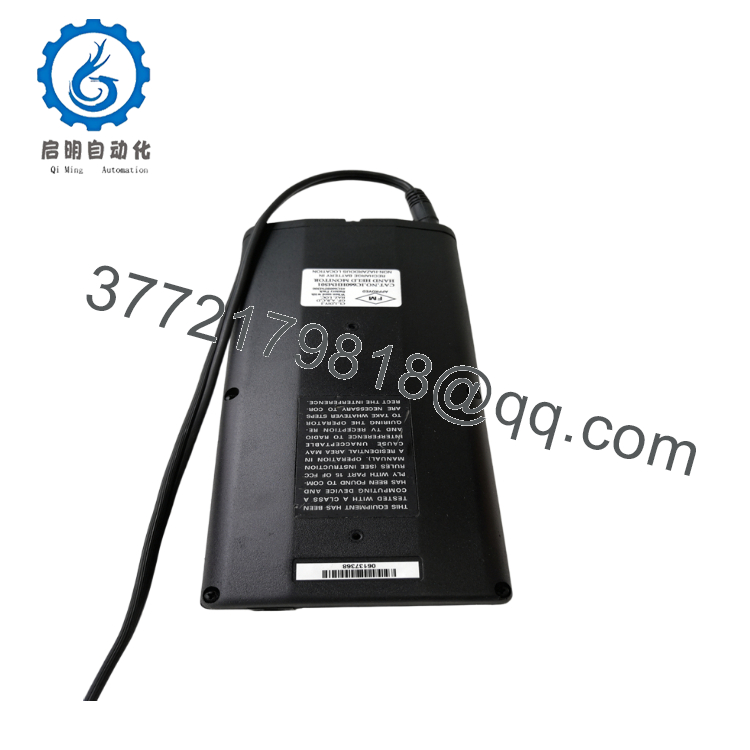
- IC660HHM501N
5. Installation & Configuration Guide
Stage 1: Pre-Installation (Prep & Safety)
- Bus Verification: Confirm that your active Genius Serial Bus network speed (e.g., 153.6 Kbps standard vs. extended distance settings) matches the default communication profile of the monitor.
- Power Check: Ensure the unit has been sufficiently charged via its external adapter or that the connection site is prepared to supply direct operating power from the localized block port.
- ESD Protocol: Though encased in a rugged shell, practice standard grounding methods when attaching data cables to avoid introducing static anomalies into live network communications lines.
Stage 2: Connection & Interfacing
- Direct Block Connection: Plug the HHM cable directly into the designated 4-pin programming serial connector socket on the front faceplate of the target Genius I/O block.
- Bus In-Line Tap: Alternatively, wire the device terminal adapters directly to the serial network’s standard twisted-pair lines (
Serial 1,Serial 2, andShield Ground). - Powering Up: Press the power switch on the faceplate. The screen will run an internal self-test routing configuration pattern and present the primary configuration utility menu.
Stage 3: Block Diagnostics & Calibration
- Address Configuration: Use the numeric keypad to assign the appropriate block identification number (Device ID 0 to 31) to communicate with the target module.
- Parameter Adjustment: Navigate through the menu structure to view or edit parameters like input filter timings, output fail-safe actions (e.g., hold last state vs. default to zero), and analog scale configuration factors.
- I/O Forcing: For testing and commissioning loops, follow the system safety guidelines to force specific output channels on or off, confirming field-side device operation.
Stage 4: Disconnection & Storage
- Return to Auto Control: Ensure that all manual override configurations or forced points are cleared from the monitor before breaking the connection, allowing the main PLC CPU to regain uninterrupted control.
- Cable Extraction: Disconnect the plug smoothly from the block terminal array. Secure the interface port protective caps and store the tool inside its padded protective travel case.
6. Firmware/Software Versions & Upgrade Notes
The IC660HHM501N runs a specialized internal microcode executive operating system stored within static onboard ROM chips. The “N” designator at the end of the part number denotes a mature factory revision baseline, featuring optimized error log polling and broad compatibility with late-generation Genius I/O block variations (including advanced analog and RTD temperature input modules).
Since the logic is hardware-locked inside the device, no field firmware flashing is required or possible over serial channels. When replacing older configurations (such as early HHM501A versions), verify that the “N” version’s display navigation maps match the specific procedures listed in your factory maintenance manuals, as minor updates were historically applied to clear up the formatting of diagnostic message descriptions.
7. Frequently Asked Questions (FAQ)
- Why is it essential to buy a New Surplus IC660HHM501N instead of a refurbished unit? Refurbished diagnostic terminals have typically spent years in rugged field environments, exposing them to oil mist, impacts, and extreme temperatures inside industrial cabinets. This causes the tactile membrane keyboards to become less responsive and the battery connections to corrode. A New Surplus monitor provides zero operational hours, pristine key contact paths, and a fresh LCD display matrix, ensuring dependable diagnostic support when troubleshooting critical line failures.
- Can this monitor remain permanently connected to a running Genius Bus network? Yes. The HHM is designed to function as a passive configuration node when not actively forcing points or executing configuration rewrites. It can be tapped into the serial link line permanently to provide a local display of network errors and block analytics, provided it is assigned a unique device address on the bus loop.
- What happens to the connected I/O block if the HHM cable is suddenly disconnected during a test? If the HHM cable is pulled while you are simply viewing data or diagnosing errors, network operations will continue normally without interruption. However, if you have actively forced an output point using the monitor, disconnecting the unit will cause the target block to drop that forced point and follow its pre-programmed fail-safe configuration state (or wait for instructions from the primary PLC processor).
- Does this unit arrive ready to test both discrete and analog Genius blocks? Yes. The internal executive software configuration of the
HHM501Ncontains pre-mapped database parameters for the entire product family of Genius blocks. This includes standard 120 Vac discrete modules, 24 Vdc high-speed counters, and isolated analog current/voltage channel interfaces. - How can I power this terminal if the internal battery pack runs out in the field? If the internal rechargeable battery dies while you are on the plant floor, the monitor can draw working logic power directly from the 4-pin interface port of most powered Genius blocks. Alternatively, you can run the tool continuously by plugging in its standard external AC power adapter block.



