
 WhatsApp: +86 16626708626
 Email:
  Phone: +86 16626708626
Description
Key Technical Specifications
| Parameter | Value |
|---|---|
| Product Family | GE Fanuc Series 90-30 |
| Catalog Prefix | IC693CHS39 |
| Product Type | PLC baseplate / I/O rack backplane |
| CPU Baseplate, 10 Slots | IC693CHS391 |
| Expansion Baseplate, 10 Slots | IC693CHS392 |
| Remote Baseplate, 10 Slots | IC693CHS393 |
| CPU Baseplate, 5 Slots | IC693CHS397 |
| Expansion Baseplate, 5 Slots | IC693CHS398 |
| Remote Baseplate, 5 Slots | IC693CHS399 |
| Slot Configurations | 5 or 10 module slots |
| Power Supply Position | Leftmost baseplate position |
| CPU Location | CPU baseplates only; expansion and remote bases do not replace the main CPU base |
| Expansion Connection | Depends on the selected expansion or remote baseplate variant |
| Remote Base Distance | Up to approximately 700 ft for the specified remote configuration |
| Internal 5 VDC Consumption | Approximately 150 mA to 460 mA, depending on baseplate type |
| Typical Dimensions | Approximately 17.44 × 5.12 × 5.59 in for 10-slot versions; verify exact variant |
| System Compatibility | GE Fanuc Series 90-30 PLC hardware |
| Terminal Blocks | Not applicable; this is a rack backplane, not a field I/O module |
| Included Components | Baseplate only unless the supplier lists power supply, CPU, rack cover, or mounting hardware |
The GE Fanuc IC693CHS39 designation refers to a Series 90-30 baseplate family rather than one complete catalog number. The final digit identifies whether the unit is a 5-slot or 10-slot CPU, expansion, or remote baseplate.
The baseplate provides the mechanical mounting and electrical backplane for the Series 90-30 power supply, CPU, communication modules, and I/O cards. Verify the complete suffix before purchase; an IC693CHS392 expansion baseplate cannot replace an IC693CHS391 CPU baseplate without redesigning the rack arrangement.
Troubleshooting Quick Reference
| Symptom | Possible Cause | Relevance to This Part | Quick Check Method | Recommendation |
|---|---|---|---|---|
| Entire rack is dead | Power supply failure, incorrect baseplate type, or damaged backplane | ✅ High | Measure the power supply input and backplane output; inspect the leftmost power supply position | Check the power supply before replacing the baseplate |
| CPU does not start | CPU installed on an expansion or remote baseplate | ✅ High | Confirm the baseplate suffix and verify that the CPU is installed on an IC693CHS391 or IC693CHS397 CPU base | Use the correct CPU baseplate variant |
| One module is not recognized | Poor seating, bent backplane connector, or damaged slot contacts | ✅ High | Power down, remove the module, inspect the connector, and test the same module in a known-good slot | Replace the baseplate only if the fault follows the slot |
| Several adjacent modules fail | Backplane bus fault, connector damage, or power distribution problem | ✅ High | Test affected modules in another baseplate and inspect the backplane for contamination or bent pins | Investigate the rack bus and power rails before replacing individual I/O cards |
| Expansion rack is not communicating | Wrong baseplate type, expansion cable fault, or missing rack configuration | ✅ High | Verify the baseplate suffix, expansion cable continuity, and PLC hardware configuration | Confirm IC693CHS392 or IC693CHS398 for expansion use |
| Remote rack is not communicating | Remote baseplate mismatch, cable length issue, or remote configuration fault | ✅ High | Verify IC693CHS393 or IC693CHS399, cable termination, and configured remote rack address | Correct the remote rack hardware and cable arrangement |
| CPU resets intermittently | Backplane voltage drop, loose power supply connection, or mechanical stress | ✅ Medium | Monitor the 5 VDC rail during load changes and inspect the power supply latch and connector | Repair the power distribution or mounting before replacing the rack |
| Module works in one slot but not another | Damaged slot connector or local backplane trace fault | ✅ High | Move the module through slots with power removed and compare diagnostic behavior | Replace the baseplate if the failure remains tied to one slot |
| Rack powers up but modules run hot | Poor ventilation, overloaded supply, or incorrect enclosure installation | ❌ Low | Measure enclosure temperature and calculate total 5 VDC and 24 VDC loading | Correct cooling and power capacity before replacing the baseplate |
| Replacement does not fit the cabinet | 5-slot versus 10-slot dimension mismatch or wrong mounting arrangement | ✅ High | Compare the mounting dimensions and slot count with the removed baseplate | Confirm the complete model number and mechanical dimensions before ordering |
If the fault remains unclear, contact technical support with photos of the baseplate label, slot layout, power supply, CPU position, expansion or remote cabling, diagnostic LEDs, and the complete rack configuration.
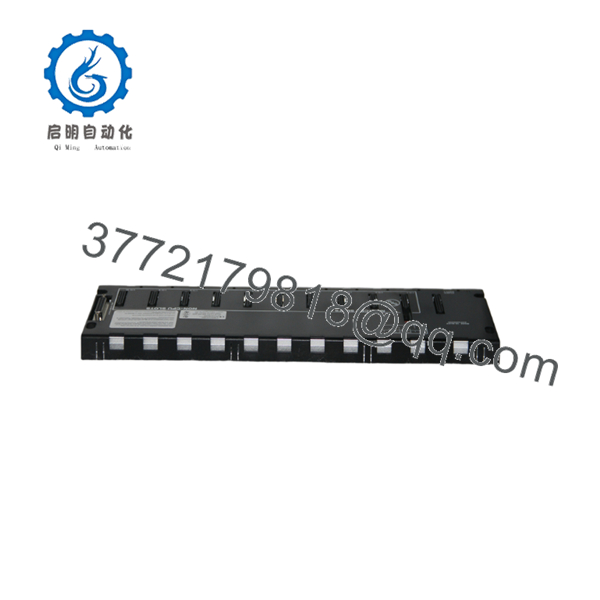
IC693CHS39
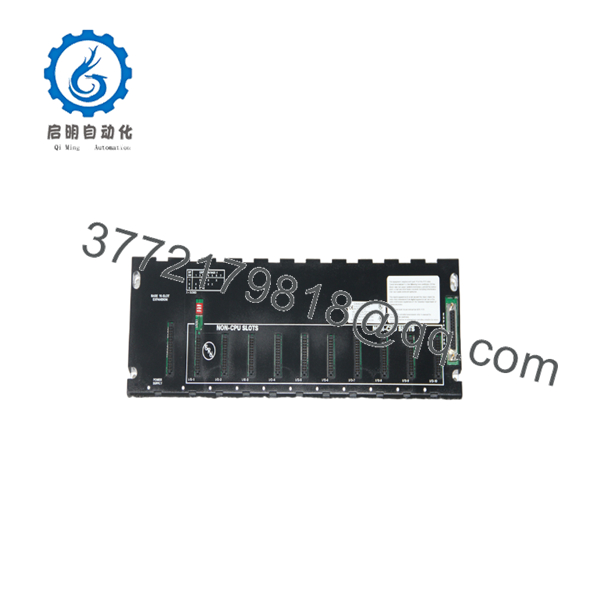
IC693CHS39
Frequently Asked Questions (FAQ)
Is IC693CHS39 a complete GE Fanuc part number?
No. IC693CHS39 is a catalog prefix used by the Series 90-30 baseplate family. The final digit is required to identify the exact CPU, expansion, or remote baseplate.
Which model is the 10-slot CPU baseplate?
The 10-slot modular CPU baseplate is IC693CHS391. The 5-slot modular CPU baseplate is IC693CHS397. These are the baseplates intended to accept the CPU in the main rack.
Which models are expansion baseplates?
IC693CHS392 is the 10-slot expansion baseplate, and IC693CHS398 is the 5-slot expansion baseplate. They extend the Series 90-30 system but are not substitutes for the main CPU baseplate.
Which models are remote baseplates?
IC693CHS393 is the 10-slot remote baseplate, and IC693CHS399 is the 5-slot remote baseplate. The remote configuration requires the correct communication hardware, cable arrangement, and PLC configuration.
Can I replace a 10-slot baseplate with a 5-slot model?
Only if the complete rack design supports the reduced slot count and the replacement fits the cabinet. You must check module count, power supply placement, CPU compatibility, expansion connections, and mounting dimensions before making the change.
Does the baseplate include a power supply or CPU?
Normally, the baseplate is sold as the backplane and mounting assembly only. Confirm whether the listing includes the power supply, CPU, rack cover, mounting hardware, and expansion or remote cable.
Why is this part cheaper than a factory replacement?
Series 90-30 baseplates are legacy components commonly sourced through surplus, used, or refurbished inventory. Confirm the exact suffix, physical condition, connector condition, warranty, test procedure, and return terms before purchase.



