
 WhatsApp: +86 16626708626
 Email:
  Phone: +86 16626708626
Description
Key Technical Specifications
- Manufacturer: GE Fanuc Automation
- Part Number: IC693CHS391
- Product Family: Series 90-30 PLC
- Module Type: 10-Slot Modular CPU Baseplate
- Baseplate Function: Main PLC rack with CPU position
- Total Slots: 10 slots
- CPU Slot: 1 dedicated CPU slot
- I/O Slots: 9 available I/O or option module slots
- Power Supply Slot: Dedicated left-side power supply position
- Backplane Voltage: 5 VDC
- Backplane Current Consumption: 420 mA at 5 VDC
- Expansion Connection: 25-pin female connector
- Expansion Capability: Supports remote and expansion racks depending on CPU model
- Maximum Expansion Distance: Up to 50 ft for expansion baseplates; up to 700 ft for remote configurations depending on system setup
- Dimensions: 17.44 × 5.12 × 5.59 in. (443 × 130 × 142 mm)
- Compatible Platform: GE Fanuc Series 90-30 modular CPUs and I/O modules
The GE Fanuc IC693CHS391 is a 10-slot Series 90-30 modular CPU baseplate used as the main PLC rack for CPU and I/O module installation. It provides one CPU slot, nine I/O module positions, and a backplane connection for Series 90-30 automation systems.
Product Introduction
The GE Fanuc IC693CHS391 is a Series 90-30 10-slot CPU baseplate designed for modular PLC configurations. It provides the physical rack structure and backplane communication path required for installing a Series 90-30 CPU module, power supply, and multiple I/O modules.
This baseplate is commonly used in legacy GE Fanuc control systems where existing rack architecture must be maintained. Before replacement, verify CPU compatibility, rack addressing, expansion cable requirements, and installed I/O module layout.
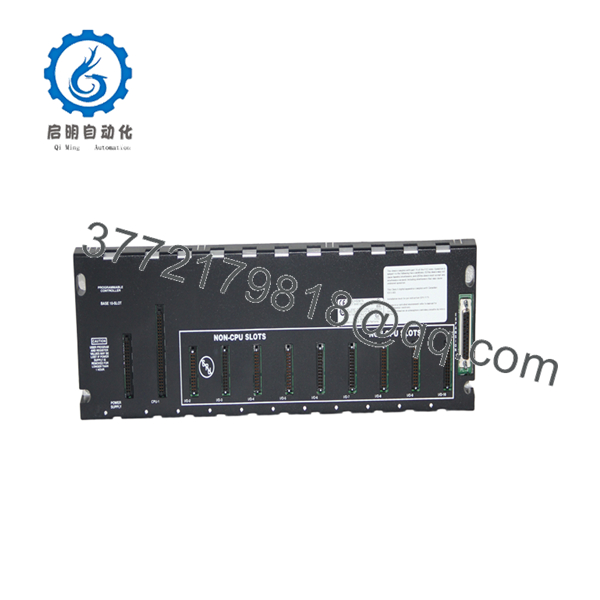
IC693CHS391
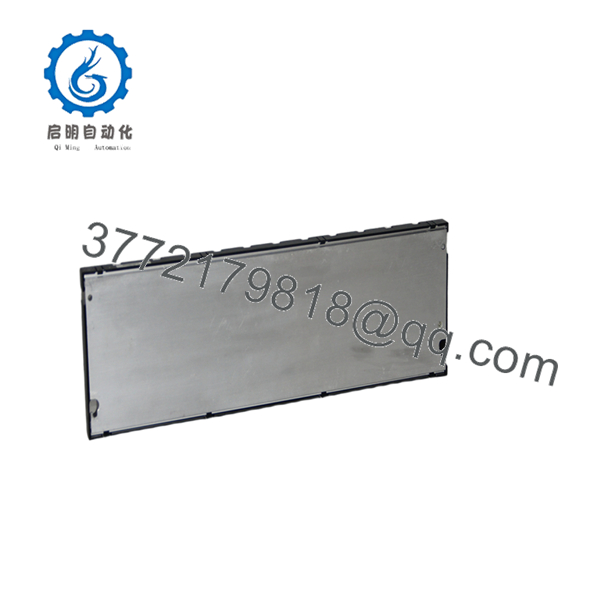
IC693CHS391
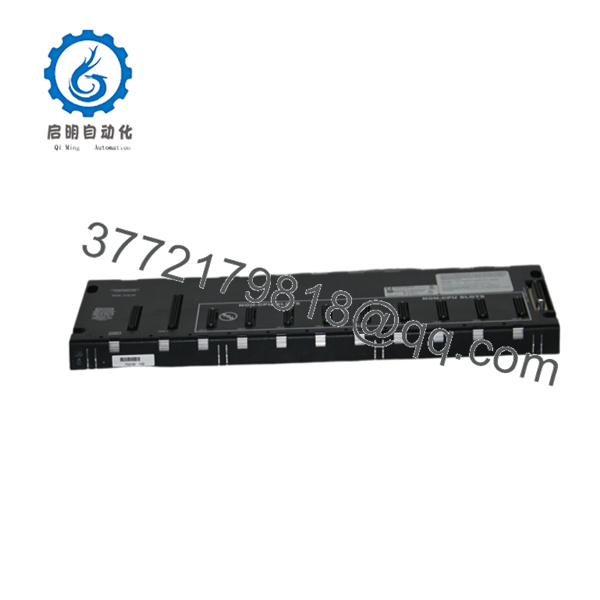
IC693CHS391
Installation & Configuration Guide
Stage 1: Pre-Installation Preparation (Approx. 10 minutes)
⚠️ Safety First
- Notify operations before removing the PLC rack.
- Place the controlled machine or process into a safe condition.
- Apply lockout/tagout procedures before disconnecting power.
- Verify that the PLC power supply is fully de-energized.
Tools Required
- ESD wrist strap
- Phillips screwdriver
- Digital multimeter
- Wire labels
- Smartphone/camera for documentation
Data Backup
Before removal:
- Save the PLC program and hardware configuration.
- Record CPU model and firmware revision.
- Photograph module locations and rack wiring.
- Document expansion rack connections.
- Record I/O slot assignments.
Stage 2: Removing the Old Baseplate (Approx. 20 minutes)
Steps:
- Remove PLC rack power.
- Disconnect the power supply wiring.
- Label all communication and expansion cables.
- Remove CPU and I/O modules carefully.
- Disconnect the 25-pin expansion connector if installed.
- Remove mounting hardware and remove the baseplate.
⚠️ Note:
Keep the original rack layout documentation. Series 90-30 systems rely on slot location and hardware configuration.
Stage 3: Installing the New Baseplate (Approx. 20 minutes)
Steps:
- Wear an ESD wrist strap.
- Verify the replacement model: IC693CHS391.
- Mount the baseplate in the original panel location.
- Install the power supply module.
- Install the CPU module in the CPU slot.
- Install I/O modules in their original positions.
- Reconnect expansion or remote rack cables.
Configuration Clone Checklist
- CPU installed in correct slot
- I/O modules installed in original order
- Power supply rating verified
- Expansion cables connected correctly
- Rack configuration matches PLC hardware setup
Stage 4: Power-On & Testing (Approx. 20 minutes)
Pre-Power Check
- Verify 5 VDC backplane supply.
- Check for loose module connections.
- Confirm all cables are correctly installed.
Power-On Steps
- Energize PLC rack power.
- Check CPU status LEDs.
- Verify I/O module recognition.
- Connect programming software.
- Confirm hardware configuration.
- Download configuration if required.
- Test PLC operation and field I/O.
⚠️ Troubleshooting Note
If the CPU does not recognize modules:
- Check module seating.
- Verify rack slot positions.
- Confirm power supply compatibility.
- Inspect expansion cable connections.
- Compare hardware configuration with the original system.
Frequently Asked Questions (FAQ)
Q1: Is the GE Fanuc IC693CHS391 obsolete?
Yes. The IC693CHS391 belongs to the legacy Series 90-30 PLC family. Many industrial sites continue using these systems, so replacement baseplates are commonly sourced through surplus and tested automation inventory channels.
Q2: How many modules can the hold?
The provides 10 total slots. One slot is reserved for the CPU, while the remaining positions are used for I/O and option modules.
Q3: Can be used as an expansion rack?
No. The is a CPU baseplate designed as the main rack. Expansion and remote racks use different Series 90-30 baseplate models such as IC693CHS392 or IC693CHS393.
Q4: Can I replace without changing the PLC program?
Usually yes. The PLC application program is stored in the CPU module, not the baseplate. However, verify that the replacement rack layout matches the original hardware configuration before restarting production.
Q5: Can the be hot-swapped?
No. The baseplate is part of the powered PLC rack assembly. Remove power before replacing it. Disconnecting the backplane or modules under power can damage hardware.
Q6: What CPUs are compatible with ?
The supports modular Series 90-30 CPUs, including CPU models designed for the 10-slot modular rack architecture. Verify the exact CPU model and firmware requirements before installation.
Q7: What should be checked before ordering ?
Verify:
- Exact part number:
- System platform: GE Fanuc Series 90-30
- Rack type: 10-slot CPU baseplate
- Existing CPU model
- Expansion rack requirements
- Required condition: New Original, New Surplus, or Tested Refurbished
For legacy PLC rack replacement, the baseplate itself is only one part of the compatibility check. Confirm CPU type, I/O arrangement, and rack configuration before installation.



