
 WhatsApp: +86 16626708626
 Email:
  Phone: +86 16626708626
Description
Key Technical Specifications
| Parameter | Value |
|---|---|
| Catalog Number | IC693CHS392 |
| Manufacturer | GE Fanuc / General Electric |
| Product Family | Series 90-30 |
| Baseplate Type | 10-slot expansion baseplate |
| CPU Capability | None; requires a separate CPU baseplate |
| I/O Slots | 10 |
| Expansion Connector | 25-pin female D-type I/O Bus connector |
| Expansion Cable Distance | Up to 50 ft / 15 m |
| Internal Power Consumption | 150 mA at 5 VDC |
| Power Supply Position | Dedicated power supply position on the baseplate |
| Maximum Expansion Baseplates | Up to 4 with CPUs 331, 340, and 341; up to 7 with CPU350 and higher, subject to system limits |
| Mounting | Panel mount |
| Dimensions | Approximately 17.44 × 5.12 × 5.59 in |
| Operating Environment | Indoor industrial control cabinet; verify the applicable GFK-0356 revision |
| Backplane Function | Series 90-30 I/O and option-module interconnection |
| Standalone Operation | Not supported |
| Compatible Platform | GE Fanuc Series 90-30 PLC |
| Included Hardware | Baseplate only unless the listing specifies power supply, cable, or mounting hardware |
The GE Fanuc IC693CHS392 is a 10-slot expansion baseplate for Series 90-30 PLC systems. It adds ten I/O or option-module positions to a rack controlled by a separate CPU baseplate and connects through a 25-pin female D-type I/O Bus expansion connector.
This baseplate cannot operate as a standalone CPU rack. The expansion cable distance is limited to approximately 50 ft / 15 m, and the baseplate consumes 150 mA from the 5 VDC system bus before installed-module loads are added.
Troubleshooting Quick Reference
| Symptom | Possible Cause | Relevance to This Part | Quick Check Method | Recommendation |
|---|---|---|---|---|
| Expansion rack is completely offline | Missing power supply, failed power supply, or open expansion cable | ✅ High | Verify rack power and measure the 5 VDC bus; check cable continuity end to end | Check power and cable routing before replacing the baseplate |
| CPU does not see the expansion rack | Incorrect rack configuration, cable fault, or damaged 25-pin connector | ✅ High | Inspect both D-shell connectors and compare the rack configuration with the PLC hardware setup | Correct the configuration and replace the cable before condemning the baseplate |
| Modules in several slots are not recognized | Backplane bus fault, poor seating, or insufficient power capacity | ✅ High | Test a known-good module in multiple slots and inspect the backplane connectors | Replace the baseplate only if the fault remains tied to the rack |
| One slot does not recognize a module | Bent connector contact, contamination, or local backplane damage | ✅ High | Move the same module to another slot with power removed | If the module works elsewhere, the affected baseplate slot is suspect |
| Expansion rack resets under load | Undersized power supply or excessive total I/O current | ✅ Medium | Calculate installed-module load and monitor the 5 VDC rail during output changes | Size the local power supply for the full rack load, not the baseplate alone |
| Rack works intermittently | Loose expansion cable, vibration, oxidation, or cabinet movement | ✅ Medium | Inspect cable latches, connector screws, rack mounting, and diagnostic history | Secure the cable and mounting hardware; replace only damaged components |
| Expansion rack is too far from the CPU rack | Cable run exceeds the specified distance | ✅ High | Measure the actual cable route, including cabinet-to-cabinet routing | Keep the expansion connection within approximately 50 ft / 15 m |
| CPU module is installed in the IC693CHS392 | Baseplate type mismatch | ✅ High | Verify the baseplate catalog number and module placement | Move the CPU to the correct CPU baseplate, such as IC693CHS391 or IC693CHS397 |
| Additional expansion rack will not communicate | CPU system limit exceeded or unsupported CPU family | ✅ High | Identify the CPU model and count all connected expansion baseplates | Confirm the CPU’s maximum expansion-baseplate count before adding another rack |
| New replacement does not fit | Wrong baseplate variant, revision, or mounting dimensions | ✅ Medium | Compare slot count, connector location, mounting holes, and catalog suffix | Match IC693CHS392 exactly; do not substitute the 5-slot IC693CHS398 without review |
If the fault remains unclear, contact technical support with photos of the baseplate label, power supply, expansion cable, 25-pin connectors, rack slot layout, PLC hardware configuration, and diagnostic logs.
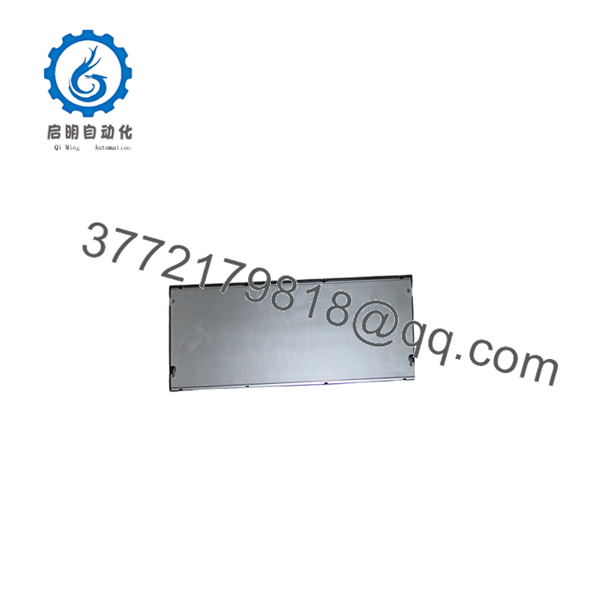
IC693CHS392
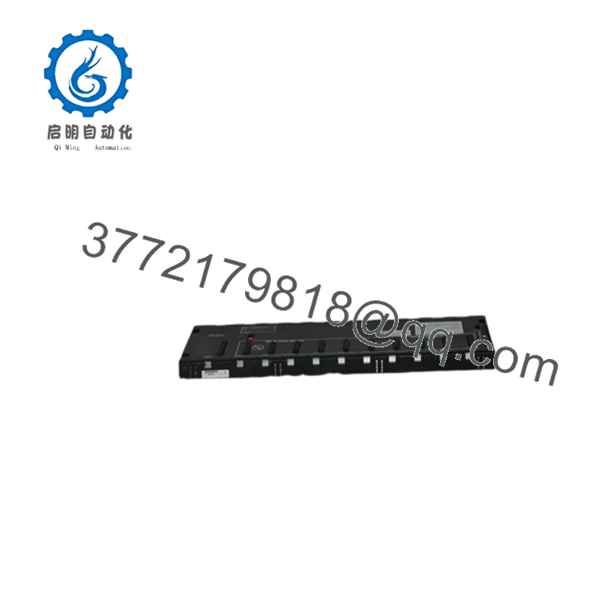
IC693CHS392
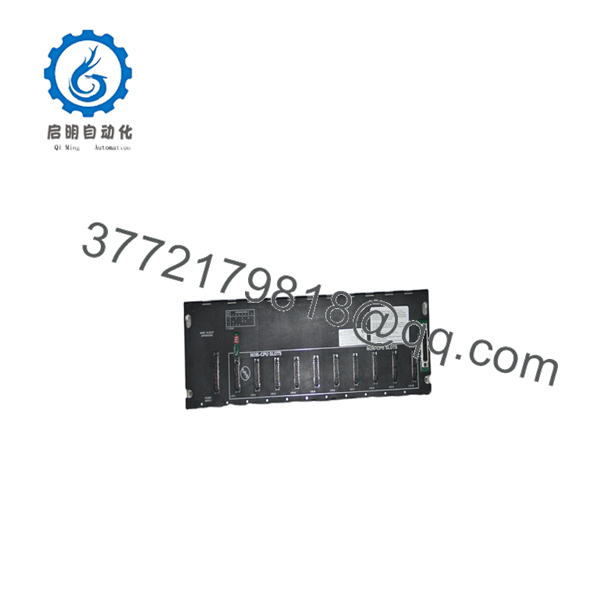
IC693CHS392
Frequently Asked Questions (FAQ)
What is the GE Fanuc IC693CHS392?
The IC693CHS392 is a 10-slot expansion I/O baseplate for the GE Fanuc Series 90-30 PLC. It provides additional module slots but does not contain a CPU.
Can the operate by itself?
No. It must connect to a Series 90-30 system containing a CPU baseplate and CPU. Installing a power supply and I/O modules on the alone will not create a functioning PLC rack.
How does it connect to the main rack?
The baseplate uses a 25-pin female D-type I/O Bus expansion connector. A compatible expansion cable connects it to the CPU baseplate or another supported expansion baseplate.
How far can the expansion rack be from the CPU?
The specified expansion connection distance is up to approximately 50 ft / 15 m. Keep the cable route within that limit and route it away from high-noise power conductors where practical.
How many baseplates can one CPU support?
The maximum depends on the CPU model. The Series 90-30 manual identifies up to four expansion baseplates for CPUs 331, 340, and 341, and up to seven for CPU350 and higher, subject to the complete system configuration.
What is the difference between and IC693CHS398?
Both are expansion baseplates, but the provides ten slots while the IC693CHS398 provides five. Confirm the required module count and cabinet dimensions before selecting the smaller baseplate.
Does the include a power supply or expansion cable?
Normally, the catalog number identifies the baseplate only. Ask the supplier to confirm whether the listing includes the power supply, 25-pin expansion cable, rack cover, mounting hardware, and any terminal accessories.



