
 WhatsApp: +86 16626708626
 Email:
  Phone: +86 16626708626
Description
Key Technical Specifications
- Manufacturer: GE Fanuc Automation
- Part Number: IC693CMM321
- Product Family: Series 90-30 PLC
- Module Type: Ethernet Interface TCP/IP Module
- Communication Protocol: SRTP (Service Request Transport Protocol), TCP/IP
- Network Interface: Ethernet LAN connection
- Ethernet Port:
- AAUI 14-pin Ethernet port
- 10Base-T RJ45 port available on later revisions
- Serial Interfaces:
- RS-232 Station Manager Port (RJ-11)
- RS-485 Software Loader Port
- Maximum Server Connections: 16 simultaneous connections
- Module Installation: Single Series 90-30 rack slot
- Compatible CPUs: Series 90-30 CPUs with Ethernet support; full functionality typically requires CPU firmware version 6.50 or later
- LED Indicators: OK, LAN, SER, STAT
- Configuration Software: Logicmaster 90-30, Control, VersaPro, Proficy Machine Edition
- Power Consumption: Approximately 1.0 A from 5 VDC backplane supply
The GE Fanuc IC693CMM321 is a Series 90-30 Ethernet Interface module that connects a PLC rack to an Ethernet LAN for communication with HMIs, SCADA systems, programming software, and other control devices. It supports client/server communication through SRTP and can handle multiple simultaneous connections.
Product Introduction
The GE Fanuc IC693CMM321 provides Ethernet communication capability for Series 90-30 PLC systems that do not have built-in network connectivity. It allows PLC data exchange with supervisory systems, engineering workstations, other PLCs, and industrial network devices through TCP/IP communication.
The module operates as both a client and server. In client mode, the PLC ladder program can initiate communication requests to other Ethernet-enabled controllers. In server mode, it responds to requests from host computers, HMIs, programming tools, or other PLC systems.
The IC693CMM321 is widely used in legacy Series 90-30 installations where maintaining existing Ethernet communication architecture is required. Typical applications include SCADA connectivity, production data collection, remote diagnostics, and PLC-to-PLC communication.
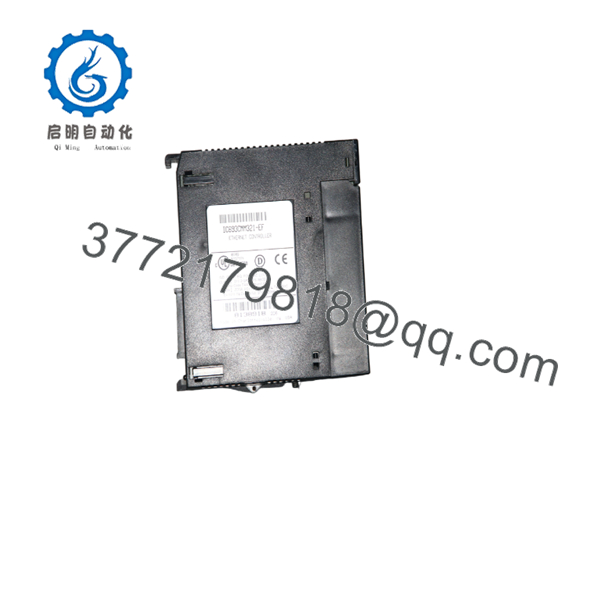
IC693CMM321
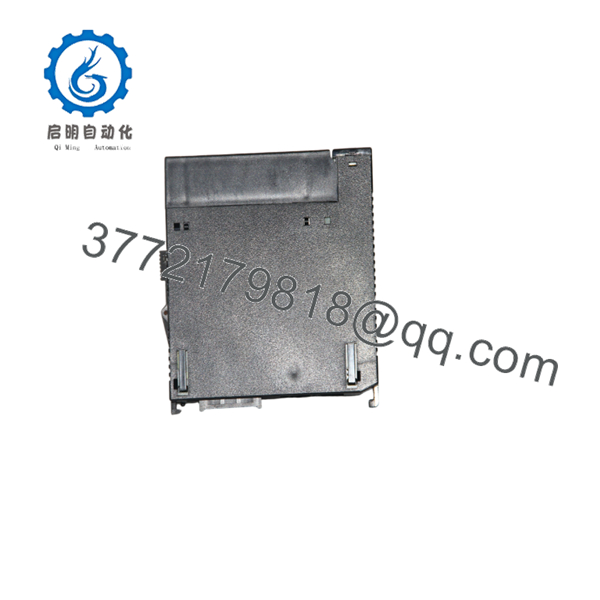
IC693CMM321
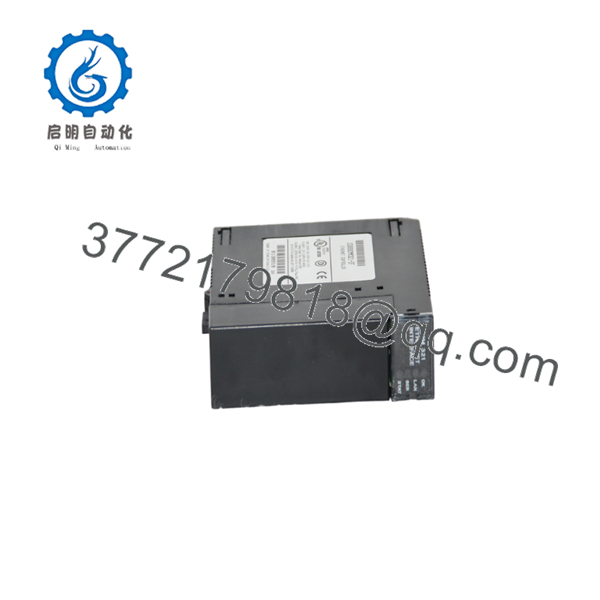
IC693CMM321
Installation & Configuration Guide
Stage 1: Pre-Installation Preparation (Approx. 15 minutes)
⚠️ Safety First
- Notify operations before replacing the Ethernet interface module.
- Confirm network communication requirements with the control system owner.
- Place critical processes into a safe operating state.
- Remove PLC rack power before removing the module.
Tools Required
- ESD wrist strap
- Phillips screwdriver
- Laptop with PLC programming software
- Ethernet cable
- Network documentation
Data Backup
Before replacement:
- Record the existing Ethernet IP configuration.
- Document subnet mask and gateway settings.
- Record PLC rack slot location.
- Save hardware configuration files.
- Record station manager settings.
- Photograph network connections.
Stage 2: Removing the Existing Module (Approx. 10 minutes)
Steps:
- Disconnect Ethernet and serial communication cables.
- Switch off PLC rack power.
- Remove the module retaining clip.
- Carefully remove the IC693CMM321 from the rack.
- Inspect the rack connector for contamination or damage.
⚠️ Important:
Do not discard the original module configuration information. Network parameters must be transferred to the replacement unit.
Stage 3: Installing IC693CMM321 (Approx. 20 minutes)
Steps:
- Wear an ESD wrist strap.
- Verify replacement model number: .
- Install the module into the correct Series 90-30 rack slot.
- Reconnect Ethernet network cable.
- Reconnect Station Manager or loader connections if required.
- Restore PLC rack power.
Configuration Checklist
- IP address verified
- MAC address recorded
- Ethernet cable connection checked
- SRTP configuration restored
- PLC communication parameters verified
Stage 4: Commissioning & Testing (Approx. 30 minutes)
Pre-Test Check
- Confirm Ethernet link status.
- Verify PLC CPU compatibility.
- Check network addressing.
Testing Procedure
- Power up the PLC rack.
- Confirm module OK LED.
- Verify LAN communication indicator.
- Connect programming software.
- Test PLC-to-PC communication.
- Verify HMI or SCADA communication.
- Confirm data exchange with remote devices.
⚠️ Troubleshooting Note
If Ethernet communication fails:
- Verify IP address configuration.
- Check Ethernet cable and network switch port.
- Confirm CPU firmware compatibility.
- Verify SRTP settings.
- Check module LED diagnostic status.
Frequently Asked Questions (FAQ)
Q1: Is the GE Fanuc obsolete?
Yes. The belongs to the discontinued Series 90-30 PLC family. Replacement units are typically sourced through new surplus, tested used, or refurbished automation inventory channels.
Q2: What is the main function of ?
The module provides Ethernet communication capability for Series 90-30 PLC systems, allowing connection to HMIs, SCADA systems, programming tools, and other Ethernet-enabled controllers.
Q3: Does support Ethernet TCP/IP communication?
Yes. The module provides TCP/IP Ethernet communication and supports SRTP client/server functions for industrial data exchange.
Q4: How many devices can connect to ?
The module supports up to 16 simultaneous server connections when operating with compatible CPU firmware.
Q5: Can be installed in any Series 90-30 rack?
Yes, the module is designed as a single-slot Series 90-30 communication module. However, verify CPU compatibility and firmware requirements before installation.
Q6: What communication ports are available on ?
Depending on hardware revision, the module provides Ethernet connectivity through AAUI and/or 10Base-T interfaces, along with RS-232 Station Manager and RS-485 loader communication ports.
Q7: What should be verified before ordering ?
Confirm:
- Exact part number:
- PLC platform: GE Fanuc Series 90-30
- Ethernet interface type
- Hardware revision
- CPU firmware compatibility
- Existing IP configuration
- Required condition: New Original, New Surplus, or Tested Refurbished
For legacy Series 90-30 Ethernet replacement projects, network parameters and firmware compatibility are as important as the physical module match. A replacement communication module with incorrect settings can prevent PLC network recovery even when the hardware is correct.



