
 WhatsApp: +86 16626708626
 Email:
  Phone: +86 16626708626
Description
Key Technical Specifications
| Parameter | Value |
|---|---|
| Manufacturer | GE Fanuc Automation / Emerson |
| Model Number | IC693NIU004 |
| Product Series | Series 90-30 |
| Module Type | Ethernet Network Interface Unit (ENIU) |
| Network Role | Remote I/O Ethernet slave |
| Ethernet Ports | 2 × RJ-45 |
| Ethernet Speed | 10/100 Mbps, auto-sensing |
| Ethernet Protocols | Ethernet Global Data (EGD), SRTP Server |
| IP Addresses | 1 |
| Maximum Discrete Inputs | 2,048 %I |
| Maximum Discrete Outputs | 2,048 %Q |
| Maximum Analog Inputs | 1,264/1,268 %AI words, depending on documentation revision |
| Maximum Analog Outputs | 512 %AQ words |
| Internal Coils | 4,096 %M, system reserved |
| Temporary Coils | 256 %T bits |
| Local Expansion | Up to 7 additional Series 90-30 I/O racks |
| Memory | RAM and Flash |
| Backplane Current | Approximately 1.48 A @ 5 VDC |
| Module Width | Single slot |
| Supported Software | CIMPLICITY Machine Edition / Logic Developer PLC |
| Required Power Supply | High Capacity Series 90-30 power supply |
| Operating Temperature | 0 to 60 °C (32 to 140 °F) |
The IC693NIU004 operates as an Ethernet Global Data station for Series 90-30 remote I/O. GE documentation identifies two 10/100 Mbps RJ-45 ports, one IP address, and support for up to 2,048 discrete inputs and outputs. The original product information also specifies that the NIU requires a high-capacity Series 90-30 power supply.
Important specification note: Some current supplier listings state 1,268 analog input words, while GE legacy catalog material lists 1,264. For an engineering replacement, verify the exact firmware/revision and OEM documentation rather than treating these two figures as interchangeable.
Product Introduction
The GE Fanuc IC693NIU004 is a Series 90-30 Ethernet Network Interface Unit (ENIU) used to build distributed I/O stations over an Ethernet network. It exchanges I/O, status, and control data with a master controller using Ethernet Global Data and provides an SRTP server interface for Ethernet communications.
The module has two auto-sensing 10/100 Mbps Ethernet ports, supports one IP address, and can support local Series 90-30 I/O expansion. This makes it useful when maintaining legacy distributed I/O installations without replacing the entire control architecture.
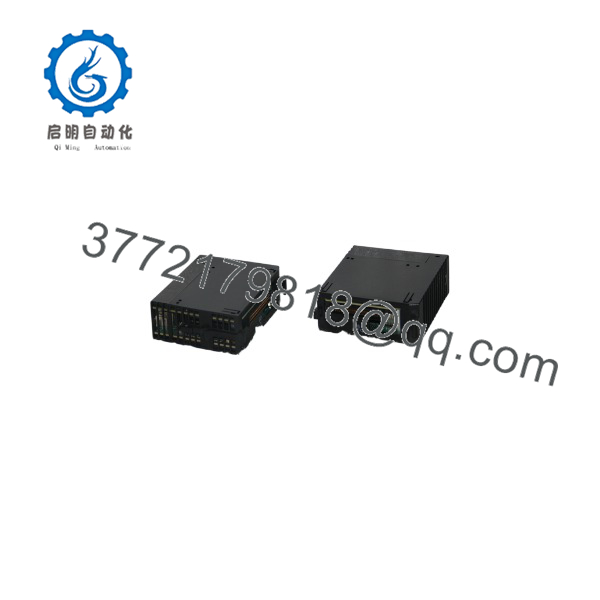
IC693NIU004
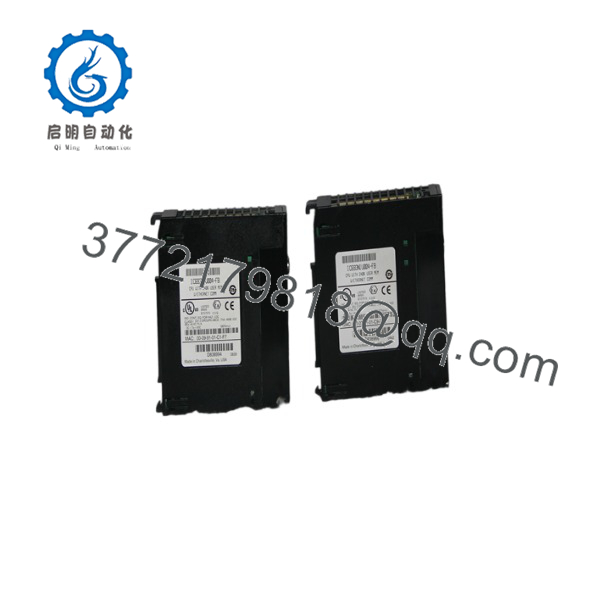
IC693NIU004
Installation & Configuration Guide
Stage 1: Pre-Installation Preparation — About 10–15 Minutes
⚠️ Safety First
- Notify operations and obtain approval for the I/O station shutdown.
- Place the controlled process in a verified safe state.
- Apply lockout/tagout procedures.
- Remove power from the NIU rack.
- Wait at least 5 minutes for stored energy to discharge.
- Verify the rack supply with a multimeter.
⚠️ Do not treat the IC693NIU004 as an ordinary Series 90-30 I/O card. It has specific power-supply and configuration requirements.
Tools Required
- ESD wrist strap
- PH1 screwdriver
- Digital multimeter
- Ethernet cable tester, if available
- Laptop with compatible GE programming/configuration software
- Wire labels
- Smartphone or camera
Data Backup
Before removing the existing NIU:
- Save the current Machine Edition/Logic Developer project.
- Record the IP address.
- Record the Ethernet configuration.
- Record the EGD configuration.
- Record the NIU firmware revision.
- Photograph both RJ-45 connections.
- Record local I/O rack configuration.
- Photograph the module nameplate and MAC address.
⚠️ The MAC address is printed on the module. Photograph it before removal. It is useful when diagnosing an Ethernet replacement.
Stage 2: Removing the Old Module — About 5 Minutes
- Disconnect the Ethernet cables and label Port 1 and Port 2.
- Disconnect any applicable serial connection through the power-supply interface.
- Release the module locking mechanism.
- Pull the NIU straight out of the rack.
- Inspect the backplane connector.
Check for:
- Bent contacts
- Contamination
- Heat discoloration
- Damaged locking mechanism
- Loose Ethernet connectors
⚠️ Keep the original IC693NIU004 until the replacement has established network communication and all remote I/O has been verified.
Stage 3: Installing the New Module — About 10 Minutes
- Wear a grounded ESD wrist strap.
- Verify the replacement label:
GE Fanuc IC693NIU004
- Confirm the firmware/revision requirement.
- Verify the rack contains a compatible high-capacity power supply.
- Insert the NIU into the correct Series 90-30 rack position.
- Seat the module firmly.
- Secure the locking mechanism.
- Reconnect Ethernet Port 1.
- Reconnect Ethernet Port 2 if the installation uses both ports.
GE’s original product information specifically states that the requires a high-capacity power supply such as the IC693PWR330, IC693PWR331, or IC693PWR332 and is not compatible with standard Series 90-30 power supplies.
Configuration Clone Checklist
- model verified
- Firmware revision recorded
- High-capacity power supply confirmed
- IP address documented
- MAC address documented
- EGD configuration backed up
- Port 1 wiring verified
- Port 2 wiring verified
- Local I/O configuration recorded
- Module fully seated
Stage 4: Power-On & Testing — About 15–20 Minutes
Pre-Power Check
- Verify the rack power supply.
- Confirm Ethernet cables are correctly connected.
- Check network switch port configuration.
- Verify the NIU’s IP address is available and correctly documented.
- Confirm the EGD configuration matches the master controller.
Power-On Steps
- Power the NIU rack.
- Observe the EOK, LAN, STAT, and PS PORT indicators.
- Check the Ethernet port LINK/ACT indicators.
- Connect the programming/configuration workstation.
- Verify the is visible on the network.
- Verify the configured IP address.
- Check EGD data exchange.
- Confirm the remote I/O data reaches the master controller.
- Test representative digital and analog points.
- Verify local expansion racks if installed.
The NIU has eight LEDs: EOK, LAN, STAT, PS PORT, plus two indicators for each RJ-45 Ethernet port. The original user manual explains that these indicators provide module, network, serial-port, link/activity, and 100 Mbps status information.
⚠️ Troubleshooting Notes
- EOK fault: Check power supply, module seating, and NIU initialization.
- LAN inactive: Check Ethernet cable, switch port, and network configuration.
- STAT fault: Check NIU configuration and network diagnostics.
- No EGD data: Verify the master configuration and EGD exchanges.
- No remote I/O: Check supported I/O module types and NIU firmware.
- Unexpected analog data: Verify the I/O module revision; GE specifically documented compatibility restrictions for earlier IC693ALG220/221 revisions.
Common Replacement Pitfalls From Field Experience
❗ 1. Using the Wrong Power Supply
This is the first thing I would check.
The is not compatible with the standard Series 90-30 power supplies. GE’s original product notice specifies IC693PWR330, IC693PWR331, or IC693PWR332 as compatible high-capacity supplies.
The NIU itself requires approximately 1.48 A at 5 VDC, or about 7.4 W.
Avoidance: Check the complete rack power budget before installing the replacement.
❗ 2. Treating the NIU Like a PLC CPU
The is an Ethernet remote I/O interface, not a conventional Series 90-30 CPU.
It acts as an EGD station and exchanges I/O data with a master controller.
Avoidance: Back up the EGD configuration and master-side network configuration before removing the old NIU.
❗ 3. Firmware and Software Compatibility
The original product release required CIMPLICITY Machine Edition Version 4.00 SP3 Special 4 or later for configuration. It also had specific firmware requirements.
Do not assume that a replacement with the same catalog number has identical firmware.
Avoidance: Record the firmware revision before removal and verify the replacement against the existing project.
❗ 4. Ignoring Supported I/O Module Revisions
This is a particularly important legacy-system issue.
GE’s original release information states that the supports only a subset of Series 90-30 I/O modules. It specifically identifies IC693ALG220/221 Version G or later as required; Version F or earlier can cause erratic %AI values.
Avoidance: Do not assume every Series 90-30 module can be placed behind an Ethernet NIU.
❗ 5. Assuming Both Ethernet Ports Have Separate IP Addresses
The uses a built-in Ethernet switch and supports one IP address, not one address per RJ-45 port. The two ports are intended to provide network connectivity and daisy-chain capability.
Avoidance: Configure the NIU as one Ethernet station and verify the intended network topology.
❗ 6. Ignoring the MAC Address
The station MAC address is printed on the outside of the module. Photograph it before removal.
When troubleshooting a replacement, having the original MAC address and replacement MAC address documented can save a surprising amount of time.
❗ 7. ESD Damage
Use a grounded wrist strap and ESD-safe work surface.
Do not touch the backplane connector or internal electronics unnecessarily. Keep the replacement in its anti-static packaging until installation.
Frequently Asked Questions (FAQ)
Q1: Can the be hot-swapped?
Do not hot-swap it. Shut down the rack and verify the electrical state before removing the NIU. The replacement process also requires checking the rack power supply and Ethernet configuration.
Q2: What exactly does the do?
It functions as an Ethernet Network Interface Unit for remote Series 90-30 I/O. It acts as an EGD station, exchanging I/O, status, and control data with a master controller over Ethernet.
It is not a normal PLC CPU.
Q3: How many I/O points can one handle?
The published GE specifications identify up to 2,048 discrete inputs, 2,048 discrete outputs, 1,264 analog input words, and 512 analog output words, while some current supplier documentation lists 1,268 analog input words.
For a project where the analog capacity matters, verify the exact firmware and OEM documentation rather than relying on a reseller specification.
Q4: Can the use a standard Series 90-30 power supply?
No. GE’s original product information specifically states that a high-capacity power supply is required and lists IC693PWR330, IC693PWR331, or IC693PWR332.
This is one of the most important compatibility checks when replacing an existing NIU.
Q5: How many Ethernet ports does have?
It has two RJ-45 10/100 Mbps Ethernet ports connected through an internal Ethernet switch. The NIU uses one IP address.
The two-port arrangement allows Ethernet devices or additional NIUs to be connected in supported network topologies without requiring a separate switch at every station.
Q6: Is the obsolete?
It is a legacy/mature Series 90-30 product, and current distributor references identify it as discontinued by the manufacturer. Existing inventory is therefore generally sourced as new surplus, never-used stock, or refurbished/tested equipment.
For a critical spare, request the exact revision, firmware, nameplate photograph, condition, test report, warranty, and available quantity before ordering.
Q7: Will replacing the erase the PLC program?
The NIU is not the primary PLC CPU. However, the NIU configuration, EGD exchanges, IP settings, and supported I/O configuration must be backed up before replacement.
Do not assume a replacement module will automatically inherit the old station configuration.
For a production system, save the complete Machine Edition project and document the existing network configuration before removing the original unit.



