
 WhatsApp: +86 16626708626
 Email:
  Phone: +86 16626708626
Description
Key Technical Specifications
| Parameter | Value |
|---|---|
| Manufacturer | GE Fanuc / GE Intelligent Platforms |
| Model Number | IC695ALG306 |
| Product Series | PACSystems RX3i |
| Module Type | Isolated Thermocouple Input |
| Number of Channels | 6 |
| Channel Configuration | Individually configurable |
| Input Types | J, K, T, E, R, S, B, N, C |
| Voltage Ranges | ±50 mV, ±150 mV |
| Input Isolation | Channel-to-channel and field-to-backplane |
| Isolation Rating | 1,500 VAC for 1 minute; 2,550 VDC for 1 second |
| Resolution | Approximately 11.5–16 bits, filter dependent |
| Filter Range | 2.3 Hz to 28 Hz |
| Configurable Update Time | 15 ms to 120 ms |
| CJC | Terminal-block cold-junction compensation |
| CJC Update Rate | 20 Hz |
| Data Format | 16-bit integer in 32-bit field or 32-bit IEEE floating point |
| Temperature Units | °C or °F |
| Fault Detection | Open circuit, under-range, over-range, rate-of-change |
| Backplane Supply | 3.3 VDC / 5 VDC |
| Backplane Current | 400 mA @ 3.3 VDC; approximately 225 mA @ 5 VDC maximum |
| Module Power Dissipation | 2.5 W maximum |
| Backplane Requirement | RX3i Universal Backplane |
| CPU Requirement | RX3i CPU firmware 5.5 or later |
| Configuration Software | Machine Edition / Logic Developer-PLC 5.8 or later |
| Terminal Blocks | IC694TBB032, IC694TBB132, IC694TBS032, IC694TBS132 |
| Hot Removal/Insertion | Supported |
| Lifecycle | Discontinued / Legacy |
GE’s GFK-2500 documentation identifies the IC695ALG306 as a six-channel isolated differential thermocouple input module. Each channel can independently accept thermocouple types J, K, T, E, R, S, B, N, or C, as well as ±50 mV or ±150 mV signals. The module requires an RX3i Universal Backplane, an RX3i CPU with firmware 5.5 or later, and Machine Edition Version 5.8 or later for configuration.
The module supports software configuration, ITS-90 thermocouple linearization, programmable filtering, channel alarms, open-wire detection, user scaling, selectable integer or IEEE floating-point data, and removal/insertion under power.
Product Introduction
The GE Fanuc IC695ALG306 is a PACSystems RX3i six-channel isolated thermocouple input module for industrial temperature measurement. Each input is individually configurable for J, K, T, E, R, S, B, N, or C thermocouples, with ±50 mV and ±150 mV voltage ranges also available. It is designed for installation in an RX3i Universal Backplane.
Its channel-to-channel isolation is useful where thermocouple circuits operate at different electrical potentials or where ground-loop control matters. The module also provides programmable filtering, CJC support, open-wire detection, alarm reporting, and selectable 16-bit or 32-bit data formats.
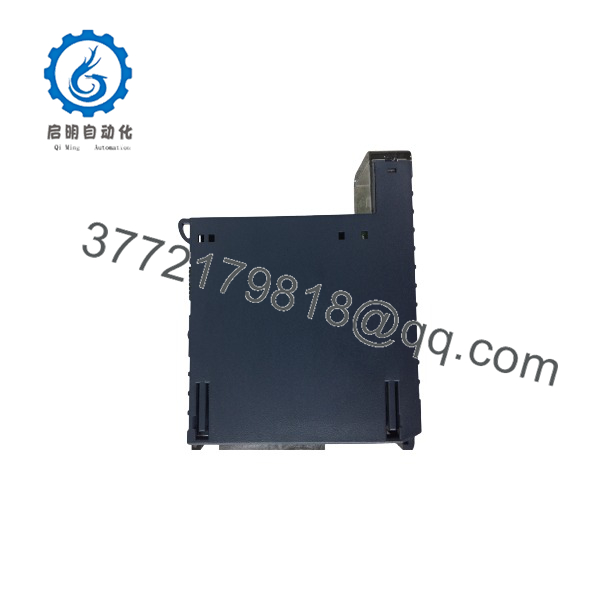
IC695ALG306
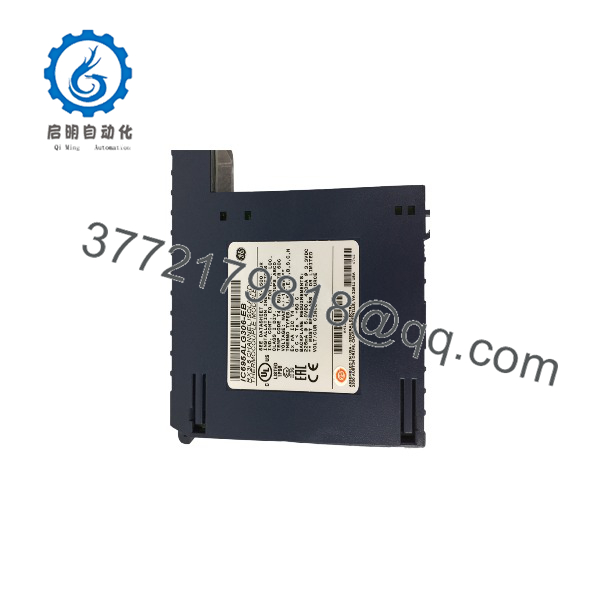
IC695ALG306
Installation & Configuration Guide
Stage 1: Pre-Installation Preparation — About 10 Minutes
⚠️ Safety First
The IC695ALG306 supports removal and insertion under power, but that does not mean every field wiring situation is safe to manipulate while energized.
- Notify operations and obtain approval for the I/O intervention.
- Confirm the controlled process is in a safe operating state.
- Follow the site’s lockout/tagout procedure where field wiring will be disturbed.
- If the terminal block wiring will be removed, isolate the associated instrumentation circuits.
- Verify the field signal condition with an appropriate meter.
- Use ESD protection when handling the module.
Tools Required
- ESD wrist strap
- PH1 screwdriver
- Digital multimeter
- Wire labels
- Smartphone or camera
- Laptop with compatible PAC Machine Edition software
- Thermocouple simulator or calibrated temperature source, if available
Data Backup
Before replacing the module:
- Save the current PAC Machine Edition project.
- Record the RX3i CPU firmware version.
- Record the IC695ALG306 hardware revision.
- Photograph the terminal block wiring.
- Record each channel’s thermocouple type.
- Record °C/°F settings.
- Record input filter settings.
- Record scaling and alarm limits.
- Record the assigned PLC input addresses.
- Record CJC configuration.
⚠️ The IC695ALG306 has no configuration DIP switches to clone. Its important channel settings are software-configured.
Stage 2: Removing the Old Module — About 5 Minutes
- Confirm the replacement model is .
- Save the PLC configuration.
- Photograph the existing terminal block.
- Label each thermocouple channel.
- Verify channel polarity before disconnecting wiring.
- Disconnect the terminal block if the installation requires it.
- Release the module retention mechanism.
- Pull the module straight from the RX3i backplane.
- Inspect the connector and terminal block.
Check for:
- Bent connector contacts
- Corrosion
- Loose terminals
- Heat discoloration
- Damaged thermocouple insulation
- Broken shield connections
- Contaminated backplane contacts
⚠️ Keep the original module until the replacement produces verified temperature values on every active channel.
Stage 3: Installing the New Module — About 10 Minutes
- Put on a grounded ESD wrist strap.
- Verify the nameplate:
- Confirm the module is being installed in an RX3i Universal Backplane.
- Verify CPU firmware compatibility.
- Insert the module into the assigned slot.
- Lock the module securely.
- Install the compatible high-capacity terminal block.
- Reconnect each thermocouple to its documented channel.
- Verify positive and negative thermocouple polarity.
- Confirm shielding and grounding follow the original installation drawings.
Compatible terminal blocks include IC694TBB032, IC694TBB132, IC694TBS032, and IC694TBS132; the terminal block is ordered separately. Extended versions provide additional shroud depth for shielded wiring.
Configuration Clone Checklist
- Six-channel verified
- CPU firmware ≥ 5.5 verified
- Machine Edition version ≥ 5.8 verified
- Thermocouple type recorded for each channel
- Channel polarity verified
- CJC configuration verified
- Filter settings copied
- Engineering units verified
- Scaling verified
- Alarm limits verified
- PLC input addresses preserved
Stage 4: Power-On & Testing — About 15–20 Minutes
Pre-Power Check
- Confirm the terminal block is properly seated.
- Check all thermocouple connections.
- Verify the terminal block detection circuit.
- Confirm the module is firmly seated.
- Verify the CPU and backplane configuration.
- Check that no thermocouple wires are shorted or grounded unexpectedly.
Power-On Steps
- Power the RX3i system.
- Observe the module status LEDs.
- Connect PAC Machine Edition to the CPU.
- Verify the module is recognized at the correct slot.
- Confirm the configured channel types.
- Verify CJC status.
- Check each channel for open-wire or range faults.
- Compare several channels against a calibrated thermocouple simulator.
- Verify the PLC receives the expected engineering-unit values.
- Confirm alarm and rate-of-change functions where configured.
The provides module fault and channel diagnostics, including open-circuit detection, under/over-range alarms, rate-of-change alarms, and module-level fault reporting.
⚠️ Troubleshooting Notes
- Channel shows open circuit: Check thermocouple continuity and terminal-block seating.
- Temperature is consistently offset: Check CJC configuration and thermocouple type.
- Reading is noisy: Review filter selection, shielding, and grounding.
- Wrong temperature scale: Verify °C/°F configuration and user scaling.
- Module not recognized: Check Universal Backplane placement and CPU firmware.
- Unexpected response time: Check the selected filter. A 2.3 Hz filter has a much slower update than a 24–28 Hz configuration.
Common Replacement Pitfalls From Field Experience
❗ 1. Confusing With IC695ALG312
The catalog numbers are close, but the channel counts are different.
- 6 isolated differential channels
- IC695ALG312: 12 isolated differential channels
GE’s GFK-2500 documentation explicitly distinguishes the two modules.
Avoidance: Match the exact catalog number and verify the configured slot before ordering.
❗ 2. Installing It in the Wrong Backplane
The requires an RX3i Universal Backplane. It is not a generic Series 90-30 analog card that can simply be placed into an older baseplate.
I’ve seen legacy panels where the mechanical fit looks convincing enough to tempt a technician into trying it. Don’t. Check the backplane architecture first.
❗ 3. Forgetting the CPU Firmware Requirement
The documented requirement is an RX3i CPU with firmware version 5.5 or later. Configuration requires Machine Edition Version 5.8 or later.
Avoidance: Check the CPU firmware before scheduling the replacement. A perfectly good ALG306 does not fix an incompatible controller environment.
❗ 4. Treating Thermocouple Types as Interchangeable
The module supports J, K, T, E, R, S, B, N, and C thermocouples, but each channel must be configured for the actual sensor type.
A K-type sensor configured as J-type can produce a plausible-looking temperature that is simply wrong.
Avoidance: Photograph the old configuration and verify every channel individually.
❗ 5. Ignoring Cold-Junction Compensation
Thermocouple measurement depends on correct cold-junction compensation.
The ALG306 supports CJC through the terminal block and can report CJC temperatures as separate input data. The CJC update rate is fixed at 20 Hz.
Avoidance: Do not replace the module and immediately blame the new card when all channels show a similar temperature offset. Check CJC first.
❗ 6. Choosing the Filter Without Considering Response Time
The programmable filter range extends from approximately 2.3 Hz to 28 Hz. The documented update time ranges from approximately 15 ms to 120 ms, depending on the filter configuration.
For a slow furnace-temperature loop, a low-frequency filter may be appropriate. For a fast thermal process, it can introduce unacceptable response delay.
Avoidance: Copy the existing filter setting unless there is a documented control reason to change it.
❗ 7. Assuming “Isolated” Means Every Circuit Is Electrically Independent
The module provides channel-to-channel and field-to-backplane isolation, but the CJC inputs have specific isolation characteristics. GE’s specification identifies 250 VAC continuous isolation, with higher short-duration test ratings, and notes that CJC inputs are not isolated from the backplane.
Avoidance: Review the actual isolation architecture when connecting grounded sensors or circuits at different potentials.
Frequently Asked Questions (FAQ)
Q1: What is the used for?
The is a six-channel isolated thermocouple input module for PACSystems RX3i. It directly accepts thermocouple signals and performs signal processing, linearization, filtering, CJC handling, scaling, and diagnostic functions before providing data to the PLC.
Q2: Which thermocouple types does support?
It supports:
- Type J
- Type K
- Type T
- Type E
- Type R
- Type S
- Type B
- Type N
- Type C
Each channel can be configured independently. The module also supports ±50 mV and ±150 mV voltage input ranges.
Q3: Can be hot-swapped?
Yes, the module supports removal and insertion under power. GE’s documentation specifically lists “Supports Removal Insertion Under Power” as a module feature.
That does not mean you should casually disconnect energized thermocouple wiring. Follow the site’s electrical and process-safety procedures, particularly where instrumentation circuits are connected to grounded or externally powered equipment.
Q4: Does include the terminal block?
No. The terminal block is ordered separately. Compatible options include IC694TBB032, IC694TBB132, IC694TBS032, and IC694TBS132.
When buying surplus inventory, confirm whether the listing includes only the module or a module-plus-terminal-block package.
Q5: What firmware and software versions are required?
The published documentation specifies an RX3i CPU with firmware 5.5 or later and Machine Edition Version 5.8 Logic Developer-PLC or later for configuration.
For a legacy installation, check the actual CPU firmware before ordering the replacement.
Q6: Is obsolete?
Yes. Current industrial distribution references identify the as discontinued. Existing replacement inventory therefore needs to be evaluated by condition and revision rather than catalog number alone.
For a critical spare, request the actual nameplate photograph, hardware revision, condition, test report, warranty, and available quantity.
Q7: Is the same as a general-purpose analog input module?
No. The ALG306 is specifically an isolated thermocouple/millivolt input module. It is not a drop-in substitute for RX3i modules designed for general voltage/current, RTD, or universal analog input.
If the existing application depends on thermocouple linearization, CJC, and the ALG306’s channel diagnostics, verify those functions before considering another RX3i analog module as a replacement.



