
 WhatsApp: +86 16626708626
 Email:
  Phone: +86 16626708626
Description
3. Key Technical Specifications
| Parameter | Value |
| Network Protocol | PROFINET v2.2 Class A IO-Controller |
| Data Transfer Rate | 100 Mbps Full Duplex (100Base-TX) |
| Physical Interface | 2 x RJ-45 copper ports (Internal auto-sensing switch) |
| Maximum Connected Devices | Up to 128 distributed I/O devices |
| I/O Update Rates | Configurable from 1 ms to 512 ms |
| Maximum Subnets | Supports 1 isolated network domain |
| Media Redundancy | Supports Media Redundancy Protocol (MRP) ring topology |
| Hardware Interconnect | High-speed PCI Express backplane interface |
| Current Consumption | 0.5 Amps @ +3.3 VDC / 0.5 Amps @ +5.0 VDC |
| Microprocessor | Dedicated onboard processor for protocol execution |
| Diagnostics | Port-level link status, network traffic, and system fault LEDs |
| Configuration Tool | Proficy Machine Edition (version 7.00 or later) |
4. Product Introduction & Supply Chain Strategy
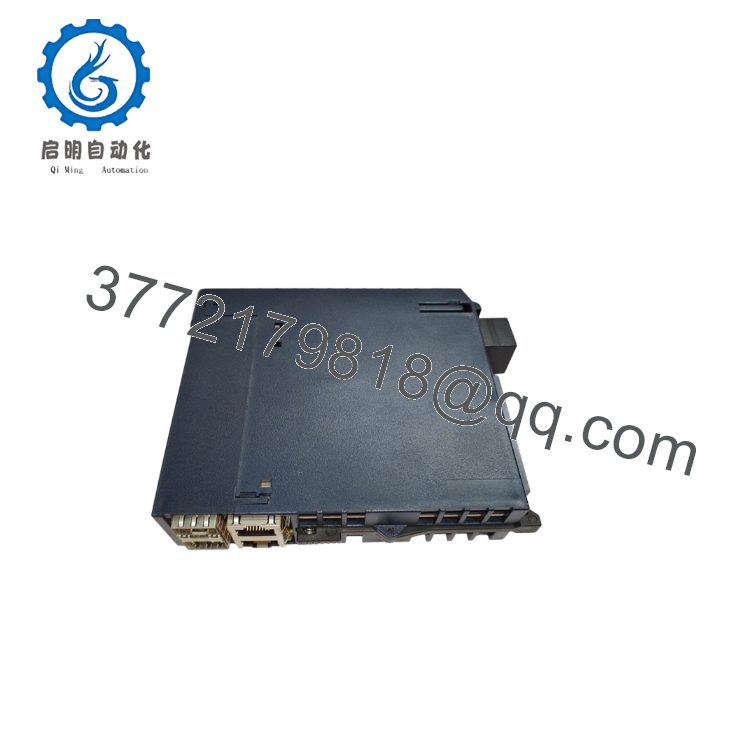
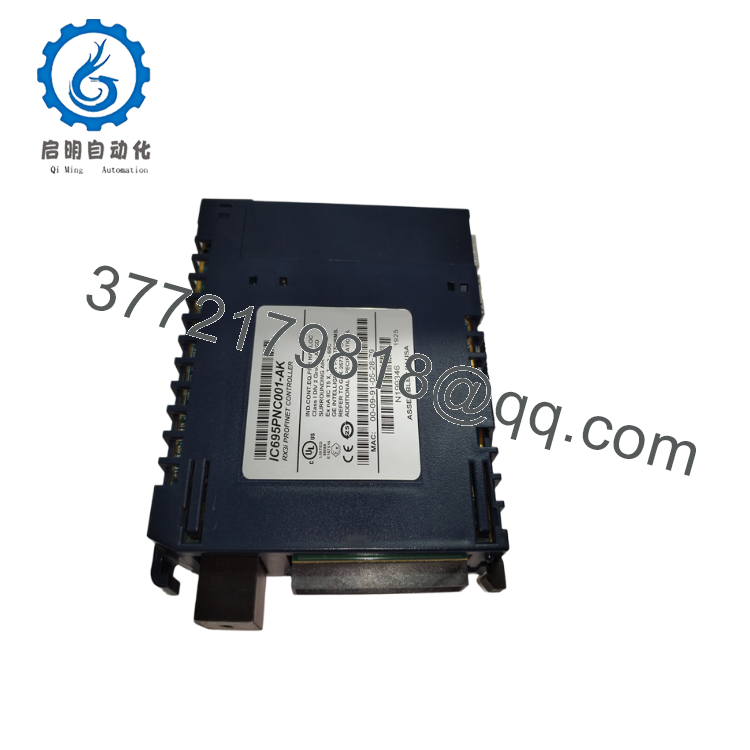
The GE Fanuc IC695PNC001 is a dedicated PROFINET network controller designed for the PACSystems RX3i platform. By offloading network management tasks from the main CPU, this card runs high-speed, deterministic data exchanges across 128 remote I/O drops at update intervals as low as 1 ms. Featuring an embedded dual-port switch, it natively supports Media Redundancy Protocol (MRP) rings, keeping remote nodes responsive even if a field network cable breaks.
From a modern supply chain perspective, the IC695PNC001 is an industrial networking asset that demands a proactive stocking strategy. Because it connects your central processing rack to your field devices, a single network card failure can take down an entire production line. Sourcing this module as a certified New Surplus asset mitigates the high risks of degraded performance or packet loss found in third-party refurbished cards. Carrying 1–2 factory-sealed surplus spares ensures your plant can recover instantly from network hardware failure while avoiding long lead times and high OEM list prices.
5. Installation & Configuration Guide
Stage 1: Pre-Installation (Prep & Safety)
Isolate all power going to the primary RX3i universal backplane using your site’s standard lock-out/tag-out (LOTO) procedures. Secure a grounded ESD wrist strap to your arm and attach the clip to an unpainted section of the metal control enclosure. Before pulling any existing hardware, connect your programming laptop to the network and extract a full copy of the active Proficy Machine Edition project file, paying close attention to the designated GSDML files and PROFINET device names.
Stage 2: Removal
Unplug the active Ethernet lines from the two RJ-45 network ports on the module face, labeling each cable with its corresponding port assignment. Squeeze the top and bottom structural release tabs on the IC695PNC001 enclosure. Pull the module horizontally away from the baseplate, taking care not to scratch or bend the high-density PCI backplane pins during removal.
Stage 3: Installation (Clone & Seat)
Confirm the backplane slots are clean and clear of any debris. Align the new IC695PNC001 with the top and bottom tracks of the targeted PCI slot (note that it must be placed in a slot that supports the RX3i PCI bus, rather than a legacy serial slot). Press the module firmly into the rack until the upper and lower latching mechanisms snap into place. Reconnect the Ethernet communication cables to their original port assignments.
Stage 4: Power-On & Testing
Energize the RX3i baseplate power rail. Check the front status display: the “OK” LED should turn solid green, indicating the internal microprocessor has cleared its power-on diagnostics. Connect your engineering computer to the system, download the hardware configuration file, and confirm that the “PN IO” status light is solid green, verifying that the card has successfully re-established communication with all 128 remote I/O devices.

- IC695PNC001
- IC695PNC001
6. Firmware/Software Versions & Upgrade Notes
The IC695PNC001 relies heavily on its internal firmware baseline to successfully manage distributed I/O links.
- Software Baselines: This module requires Proficy Machine Edition v7.00 or higher for network setup, hardware configuration mapping, and variable binding.
- MRP Topology Requirements: Implementing Media Redundancy Protocol (MRP) ring configurations requires firmware version 2.0 or higher loaded on the PNC001 module, alongside compatible remote network interfaces like the IC695PNS001.
- Firmware Flashing Risks: When swapping hardware on older RX3i systems, ensure the firmware revision on the new surplus card matches the original system exactly. A major version mismatch can break communication handshakes with older remote nodes or cause configuration download errors in Proficy. Always check and match firmware versions on a dedicated test bench before putting a new card into production.
7. Frequently Asked Questions (FAQ)
Does this module require an external power supply to run its network ports?
No, the IC695PNC001 draws its operating power directly from the RX3i universal backplane. It utilizes 0.5 Amps on the +3.3 VDC rail and 0.5 Amps on the +5.0 VDC rail. You do not need to run external auxiliary lines to power the card’s internal microprocessors or network switch.
What is the difference between a New Surplus module and a refurbished network card?
This product is a Brand New Surplus unit. It is not used, not pulled from a decommissioned plant, and not refurbished. All modules undergo rigorous quality verification to ensure OEM-level reliability. Refurbished communication cards often carry worn network ports and aged components that can introduce packet drops or intermittent connection faults. Our new surplus modules ship in pristine anti-static packaging with completely clean backplane connections.
Can I run both RJ-45 ports on separate subnets with different IP addresses?
No. The two RJ-45 ports on the front face connect to an internal unmanaged network switch. They share a single IP address and belong to the same network subnet. These dual ports are designed to let you daisy-chain network runs from one remote drop to the next or build a high-availability Media Redundancy Protocol (MRP) loop.
Do I need to manually configure IP settings using DIP switches on this module?
No, the IC695PNC001 does not use physical DIP switches or jumpers for address allocation. You define the network configuration, device name, and IP address entirely within your Proficy Machine Edition project file. The host RX3i CPU pushes these settings down to the module over the backplane bus during the initial system boot sweep.
What kind of warranty covers this surplus PROFINET controller?
We protect this IC695PNC001 with a full 1 year operational warranty from your date of purchase. This comprehensive coverage provides long-term budget protection that far exceeds the standard 30-day warranties typically offered on used or repaired equipment.



