
 WhatsApp: +86 16626708626
 Email:
  Phone: +86 16626708626
Description
3. Key Technical Specifications
| Parameter | Value |
| Network Protocol | Genius Bus Distributed I/O Network |
| Number of Buses Managed | 1 Genius bus per controller card |
| Supported Data Rates | 153.6 Kbps standard, 153.6 Kbps extended, 76.8 Kbps, 38.4 Kbps |
| Maximum Drop Capacity | Up to 30 network blocks or devices (Nodes 0 to 30) |
| Bus Length (Maximum) | Up to 7,500 feet at 38.4 Kbps / 3,500 feet at 153.6 Kbps |
| Cable Specifications | Shielded twisted-pair (e.g., Belden 9182 or equivalent) |
| Backplane Interface | Series 90-70 standard VME-based backplane bus |
| Internal Microprocessor | Dedicated onboard network execution processor |
| Current Consumption | 1.2 Amps @ +5 VDC from the backplane rail |
| Status Indicators | Module OK, Genius LAN Active, Internal Fault LEDs |
| Configuration Environment | Logicmaster 90, VersaPro, or Proficy Machine Edition |
4. Product Introduction & Supply Chain Strategy
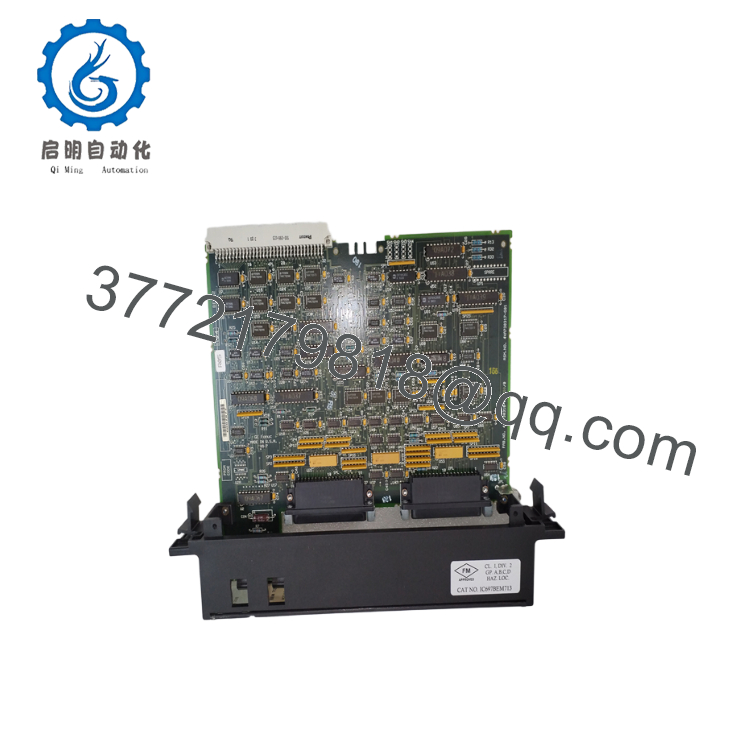
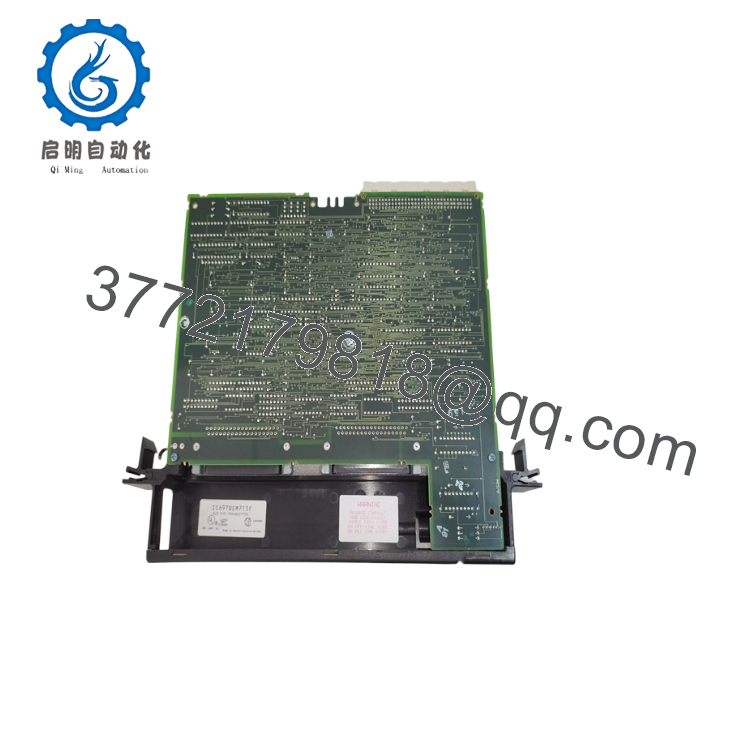
The GE Fanuc IC697BEM713 is a Genius Bus Controller (GBC) module engineered for the classic Series 90-70 automation platform. Acting as a dedicated communications bridge, the module offloads global data exchanges and distributed I/O management from the host processor, operating a multi-drop token-pass network spanning up to 30 individual nodes. Its rugged electrical design supports long network distances up to 7,500 feet over shielded twisted-pair cabling, establishing deterministic monitoring for remote legacy assets.
From a lifecycle and maintenance asset standpoint, the IC697BEM713 is a highly critical, legacy component that is deeply vulnerable to system obsolescence. Because the Series 90-70 platform is no longer in active production, a sudden network card failure can leave an entire system isolated. Sourcing this module as a verified New Surplus card provides an essential security policy for legacy production lines. It eliminates the early component failures and transmission errors common in used or repaired boards, offering a reliable Total Cost of Ownership (TCO) advantage that protects operations while you plan long-term migration paths.

- IC697BEM713
- IC697BEM713
5. Installation & Configuration Guide
Stage 1: Pre-Installation (Prep & Safety)
Execute rigid lock-out/tag-out (LOTO) procedures on the targeted Series 90-70 rack chassis and all connected Genius bus external power sources. Wear a grounded ESD wrist strap connected directly to the enclosure frame before touching any hardware. Prior to pulling the old card, open your programming workstation (Logicmaster 90 or Proficy Machine Edition) and verify that you have a current backup of the hardware configuration file, specifically noting the designated Genius Block hardware addresses.
Stage 2: Removal
Loosen the retaining screws positioned at the top and bottom edges of the card’s front plate. Disconnect the terminal block assembly containing the Serial 1, Serial 2, Shield In, and Shield Out wires from the lower section of the card face. Firmly pull the top and bottom ejector levers outward to disengage the VME backplane pins, then slide the module smoothly out of the slot tracks.
Stage 3: Installation (Clone & Seat)
Verify that the replacement IC697BEM713 has clean backplane contacts and matches the slot allocation profile of the original module. Align the PCB edge with the plastic tracks of the empty baseplate slot. Slide the card directly inward until the card is flush with the rack rails, then lock the top and bottom ejector clips to seat the high-density backplane connection. Secure the terminal connector plug back onto the card face.
Stage 4: Power-On & Testing
Restore power to the main Series 90-70 rack supply. Verify the front-panel indicator array: the top “Module OK” LED must illuminate solid green, confirming that the card completed its internal self-diagnostic boot path. Download your saved hardware configuration file to the controller; the “LAN Active” LED should begin flashing rapidly or remain on, indicating the GBC is successfully scanning the token-pass loop and updating its I/O tables.
6. Firmware/Software Versions & Upgrade Notes
The IC697BEM713 relies on its internal firmware chip configuration to properly manage legacy token-pass parameters and execute global data shifts.
- Version Iterations: Early revisions (such as firmware versions V1.x through V2.x) are optimized primarily for pure Logicmaster 90 software tools. Later hardware iterations (V3.x and above) are required to ensure complete configuration support within modern software applications like VersaPro and Proficy Machine Edition.
- Redundancy Configuration: If you are running the IC697BEM713 inside a dual-bus redundant CPU setup, both GBC cards must use the same firmware revision level. Mismatched firmware can cause asynchronous token-passing times, resulting in system errors or unexpected switchover blocks during operations.
- Hardware Interoperability: Ensure that the firmware loaded on the card matches the configuration requirements of older Genius blocks (such as the IC660 series) out in the field. Do not update or modify firmware parameters without verifying that all connected field blocks can handle the new data structure.
7. Frequently Asked Questions (FAQ)
What is the purpose of the Genius network managed by this card?
The Genius network is a legacy, high-security token-pass network framework created by GE Fanuc. The IC697BEM713 acts as the master host controller on this bus. It handles automated data updates and exchanges diagnostic records with up to 30 distributed nodes, such as remote I/O blocks, variable speed drives, and operator terminals, without burdening the primary CPU cycle.
Is this IC697BEM713 card new or a repaired/used assembly?
This product is a Brand New Surplus unit. It is not used, not pulled from a decommissioned plant, and not refurbished. All modules undergo rigorous quality verification to ensure OEM-level reliability. The board is shipped in original anti-static protective packaging, featuring clean, unscored backplane paths and completely original factory component soldering.
Can I hot-swap this GBC card while the Series 90-70 rack is running?
No. The legacy Series 90-70 backplane architecture does not feature hot-swap capability. Removing or inserting an IC697BEM713 card while the rack is powered up can create electrical arcs across the VME data lines. This can damage the controller board, ruin adjacent modules, or cause an immediate CPU system crash. Always turn off the rack before swapping hardware.
Why do I need to keep an original new surplus card if the platform is obsolete?
Operating a legacy plant requires balancing capital efficiency against the risk of unplanned downtime. When a critical communication hub like the IC697BEM713 fails, buying a refurbished card exposes you to hidden component wear and breakdown risks. A certified new surplus unit ensures original reliability and gives you the system stability you need to plan an orderly migration path to newer architectures.
What kind of warranty covers this obsolete surplus module?
Every New Surplus IC697BEM713 module comes with a comprehensive 1-year operational warranty. If a component fault occurs within this timeframe, we provide an immediate replacement or repair solution. This gives your maintenance budget long-term protection that far exceeds the brief 30-day warranties common with used or repaired items.



