
 WhatsApp: +86 16626708626
 Email:
  Phone: +86 16626708626
Description
3. Key Technical Specifications
| Parameter | Value |
| Network Protocol | Genius Bus Token-Passing Network |
| Module Type | Remote Slave / Receiver (Genius Interface Module) |
| Supported Data Rates | 153.6 Kbps standard, 153.6 Kbps extended, 76.8 Kbps, 38.4 Kbps |
| Backplane Interface | Series 90-70 standard VME-based backplane bus |
| Slot Requirements | 1 slot (Must reside in Slot 1 of a remote expansion rack) |
| Current Consumption | 1.4 Amps @ +5 VDC from the backplane power supply |
| Maximum Remote Racks | Dependent on CPU capabilities (up to 30 nodes on the bus) |
| Field Wiring Connection | Front-facing terminal connector for shielded twisted-pair |
| Status Indicators | Module OK, Genius LAN Active, Terminal Code LEDs |
| Diagnostics | Onboard power-on self-test (POST) and bus error tracking |
4. Product Introduction & Supply Chain Strategy
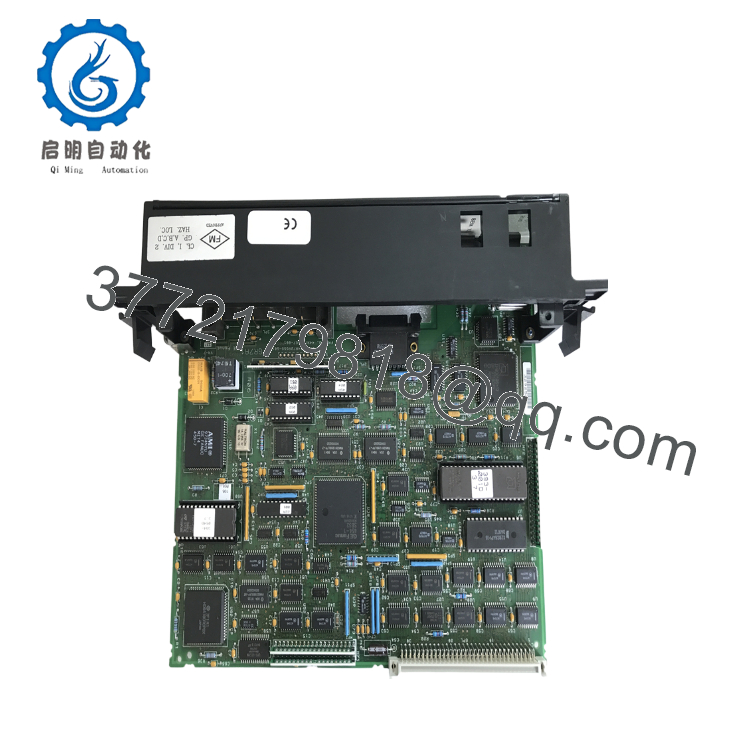
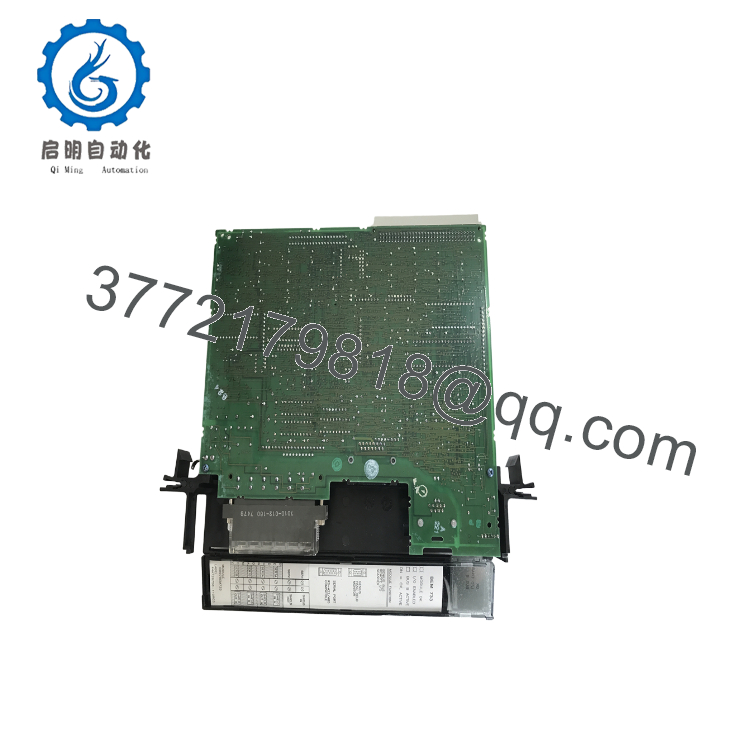
The GE Fanuc IC697BEM733 is a Genius Interface Module (GIM) designed exclusively for the Series 90-70 automation platform. Unlike a bus controller that acts as a network master, the GIM acts as a remote rack receiver. It resides in Slot 1 of a remote expansion chassis, capturing I/O data from local cards and transmitting it back to the central processor over a deterministic Genius network. This enables long-distance distributed I/O architectures across sprawling industrial environments.
From an lifecycle maintenance perspective, the IC697BEM733 is a classic example of a high-risk legacy asset. Since the Series 90-70 platform is obsolete, a failure at the remote rack level cuts off field telemetry entirely. Choosing a refurbished unit exposes your facility to latent component degradation, dirty terminal seats, and internal board stress. Securing this module as a certified New Surplus spare provides a predictable Total Cost of Ownership (TCO), establishing a clean, long-term buffer stock item that minimizes downtime risk while long-term migration paths are engineered.

- IC697BEM733
- IC697BEM733
5. Installation & Configuration Guide
Stage 1: Pre-Installation (Prep & Safety)
Isolate all electrical power entering the target remote Series 90-70 rack and the primary Genius communication bus using site lock-out/tag-out (LOTO) procedures. Strap on a grounded ESD wrist band and connect its terminal clip to an unpainted section of the control enclosure frame. Prior to physical extraction, verify that the active programming workspace (Logicmaster 90 or Proficy Machine Edition) contains an accurate copy of the hardware configuration configuration layout for the remote rack.
Stage 2: Removal
Loosen the retaining screws positioned at the top and bottom of the module’s front faceplate. Unplug the terminal strip containing the Genius LAN communication lines from the lower front jack. Simultaneously release the top and bottom ejector levers by pulling them outward to free the module from the VME backplane pins, then pull the card horizontally out of the rack slots.
Stage 3: Installation (Clone & Seat)
Verify that the replacement IC697BEM733 has clean backplane connections and that the slot configuration matches the original card layout. The GIM must always be installed in Slot 1 of the remote rack. Align the PCB edges with the plastic tracks of the slot and slide the module directly inward. Press firmly until the card face is flush with the rack rails, then lock the top and bottom ejector levers. Reattach the network terminal plug to the faceplate.
Stage 4: Power-On & Testing
Turn on the power supply for the remote expansion rack. Observe the front panel LED cluster: the “Module OK” light must shine a solid green, indicating that the internal circuitry passed its initial diagnostics. Once the primary master CPU rack is running and scanning the network, the “LAN Active” LED will blink rapidly, confirming that the remote rack is successfully communicating data back to the central processor.
6. Firmware/Software Versions & Upgrade Notes
The IC697BEM733 functions strictly as a hardwired communication node passing backplane data across the Genius LAN protocol.
- Firmware Parity: While it does not host a conventional firmware operating system, its built-in ROM microcode must align with the primary Genius Bus Controller (such as the IC697BEM713) residing in the master rack.
- Redundancy Nodes: If deployed within a Genius dual-bus redundancy network, the remote GIM cards must match revision levels exactly to ensure predictable bus switchover timings.
- Configuration Requirements: Ensure the remote rack layout defined in your Proficy Machine Edition or legacy Logicmaster 90 software matches the physical cards placed to the right of the GIM. A mismatch in card type or ordering will cause the module to report a configuration fault and halt remote I/O processing.
7. Frequently Asked Questions (FAQ)
What is the primary difference between the IC697BEM733 and the IC697BEM713?
The IC697BEM713 is a Genius Bus Controller (GBC) that sits in the main processor rack and acts as the master host of the Genius network. The IC697BEM733 is a Genius Interface Module (GIM) that sits in a remote expansion rack. It acts as a slave device, collecting data from the remote I/O cards and sending it back to the master GBC over the network.
Is this IC697BEM733 module brand new or refurbished?
This product is a Brand New Surplus unit. It is not used, not pulled from a decommissioned plant, and not refurbished. All modules undergo rigorous quality verification to ensure OEM-level reliability. Every card is packed in clean, anti-static protective packaging, showing zero trace of pin scoring or board repairs, and includes verifiable serial tracking.
Can I place the IC697BEM733 in any slot of the remote rack?
No. The Genius Interface Module must always be installed in Slot 1 (the leftmost slot) of the remote Series 90-70 expansion rack. Slot 1 contains the specialized backplane routing necessary for the module to manage and transmit data for the adjacent I/O cards in that chassis.
Does this module require a separate battery backup to hold its configuration?
No, the IC697BEM733 does not require a local backup battery. It does not store user logic or independent application programs locally. Its operational parameters and structural address definitions are pushed down to it from the master CPU across the Genius bus whenever the system performs its initial boot sweep.
What warranty terms apply to this obsolete surplus card?
We protect this New Surplus IC697BEM733 module with a comprehensive 1-year operational warranty from your date of purchase. This long-term coverage shields your maintenance budget from the short 30-day warranties typically offered by vendors selling used or repaired surplus components.



